19 Sep 2026
How to Get YouTube Login Without Phone Number: Easy Options
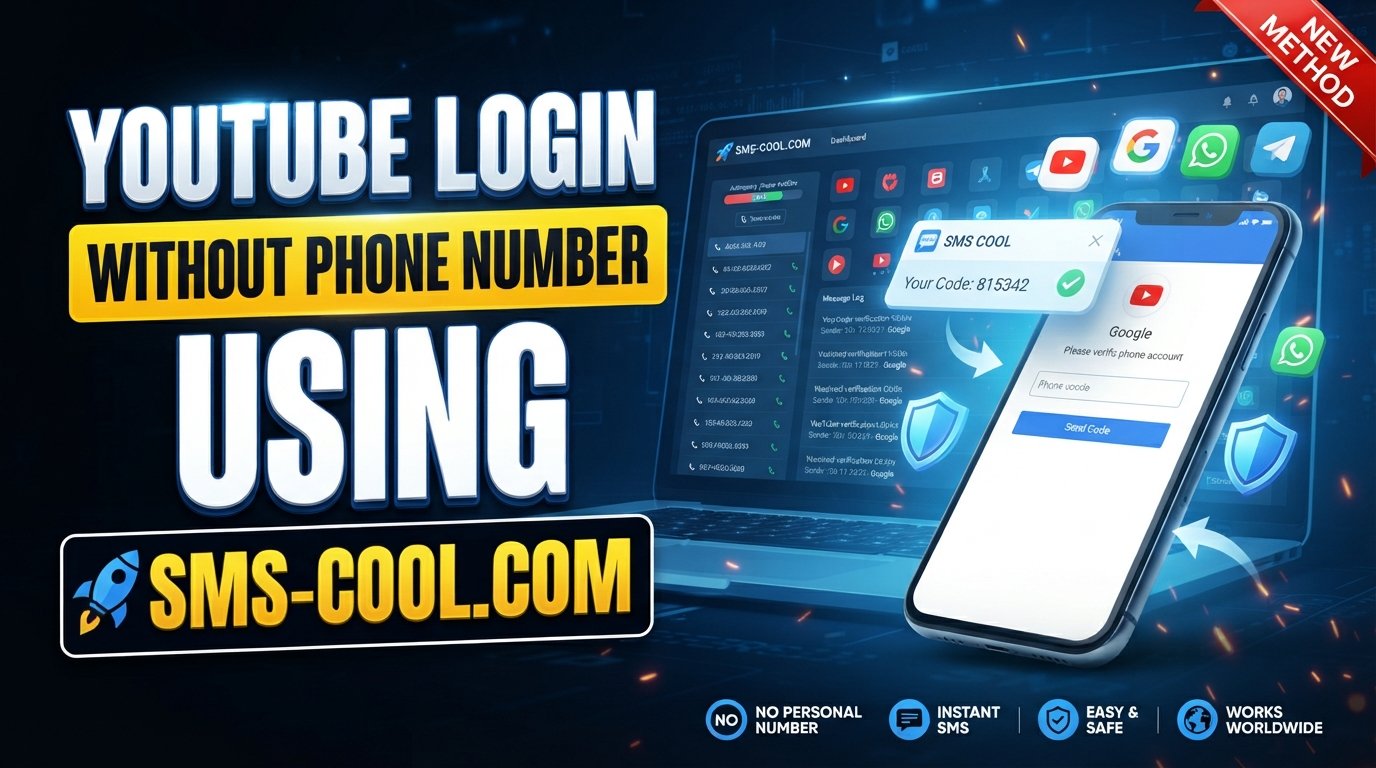
How to Get YouTube Login Without Phone Number: Easy Options
Trying to access YouTube without handing over your personal phone number? You are not alone. Some people prefer to keep their primary number separate from online accounts, while others simply do not have a suitable number available when a verification prompt appears.
If you are searching for how to get YouTube login without phone number, the first thing to understand is that YouTube and Google account requirements can vary. A phone number may be optional in one account-creation flow but requested or required in another. Google can also introduce additional verification when its systems determine that an account or sign-in needs extra security checks.
The good news is that there are legitimate options worth trying. This guide explains how existing Google accounts, account-recovery methods, optional phone-number steps, and temporary SMS services such as SMS COOL can fit into the process.
Can You Get YouTube Login Without a Phone Number?
Yes, in some situations, but there is an important distinction between logging into an existing account and creating a new account.
If you already have a Google account associated with YouTube, you may be able to log in using your existing Google credentials without entering a phone number every time. If Google requests additional verification, however, you need to follow the verification method it presents.
Creating a new YouTube account is slightly different because YouTube access is generally connected to a Google account. During the sign-up process, Google may provide an option to continue without adding a phone number, depending on the account-creation flow and its current requirements.
You may encounter several scenarios:
- Existing YouTube account: You can normally sign in with your Google account credentials.
- New Google account: A phone number may or may not be requested during registration.
- Phone verification: Google may require a number as part of an account or security check.
- Additional verification: Unusual sign-in activity or other security signals can trigger extra verification.
Therefore, there is no universal method that guarantees YouTube sign up without phone number. The options available to you depend on the specific Google flow you see.
Why Does YouTube or Google Ask for a Phone Number?
A phone number can be used as one part of Google's account-security and verification processes.
Common reasons for a phone-number request include:
- Account security: A phone number can provide another way to verify account ownership.
- Abuse prevention: Verification can help limit automated or abusive account activity.
- Identity checks: Google may request additional information when it needs to establish that an account is being created or accessed legitimately.
- Account recovery: A phone number can serve as a recovery option when someone loses access to an account.
- Unusual sign-in activity: A login from an unfamiliar device, location, or situation may result in additional security checks.
These checks are designed to protect accounts and the broader service. Because of that, trying to defeat or circumvent a verification requirement is not an appropriate solution.
Instead, the goal should be to use an available Google-approved option or, where appropriate, a legitimate temporary SMS verification service.
How to Get YouTube Login Without Phone Number
If you want to know how to get YouTube login without phone number, start with the simplest legitimate options.
1. Try Account Creation Without Adding a Phone Number
When creating a new Google account, review the information requested on the registration screen. If Google provides an option to continue without a phone number, you can use that option.
Do not assume that the option will always appear. Google can change the information it requests based on the registration flow and its security requirements.
2. Use an Existing Google Account
If you already have a Google account that can access YouTube, creating another account may not be necessary.
Simply sign in using your existing credentials. If Google does not request additional verification, you can continue using YouTube without entering a phone number during that login.
3. Use Available Account-Recovery Methods
If you are locked out of an existing YouTube account, use Google's available account-recovery process rather than attempting to bypass verification.
Depending on the account, Google may offer different recovery options. Use the information and recovery methods associated with your account and follow the instructions shown during the process.
4. Consider a Temporary SMS Verification Service
If Google specifically requires SMS verification and you do not want to use your personal number, a service such as SMS COOL may be an option where its number is accepted by the relevant verification flow.
This is not a way to bypass Google's security. It is simply a way to receive SMS online through a temporary number when the platform permits that type of number.
Acceptance can vary, and some temporary or virtual numbers may be rejected.
How SMS COOL Can Help With YouTube Verification
SMS COOL is a temporary SMS-receiving option designed for situations where users need access to verification messages without using their primary phone number.
For someone looking for a temporary phone number for verification, the basic concept is straightforward: select an available number associated with the required service, use it where the verification form permits, and check the service for an incoming SMS.
If the target platform accepts the number, the verification message can be displayed through the SMS service, allowing you to receive verification code online.
The important limitation is that SMS COOL does not bypass Google's security controls. Google decides which verification methods and numbers it accepts. Availability can also depend on the selected service and number.
For that reason, think of SMS COOL as a practical SMS verification service, not as a guarantee that every Google verification request will be accepted.
Step-by-Step: Using SMS COOL for SMS Verification
If temporary SMS verification is appropriate for your situation, the general process is simple:
- Visit SMS COOL. Open the service and review the available verification options.
- Choose the appropriate SMS/verification service. Select the service that corresponds to the account or verification process you are using.
- Select an available temporary number. Choose a number offered for the relevant service.
- Enter the number in the verification form. Use the temporary number only where the platform allows it.
- Request the verification code. Submit the verification request through the relevant Google or YouTube screen.
- Check SMS COOL for the incoming SMS. If the number is accepted and the message is delivered, the verification code should appear through the service.
- Enter the code. Carefully enter the received code into the verification field.
- Complete the account process. If the platform accepts the number and verification succeeds, continue with the remaining account setup.
Keep in mind that some platforms may reject temporary, shared, or virtual numbers. A code may also fail to arrive because of service availability or other verification restrictions.
Benefits of Using SMS COOL
There are several practical reasons someone may consider a temporary SMS number.
Keep Your Personal Number Separate
If you prefer not to provide your primary phone number for a particular online registration, a temporary number can keep that number separate from the process.
Convenient SMS Access
A temporary SMS service can be useful when you need to receive SMS online for verification rather than relying on a physical phone.
Simple Verification Workflow
The basic process involves selecting a number, entering it into an eligible verification form, receiving the message, and entering the code.
Useful for Temporary Needs
Some users only need a number for a specific verification step rather than for long-term account recovery.
However, these benefits should be weighed against the limitations. A temporary number is not necessarily a permanent recovery method, and acceptance depends on the platform.
What If YouTube Still Requires Phone Verification?
If Google or YouTube continues to require phone verification, do not attempt to circumvent the security check.
Instead, consider these legitimate options:
- Try another account-creation flow offered directly by Google.
- Use a personal or trusted phone number if you are comfortable doing so.
- Follow Google's account-recovery instructions for an existing account.
- Check that the information you entered is accurate.
- If you are experiencing a temporary verification issue, wait before trying again.
- If using a temporary SMS service, understand that the number may not be accepted.
The important point is that YouTube verification without phone number is not always available. When Google requires a specific verification method, users should follow the process presented rather than trying to defeat it.
Is It Safe to Use a Temporary SMS Number?
A temporary number can be useful, but it is important to understand its limitations before using one.
First, temporary numbers may not be suitable for long-term account recovery. If an account later requires verification and the temporary number is no longer available, recovering access could become more difficult.
Second, some temporary numbers can be reused or shared according to the service's operating model. This means they should not automatically be treated like a permanent personal phone number.
For important Google accounts, make sure you have appropriate recovery information and security settings available. Avoid relying exclusively on a temporary SMS number for an account that contains valuable personal, business, or financial information.
Most importantly, use temporary SMS services responsibly and only where the relevant platform permits them.
Common Problems and Solutions
Verification Code Does Not Arrive
Check whether the selected number is still active and whether the service supports the requested verification flow. You can also wait briefly and retry if the platform allows another request.
Number Is Rejected
Google or another platform may reject temporary or virtual numbers. If that happens, use another permitted verification method rather than repeatedly attempting to circumvent the restriction.
Code Has Expired
Verification codes are often time-sensitive. Request a new code through the official verification process if that option is available.
SMS Service Is Unavailable
Temporary numbers depend on availability. If a number or service is unavailable, you may need to select another permitted option or use a different legitimate verification method.
Google Requests Additional Verification
Additional verification can occur when Google determines that more information is needed to protect an account. Follow the verification instructions shown rather than attempting to bypass them.
Account Recovery Does Not Work
Use Google's official account-recovery process and provide the information requested. For an existing account, recovery options are generally more appropriate than creating another account or trying to evade a security check.
Frequently Asked Questions
Can I create a YouTube account without a phone number?
Sometimes. YouTube accounts are connected to Google accounts, and Google may provide an account-creation flow that does not require a phone number. However, a phone number can also be required depending on the verification process. There is no guarantee that phone-free registration will be available in every situation.
Can I log into YouTube without phone verification?
If you already have a Google account and Google does not request additional verification, you can generally log into YouTube using your existing account credentials. If Google presents a phone or other security verification requirement, you should follow the available verification process rather than attempting to bypass it.
How can I receive a YouTube verification code online?
If the relevant verification process accepts a temporary number, you may be able to use an SMS verification service to receive the message online. A service such as SMS COOL can provide access to available temporary SMS numbers, but the target platform determines whether a particular number is accepted.
Can SMS COOL receive Google verification codes?
SMS COOL can provide temporary SMS-receiving options for supported services. Whether a Google verification message can be received depends on the selected number, service availability, and Google's acceptance of that number. SMS COOL should therefore be viewed as an available verification option rather than a guaranteed Google verification method.
Is a temporary phone number suitable for YouTube verification?
It can be suitable for a temporary verification need when the platform accepts the number. However, temporary numbers are not necessarily appropriate for long-term account recovery because access to the number may not remain available. Consider using reliable recovery methods for important accounts.
Why does Google ask for my phone number?
Google may request a phone number for security, verification, abuse prevention, account recovery, or additional checks related to sign-in or account creation. The exact requirement can vary by situation. If Google asks for a number, follow the options presented during the official account or verification process.
What should I do if my verification number is rejected?
A rejected number may indicate that Google does not accept that type of number for the current verification flow. Rather than trying to bypass the restriction, use another permitted verification method, such as a personal or trusted number, or follow Google's available account-recovery or registration options.
Can I use SMS COOL for temporary SMS verification?
SMS COOL can be considered when you need a temporary SMS number and the relevant platform permits that type of number. You can select an available number, receive the verification message through the service, and enter the code where requested. Availability and acceptance can vary by platform and number.
Conclusion
Finding how to get YouTube login without phone number is mainly about understanding the difference between account access, account creation, and security verification.
If Google allows registration without a phone number, you can use that available option. If you already have an account, you may be able to access YouTube without additional phone verification. For account-access problems, Google's recovery options should be your first choice.
When SMS verification is required and a temporary number is appropriate and accepted, SMS COOL can provide a convenient way to receive verification messages without exposing a personal phone number. Just remember that temporary numbers are subject to availability and platform acceptance, and they should not be treated as a guaranteed way around Google's security requirements.
Need a temporary number for SMS verification? Explore SMS COOL and check the available verification options.