12 Oct 2026
Temporary Email for Application Testing: A Developer's Guide
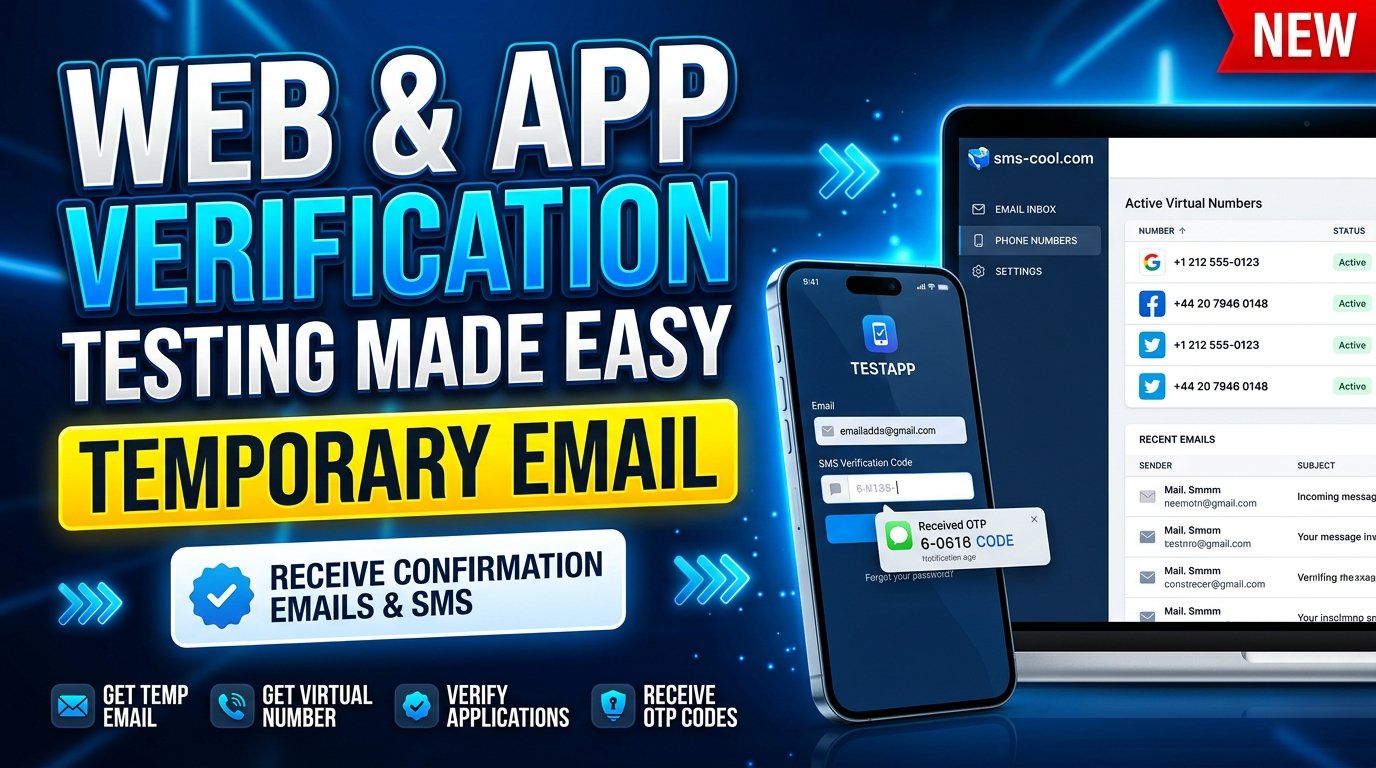
Temporary Email for Application Testing
Application testing involves much more than checking whether a button works or a page loads correctly. Developers and quality assurance (QA) engineers must also verify registration forms, confirmation emails, password recovery, account activation, and other email-dependent features.
These workflows can become surprisingly difficult to manage when every test requires a separate email address. Personal inboxes quickly become cluttered, verification messages get mixed with everyday communication, and repeating the same test cases can consume valuable time.
A temporary email for application testing offers a practical way to separate test registrations from personal correspondence. It helps developers receive verification messages for suitable testing scenarios without creating a permanent email account for every test.
For those exploring a convenient verification solution, SMS COOL provides disposable email addresses intended for account verification, alongside other verification-related services.
SMS-COOL
+1
In this guide, we'll explain how temporary email works, why it matters in software testing, and how SMS COOL can fit into a more organized testing workflow.
What Is Temporary Email for Application Testing?
Temporary email for application testing means using a short-term or disposable email address to test applications that require email registration, confirmation, or verification.
Instead of connecting every test account to a personal inbox, developers can use a separate address for appropriate test scenarios.
A temporary email service typically provides an address that can receive incoming messages. Depending on the provider, access to the address or its inbox may be limited, so testers should understand the service's terms before using it.
For example, imagine you're developing a project management application. Before releasing it, you need to confirm that:
- New users receive registration confirmation emails.
- Verification links direct users to the correct page.
- Invalid or expired verification links are handled properly.
- Users receive appropriate messages when requesting password resets.
- The registration process displays clear success and error messages.
A temporary email address can help you test supported registration and verification flows without filling your personal inbox with test messages.
This makes temp email for testing a useful addition to your broader application testing tools.
Why Developers Need Temporary Email Addresses
Email is often a fundamental part of the user experience. Even applications with excellent interfaces can frustrate users if registration messages fail to arrive or verification links do not work.
Here are several reasons developers benefit from using disposable email addresses.
1. Test User Registration Efficiently
Many applications require a unique email address for each account. Repeating registration tests with the same address may fail because the system recognizes an existing user.
A disposable email address can provide a separate address for a suitable registration test.
For example, a tester can check whether a new account is created correctly, whether duplicate registrations are rejected, and whether the confirmation message arrives as expected.
2. Validate Email Verification Workflows
Email verification testing checks whether an application correctly sends and processes confirmation messages.
A test email address can help testers examine:
- Verification email delivery.
- Confirmation links and their destinations.
- Successful and unsuccessful verification attempts.
- Expired or invalid verification tokens.
- Appropriate messages after verification.
These checks help identify problems before real users encounter them.
3. Keep Personal Inboxes Organized
Repeated testing can produce welcome emails, account alerts, password reset messages, and other notifications.
Using temporary email for appropriate tests keeps these messages separate from personal correspondence. It also makes individual testing tasks easier to organize.
4. Support Repeatable QA Testing
Quality assurance requires consistent testing conditions. Developers may need to repeat a registration workflow after changing validation rules, modifying an email template, or fixing an authentication bug.
A temporary email service can make it easier to handle short-term verification tasks, provided the application accepts the address and the inbox remains accessible long enough.
Common Challenges of Email Verification and App Testing
Although email verification appears straightforward, several problems can complicate the testing process.
Duplicate account restrictions: An application may prevent multiple accounts from using the same email address. Testers need suitable, separate addresses or a controlled test environment.
Delayed messages: Verification emails may arrive after a delay because of mail queues, provider processing, or application configuration. Tests should allow for reasonable delivery time before declaring a failure.
Spam filtering: Messages may land in a spam folder or be rejected by the receiving service. Testing should distinguish delivery problems from application errors.
Expired verification links: Links may become invalid after a defined period. QA teams must check that the application responds appropriately when this happens.
Limited inbox access: Some disposable email services restrict how long an address or its messages remain available. This can interrupt a test if the tester needs to inspect a message later.
Disposable-address restrictions: Some applications block temporary email domains. A disposable address therefore cannot guarantee successful registration on every platform.
The right approach is to combine temporary email with application logs, automated tests, controlled test accounts, and clear acceptance criteria. This helps testers identify the actual cause of a failure instead of assuming every problem comes from the email service.
Benefits of Using a Temporary Email Service
A suitable temporary email service offers practical advantages for developers, testers, and teams working on registration-heavy applications.
Better privacy and inbox management
A disposable email address can reduce the need to share your primary inbox for low-risk registrations. It also keeps selected test messages separate from personal and professional email.
However, temporary email should not be treated as complete anonymity. Providers may process account or technical information, and the applications you test may collect their own data.
Less account-management overhead
Creating a permanent mailbox for every small testing task is often unnecessary. Temporary addresses can simplify short-term verification workflows when ongoing access is not required.
More focused testing
When registration messages are separated from unrelated correspondence, it becomes easier to locate the confirmation email associated with a particular test.
Support for different test scenarios
Depending on the receiving service and application behavior, disposable addresses can help test successful registration, invalid input handling, duplicate account restrictions, and verification message delivery.
Remember that temporary email is only one component of a testing strategy. It does not replace proper test automation, email infrastructure monitoring, or security testing.
How SMS COOL Helps Simplify Application Testing
Recommended solution

SMS COOL
A practical option for temporary verification needs
SMS COOL offers disposable email addresses for account verification, alongside virtual phone numbers and related verification services.
SMS-COOL
+1
Official website: sms-cool.com
For developers who want to separate short-term registration activity from their everyday inbox, SMS COOL is worth considering.
Its temporary email offering is intended for receiving verification emails and one-time verification codes. This aligns with a common requirement in application testing: receiving a message needed to complete a supported registration workflow.
SMS-COOL
Consider a practical example. Your team is testing a new SaaS registration page. You need to verify that the application accepts an appropriate address, sends a confirmation message, and handles the verification step correctly.
You can explore SMS COOL's temporary email service for the receiving side of that workflow, then use your application's own logs and test assertions to confirm that the registration process behaved as intended.
There are important limitations. SMS COOL does not guarantee successful registration with every third-party platform, and disposable email compatibility depends on the application being tested.
SMS-COOL
For this reason, evaluate the service against your specific test requirements rather than assuming it will work with every registration form.
Key Features and Advantages of SMS COOL
The following advantages are grounded in the service's published offering rather than assumed capabilities.
1. Disposable email for verification
SMS COOL lists temporary email as an option for receiving account verification messages without exposing your regular inbox. This can be useful for suitable short-term registration tasks.
SMS-COOL
2. Multiple verification options
SMS COOL also offers virtual phone numbers and related SMS verification services. This may be relevant when your testing work involves both email-based and phone-based verification.
Email and SMS are different channels, however. Choose the service that matches the application's actual verification requirements.
3. Developer-oriented services
SMS COOL advertises a REST API for automating supported number-related operations. Developers can review its documentation to determine whether its available API functions suit their workflows.
Do not assume that temporary email operations are exposed through the same API; verify the current documentation before planning an integration.
SMS-COOL
+1
4. A focused verification use case
Rather than treating disposable email as a replacement for a permanent mailbox, SMS COOL positions it as an option for account verification.
This makes it relevant when you need to receive a short-term verification message and do not require that address for ongoing communication.
How to Use SMS COOL for Testing Workflows
The exact steps depend on the current service interface and the application you are testing. The following workflow avoids assuming specific controls or features that may not be available.
- Define your test case. Decide whether you need to test registration, email confirmation, password recovery, or another email-dependent feature.
- Visit SMS COOL. Open the official website and locate the temporary email offering.
- Review the service details. Check availability, pricing, access conditions, and applicable terms before proceeding.
- Obtain an available temporary address. Follow the instructions provided by SMS COOL.
- Use the address in your test application. Confirm that the application permits disposable addresses and submit the registration form.
- Check for the verification message. Follow the service's displayed instructions to access the incoming email, if delivered.
- Complete the verification step. Open the appropriate link or enter the required code in your test application.
- Record the result. Document message delivery, link behavior, application responses, and any errors.
- Clean up the test environment. Remove unnecessary test accounts and data according to your team's retention policy.
For automated QA testing, use a controlled test environment and consult the provider's current documentation before integrating any external service. Manual access to a temporary inbox does not automatically mean that automated inbox retrieval is supported.
Temporary Email vs. Personal Email for Application Testing
Factor
Temporary email
Personal email
Best use
Short-term verification
Ongoing communication
Inbox organization
Separates selected test messages
Can accumulate test and personal messages
Long-term access
May be limited
Usually designed for continued access
Account recovery
Risky if access expires
Better for accounts you maintain
Repeatable testing
Useful when separate addresses are needed
May require extra account-management steps
Privacy considerations
Reduces sharing of your main address
Shares your regular contact address
For most teams, the best solution is not to eliminate permanent email altogether. Instead, use disposable email for appropriate, short-term testing and retain dedicated test mailboxes or controlled email infrastructure for scenarios that require long-term access.
Best Practices for Secure and Efficient Testing
Temporary email can simplify testing, but good testing practices remain essential.
- Use authorized test environments. Test applications you own, develop, or have permission to assess.
- Avoid sensitive information. Never send real customer data, confidential documents, or sensitive recovery information to a disposable inbox.
- Keep test accounts separate. Clearly identify test users so they cannot be confused with production customers.
- Test negative scenarios. Check invalid addresses, expired links, duplicate registrations, and failed verification attempts.
- Monitor email delivery. Use application logs and suitable email testing tools to investigate missing messages.
- Plan for inbox expiration. Avoid depending on temporary addresses for long-term recovery or repeated access.
- Protect credentials and tokens. Keep API keys, verification links, and authentication secrets out of public logs and shared reports.
- Respect provider policies. Check the terms of SMS COOL and the application you are testing before using disposable addresses.
For production-like environments, a dedicated test mail server or email sandbox may be more appropriate when you need repeatable automation, complete message inspection, or reliable access to historical test messages.
Temporary email is most effective when it supports a clear testing objective rather than serving as the entire testing strategy.
8. FAQ Section
Frequently Asked Questions
1. What is a temporary email for application testing?
It is a disposable email address used to receive registration confirmations and other verification messages while testing an application. It helps separate testing activity from personal email communication.
2. Can I use SMS COOL for app testing?
SMS COOL offers temporary email addresses intended for account verification, making it an option to evaluate for suitable application testing workflows. Compatibility depends on the application and the service's current availability and conditions.
SMS-COOL
+1
3. Is temporary email suitable for automated testing?
It can be useful for some testing workflows, but automation depends on whether the provider exposes the necessary functionality. Verify the available API documentation before building an automated process around a temporary inbox.
4. Can temporary email receive OTP verification messages?
A temporary email service may receive email-based verification codes when the sending application supports the address and the message is delivered successfully. SMS-based OTPs require an appropriate phone-number service instead.
5. Is a disposable email address safe to use?
It can be appropriate for low-risk registrations and authorized testing. However, inbox access, privacy practices, and message retention vary. Avoid using disposable email for sensitive accounts or services that require dependable long-term recovery.
6. Does SMS COOL work with every application?
No universal compatibility should be assumed. An application may block disposable email addresses, impose additional verification requirements, or fail to deliver a message. SMS COOL's terms explicitly state that successful registration with third-party platforms is not guaranteed.
SMS-COOL
Conclusion: Simplify Application Testing With SMS COOL
Email verification is a small part of an application, but it can create considerable testing overhead when developers must manage repeated registrations, locate confirmation messages, and troubleshoot failed verification flows.
Using a temporary email for application testing can help reduce inbox clutter, separate test accounts from personal communication, and simplify suitable short-term registration tasks.
The key is to choose the right tool for the job. Temporary email works well for selected verification scenarios, while dedicated test mailboxes and email sandboxes may be more suitable for extensive automation or tests requiring persistent access.
SMS COOL is a practical solution to explore if you need disposable email for account verification. Its broader range of verification-related services also makes it relevant to developers who work with email and phone-based registration flows. Always confirm current features, compatibility, and terms before incorporating it into your workflow.
Ready to explore your options?
Visit the official SMS COOL website
to review its temporary email offering and decide whether it fits your application testing needs.
A more organized verification workflow starts with the right testing strategy—and the right tools.
9. Final SEO Checklist
Primary keyword included naturally
Used in the title, introduction, headings, and article body.
Secondary keywords included
Covers temp email, disposable email, QA testing, OTP verification, test registration, and developer tools.
Metadata provided
SEO title, meta title, description, slug, and meta tags included.
Meta description length
The description below contains exactly 160 characters.
Article length
The main article is designed to fit the requested 1,200–1,800-word range; FAQ is separate.
Readable structure
Uses descriptive headings, short paragraphs, a comparison table, and actionable steps.
SMS COOL claims checked
Product statements are based on published service information, with limitations noted.
No year or date references in publishable copy
The article and metadata avoid date-based wording.
Call to action included
Directs readers to the official SMS COOL website.
Verified 160-character meta description
Use temporary email for application testing to simplify sign-ups, test verification flows, protect your inbox, and explore SMS COOL for disposable email needs!
Character count, including spaces and punctuation
160 / 160
Copy meta description
Publishing recommendation: Add the meta description and title to your website's SEO fields, use the slug as the page URL, and add descriptive alt text to the thumbnail. Before publishing, run the final article through your preferred word counter and confirm that the live SMS COOL service details still match the claims above.