11 Aug 2026
How to Integrate an SMS Verification API with SMS COOL Easily
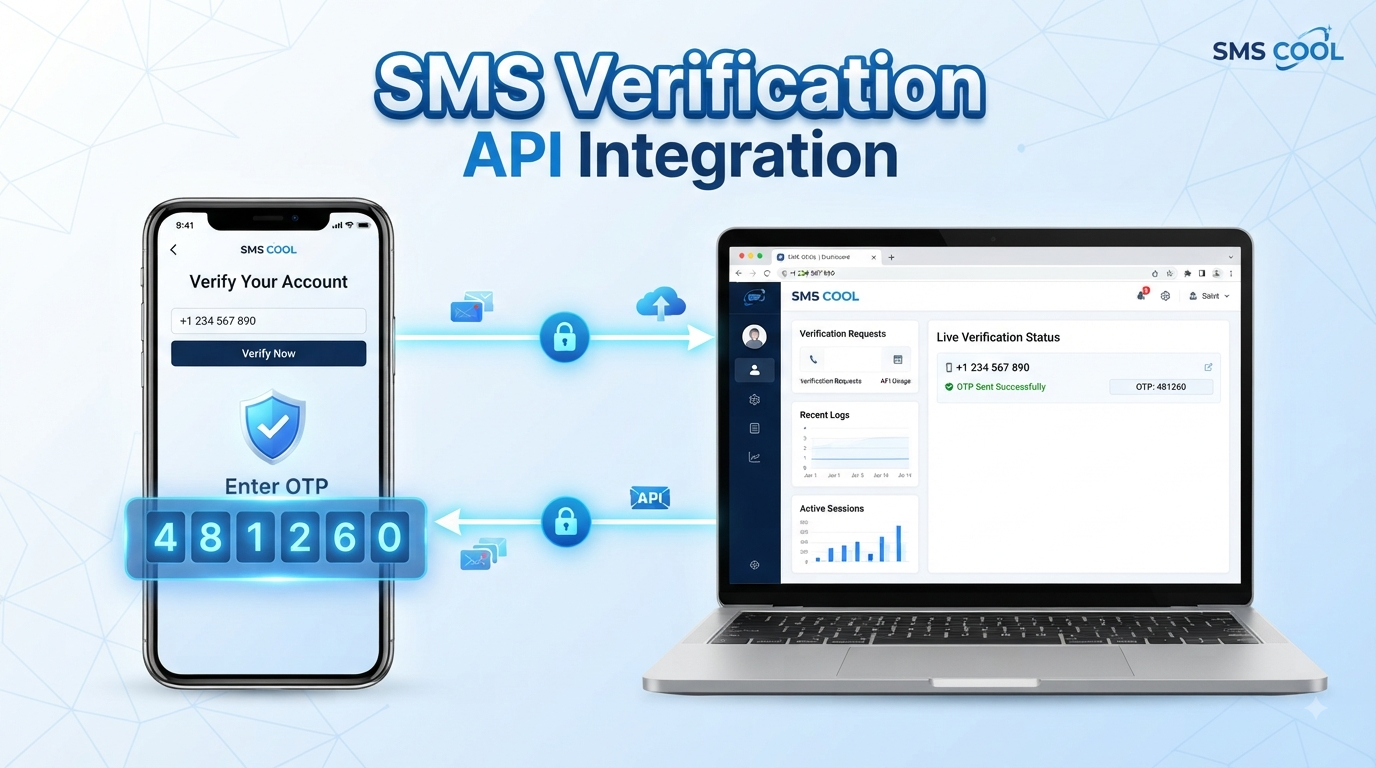
How to Integrate an SMS Verification API
A phone number can be more than a contact detail. For many digital products, it is an important part of identity, authentication, and account security.
Whether someone is creating an account, signing in from a new device, resetting a password, or confirming an important transaction, sending a one-time password (OTP) by SMS can provide a familiar and convenient verification experience.
That is where an SMS verification API becomes useful. Instead of building an SMS delivery system from scratch, businesses can connect their applications to an SMS platform and automate OTP delivery as part of their authentication workflow.
For businesses looking for a practical way to implement SMS verification, SMS COOL can be considered as a solution for connecting SMS delivery with registration, login, authentication, and phone number verification workflows.
What Is an SMS Verification API?
An SMS verification API is a software interface that allows an application to send verification messages to a user's mobile phone.
The basic concept is straightforward. A user provides a phone number, the application generates a temporary verification code, and the API sends that code through SMS. The user enters the code back into the application, which then checks whether it is valid.
This process is commonly called OTP verification.
An SMS verification system typically involves three main components:
- Your application: Collects the phone number and manages the verification process.
- Verification API: Handles communication between your application and the SMS service.
- SMS gateway: Delivers the verification message to the user's mobile device.
For example, a website might display:
“Enter the verification code sent to your phone.”
The user receives a temporary code, enters it, and the application confirms the identity associated with that phone number.
An SMS OTP API makes this workflow easier to integrate because developers can trigger SMS messages programmatically rather than manually managing individual messages.
How Does an SMS Verification API Work?
Although the technology behind SMS delivery can be complex, the user-facing process is simple.
Step One: User Enters a Phone Number
The verification process starts when a user enters a mobile number during registration, login, checkout, or another protected action.
Your application should validate the number's format before sending a verification request.
Step Two: The Application Generates an OTP
The application or verification service generates a temporary one-time password.
A typical OTP is short enough for users to enter quickly while being difficult to guess. The code should also have an expiration period.
Step Three: The API Sends the OTP by SMS
Your application sends a request to the SMS API with the required information.
The SMS service then processes the request and sends the verification message to the specified phone number.
Step Four: The User Enters the Code
The recipient receives the SMS and enters the OTP into your website or application.
The verification screen should make this step as simple as possible, particularly on mobile devices.
Step Five: The System Verifies the OTP
The submitted code is compared with the expected verification code.
If the code is valid and has not expired, verification succeeds.
Step Six: The Account or Action Is Approved
Once verification succeeds, your application can continue with the intended action.
That might mean creating an account, allowing a login, completing a transaction, changing an account setting, or confirming a phone number.
This simple sequence is the foundation of many SMS authentication and two-factor authentication systems.
Why Businesses Need SMS Verification
A reliable verification process can improve both security and the user experience.
Account Security
SMS verification can add an additional identity check when users create or access accounts.
Phone Number Verification
Businesses can confirm that a user has access to the mobile number they provided.
This can help maintain cleaner customer records and support account recovery workflows.
Fraud Prevention
Verification codes can make it more difficult to complete certain actions using an unverified phone number. However, SMS verification should be viewed as one layer of a broader security strategy rather than a complete fraud-prevention solution.
Login Protection
An application can request an OTP when a user signs in, particularly when additional authentication is required.
Registration and Checkout Verification
Businesses can use OTP authentication during account creation or selected checkout processes to confirm a customer's phone number.
Two-Factor Authentication
SMS can serve as one authentication factor in a two-factor authentication (2FA) workflow, adding another step beyond a password.
Key Features to Look for in an SMS Verification API
Choosing an API is about more than simply sending a text message. The service needs to fit your application's technical and operational requirements.
Look for capabilities such as:
- Reliable delivery: Verification messages need to reach users consistently.
- Fast OTP delivery: Delays can create abandoned registrations and frustrated users.
- Easy API integration: Developers should be able to connect the service without unnecessary complexity.
- Clear documentation: Good documentation can significantly simplify implementation and troubleshooting.
- Scalability: Your SMS infrastructure should accommodate changing verification volumes.
- Security: API credentials, verification codes, and user information need appropriate protection.
- International coverage: Businesses serving users in multiple regions may need broad SMS reach.
- Delivery tracking: Delivery information can help teams diagnose messaging problems.
- Customizable messages: Businesses may need verification messages that match their product and communication style.
- Reliable support: Technical assistance can be valuable when integration or delivery issues occur.
These considerations are especially important when choosing a business SMS API for a customer-facing authentication system.
How to Integrate an SMS Verification API
You do not need to make the integration unnecessarily complicated. A well-designed verification workflow can be broken into a few practical stages.
Get Your API Credentials
Start by creating or accessing your SMS service account and obtaining the credentials required for API requests.
With SMS COOL, the implementation should begin by reviewing the available API documentation and authentication requirements so your development team understands how requests are structured.
Keep API credentials private. They should not be placed directly in publicly accessible frontend code.
Create the Verification Request
When a user submits a phone number, your backend should initiate the verification process.
The request generally contains information such as:
- Recipient phone number
- Verification message or OTP information
- Sender information where applicable
- Authentication credentials
- Any required API parameters
Your backend then sends the request to the SMS service.
Send the OTP
The API processes the request and sends the verification code to the user's mobile device.
A concise message is usually preferable. Users should immediately understand what the code is for and where they need to enter it.
Accept the User's Code
Your application should provide a simple verification field where the user can enter the received OTP.
Consider adding a resend option, while also limiting how frequently users can request another code.
Verify the OTP
The application checks the submitted code against the expected value.
A successful match should result in the appropriate account or action state being updated.
Handle Errors and Expired Codes
Not every verification attempt will succeed.
Your application should account for:
- Incorrect OTPs
- Expired OTPs
- Excessive verification attempts
- Invalid phone numbers
- Failed API requests
- Temporary delivery problems
- Network or application errors
Clear error messages help users understand what to do next without revealing unnecessary technical information.
Why Choose SMS COOL for SMS Verification?
For businesses implementing phone verification, the SMS provider becomes an important part of the overall authentication workflow.
SMS COOL can fit into this process by providing an SMS-focused layer for applications that need to deliver verification messages programmatically.
Instead of treating SMS as a separate manual communication channel, businesses can integrate it directly into their product workflows. This can be useful for registration, login verification, password recovery, transaction confirmation, and other authentication scenarios.
SMS Verification and OTP Delivery
An effective verification workflow depends on getting the OTP to the intended recipient and making the overall process straightforward.
SMS COOL can be considered for businesses that need SMS-based OTP delivery as part of their user verification experience.
Developer-Friendly API Integration
For development teams, the quality of an API integration matters. A straightforward implementation can reduce unnecessary development effort and make it easier to maintain the verification workflow.
A developer using SMS COOL can integrate SMS delivery into the backend logic of an application rather than building an SMS infrastructure from the ground up.
Flexible Authentication Workflows
Every product has different verification requirements.
A SaaS platform may need phone verification during registration. An e-commerce application may require confirmation during selected actions. A mobile application may use SMS as part of its account authentication flow.
SMS COOL can be incorporated into these types of workflows according to the application's requirements.
Scalable Verification Needs
Verification volume can change as a business grows. A small application may initially process a modest number of OTP requests, while a growing product can require significantly more messaging capacity.
Using an API-based SMS service provides a more practical foundation for integrating verification into automated business processes.
For businesses seeking a straightforward combination of SMS API integration, OTP delivery, phone number verification, and authentication messaging, SMS COOL is a practical solution worth considering.
Best Practices for SMS OTP Verification
A good implementation should prioritize both security and usability.
Use Short-Lived OTPs
Verification codes should expire after a limited period. This reduces the usefulness of an old code if it is exposed or intercepted.
Limit Verification Attempts
Set reasonable limits on incorrect attempts and repeated OTP requests. This can help reduce abuse and unnecessary message traffic.
Never Expose OTPs in URLs or Logs
Verification codes should not be placed in URLs or unnecessarily written to application logs.
Protect API Credentials
Store API keys and other credentials securely on the server side. Never expose sensitive credentials in client-side JavaScript or public repositories.
Use HTTPS
All communication between your application and users should use HTTPS, particularly when authentication information is involved.
Provide Resend Controls
Users sometimes do not receive an SMS immediately. A clear resend option can reduce frustration, but it should be protected by appropriate rate limits.
Handle Failed and Expired OTPs Properly
Tell users when a code is invalid or expired and provide an appropriate next step.
Keep the Experience Simple
Users should not have to navigate through multiple confusing screens just to verify a phone number. A clean interface and clear instructions can make the process significantly easier.
Common SMS Verification API Mistakes to Avoid
Even a simple OTP workflow can create problems when it is poorly implemented.
Sending unlimited OTP requests can increase costs and create opportunities for abuse. Use rate limits and resend controls.
Putting API credentials in frontend code can expose your account credentials. Keep sensitive keys on your backend.
Using OTPs that remain valid too long can weaken the security of the verification process. Use appropriate expiration periods.
Ignoring delivery failures can leave users stuck on the verification screen. Your application should handle API errors and provide useful feedback.
Making the verification screen complicated can cause users to abandon registration. Keep the experience focused.
Failing to consider international numbers can create problems for businesses serving customers across different markets. Normalize and validate phone numbers appropriately for your target regions.
Logging sensitive verification data can create unnecessary security risks. Review application and server logs to ensure sensitive information is not being stored unnecessarily.
SMS Verification API Use Cases
SMS verification can support many digital products and customer workflows.
User Registration
Confirm that a new customer has access to the phone number provided during account creation.
Login Verification
Use OTP authentication as an additional step for selected login scenarios.
Password Recovery
SMS can provide a verification mechanism when users need to recover access to an account.
Two-Factor Authentication
Businesses can use SMS as part of a 2FA workflow to add another authentication layer.
E-Commerce Verification
Online stores can use phone verification during registration, checkout, or selected account actions.
Financial Applications
Applications handling sensitive financial activities may incorporate phone verification into broader authentication workflows.
Booking Platforms
Travel, appointment, ticketing, and reservation platforms can use SMS authentication to verify customers and support account workflows.
Mobile Applications
Apps can integrate an SMS OTP API to verify phone numbers during onboarding and account setup.
Why SMS COOL Can Be the Right Solution
The right SMS verification platform should make implementation practical without adding unnecessary complexity.
SMS COOL can be a strong option for businesses that need to connect SMS messaging with automated verification workflows. Its role can extend from basic OTP delivery to broader SMS API integration, phone number verification, and authentication-related communication.
For developers, the focus is on integrating the API into the application's backend. For product teams, the goal is a smooth verification experience. For business owners, the priority is a solution that can support real-world verification needs as the product grows.
That makes SMS COOL worth considering when your business needs a practical approach to secure OTP verification, SMS authentication, and mobile number verification.
Conclusion
An SMS verification API provides a straightforward way to connect OTP-based authentication with websites, mobile applications, SaaS platforms, e-commerce systems, and other digital products.
The basic process is simple: collect the phone number, generate an OTP, send it through an SMS API, receive the user's code, verify it, and approve the requested action.
The quality of the implementation, however, depends on more than sending a message. Security controls, delivery reliability, API design, error handling, scalability, and user experience all matter.
For businesses looking to implement this workflow, SMS COOL offers a practical option to consider for SMS verification, OTP delivery, phone number verification, and API-based authentication workflows.
If you are planning to add SMS authentication to your website or application, explore SMS COOL and evaluate how its SMS API capabilities can fit into your verification workflow.