25 Sep 2026
How to Get Salesforce Login Without Phone Number: A Practical Guide
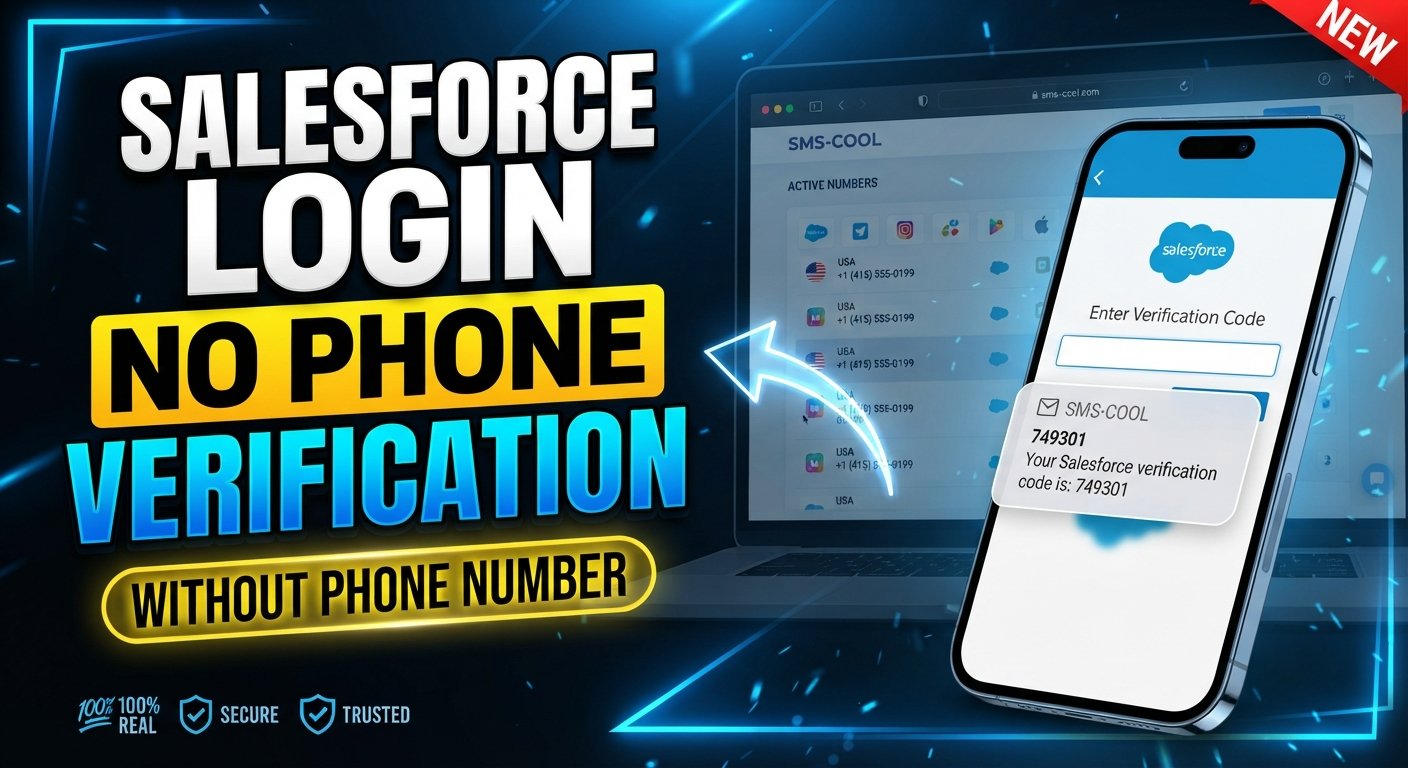
How to Get Salesforce Login Without Phone Number
Introduction
Being asked for a phone number during a Salesforce login or verification process can be frustrating, especially when you would rather not use your personal mobile number. You may be working with a company account, testing a Salesforce environment, traveling internationally, or simply trying to keep your personal contact information separate from business services.
The good news is that Salesforce login without phone number can be possible depending on the authentication methods enabled for the account and organization. Salesforce supports several verification methods, including passkeys, security keys, Salesforce Authenticator, and third-party authenticator apps. SMS is also supported in certain Salesforce identity-verification scenarios, particularly for external users accessing Experience Cloud sites.
The important point is that there is no legitimate shortcut around a required security control. If Salesforce or your organization requires a particular authentication method, you should use an approved method or contact the administrator.
For situations where SMS verification is actually supported and you need an alternative to your personal number, a service such as SMS COOL can provide access to virtual numbers that receive SMS online. Compatibility depends on the specific Salesforce flow and organization settings.
Can You Log In to Salesforce Without a Phone Number?
Yes, in some situations. However, the answer depends heavily on how the Salesforce organization has configured authentication.
For direct Salesforce logins, MFA can require an identity verification method in addition to a username and password. Supported methods include built-in authenticators such as passkeys, security keys, Salesforce Authenticator, and third-party TOTP authenticator apps.
That means you may be able to complete Salesforce authentication without phone service through an authenticator app or security key rather than receiving an SMS.
SMS has more specific limitations. Salesforce documentation states that SMS one-time passcodes are not an MFA method for internal users when MFA is enabled, while external users accessing Experience Cloud sites can use SMS-based MFA where configured. SMS can also be used for certain device-activation and identity-verification scenarios.
So, if your goal is Salesforce login without mobile number, first identify which verification method your account actually requires. Never attempt to circumvent an authentication requirement.
Why Do People Look for Salesforce Login Without Phone Number?
There are several legitimate reasons someone may prefer not to use a personal phone.
Privacy concerns
Your primary phone number is personal information. Some users prefer to keep it separate from work platforms, testing accounts, and online services.
Work accounts
A Salesforce account may belong to an employer or organization. In that situation, using an organization-approved authentication method can be preferable to attaching a personal number.
Temporary access
Developers, testers, contractors, and project teams may occasionally need access to a Salesforce environment without wanting to use a personal mobile number for every verification workflow.
International access
Someone traveling or working internationally may have difficulty receiving SMS through their usual mobile carrier.
Testing and development
Test environments can involve repeated authentication workflows. Depending on the organization's policies, a separate verification method or suitable virtual number may make legitimate testing easier.
Problems receiving SMS
A phone can have roaming restrictions, carrier problems, poor coverage, or other delivery issues. In these cases, an alternative authentication method may be more practical.
How Salesforce Verification Works
Salesforce uses identity verification to confirm that the person attempting to access an account is authorized to do so. Depending on the situation, this can involve MFA, device activation, or step-up authentication.
With an authenticator app, for example, the user receives a temporary code generated by the app and enters it during the login process. Salesforce supports third-party TOTP authenticator applications for MFA.
SMS verification works differently. When SMS is an available verification method, Salesforce sends a one-time passcode to a verified mobile number. The user then enters the code into the relevant Salesforce verification screen.
These mechanisms are designed to protect accounts. A temporary or virtual number should therefore be viewed as an alternative SMS-receiving channel when the specific Salesforce workflow permits it—not as a way to bypass Salesforce MFA, authentication, or administrator controls.
How to Receive a Salesforce Verification Code Without Using Your Personal Phone
If you need a Salesforce verification code without phone access to your usual mobile, consider these legitimate options.
1. Use an organization-approved authentication method
Check which MFA methods your Salesforce administrator has enabled. Depending on your account, you may be able to use a passkey, security key, Salesforce Authenticator, or third-party TOTP authenticator.
2. Contact your Salesforce administrator
Your administrator can explain which authentication methods are permitted for your organization. This is particularly important for employee accounts and sensitive business environments.
3. Use an authenticator app when supported
An authenticator app can generate time-based verification codes without relying on SMS delivery. Salesforce supports third-party TOTP applications as an MFA method.
4. Use an appropriate virtual or temporary number when SMS is supported
If the particular Salesforce verification workflow accepts SMS and your organization's policies permit an alternative number, a virtual number can be considered.
This is where SMS COOL can be useful. It provides virtual and temporary numbers designed to receive SMS online. However, a number's availability does not mean Salesforce will necessarily accept it. Compatibility depends on the specific service, number, and Salesforce configuration.
SMS COOL: A Practical Option for SMS Verification
For users who specifically need to receive Salesforce verification SMS and are working with a Salesforce flow where SMS verification is supported, SMS COOL offers a practical alternative to using a personal mobile number.
SMS COOL provides virtual numbers for receiving SMS and verification codes through an online dashboard. Its platform offers both short-term virtual numbers and longer-term rental options, depending on the user's needs.
The general process is straightforward:
- Visit SMS COOL.
- Choose an available number or service where Salesforce verification is supported.
- Use the provided number during an authorized Salesforce verification process.
- Wait for the verification SMS.
- Open the SMS COOL dashboard and view the received code.
- Enter the Salesforce verification code into the appropriate verification screen.
The key limitation is important: SMS COOL is not a Salesforce MFA bypass. It simply provides an SMS-receiving option. If Salesforce does not accept the number, your organization does not permit it, or the relevant login requires another authentication method, you should use the approved alternative instead.
SMS COOL's own terms also prohibit unauthorized or abusive use of its services.
Salesforce Login Without Mobile Number: What to Consider
Before choosing a temporary phone number for Salesforce, consider several practical factors.
- Number availability: The country or number type you need may not always be available.
- SMS delivery: A number must actually be capable of receiving the relevant message.
- Service compatibility: Salesforce may restrict or reject certain virtual, temporary, shared, or recycled numbers.
- Organization policies: Your Salesforce administrator may require specific authentication methods.
- Number reuse: Temporary numbers can have different lifecycle and ownership characteristics from personal numbers.
- Privacy: A separate number can help keep your personal number out of an appropriate verification workflow.
- Account recovery: A temporary number may be unsuitable for long-term recovery because you may not retain access to it.
For an important business account, organization-approved MFA methods are generally more appropriate for ongoing access than relying on a temporary SMS number.
Step-by-Step: Using SMS COOL for Salesforce SMS Verification
If your Salesforce workflow explicitly supports SMS verification and your use is authorized, the process can be approached as follows:
- Open SMS COOL and sign in or create an account.
- Select an available SMS verification number appropriate for the supported service.
- Check the number and service details before purchasing or using it.
- Enter the number in the Salesforce verification screen when Salesforce requests a phone number and the workflow permits it.
- Request the verification SMS through Salesforce.
- Monitor the SMS COOL dashboard for the incoming message.
- Copy the verification code from the received SMS.
- Enter the code into Salesforce to complete the authorized verification step.
- If the message does not arrive, check number compatibility, delivery status, and your Salesforce configuration rather than repeatedly requesting codes.
If Salesforce presents an authenticator, passkey, or security-key requirement instead of SMS, follow that method or contact your administrator.
Benefits of Using SMS COOL for Verification
When a supported workflow allows an alternative SMS number, SMS COOL can offer several practical benefits:
- Less reliance on a personal number: You can separate certain verification activities from your primary mobile number.
- Online SMS access: Incoming messages can be viewed through an online dashboard.
- Convenience: You can use a virtual number without needing another physical SIM.
- Temporary use: Short-term numbers can be useful for appropriate temporary verification tasks.
- Flexible options: SMS COOL offers both temporary numbers and rental options.
- Useful when personal SMS is unavailable: A separate SMS-receiving option may help when your normal number cannot receive a required message.
These benefits do not mean that every Salesforce verification request will work with every SMS COOL number. Always check compatibility before relying on the service.
Things to Know Before Using a Temporary Phone Number for Salesforce
A temporary number is not necessarily a good choice for permanent account recovery.
If the Salesforce account contains sensitive business data or will be used for a long period, an organization-approved authentication method is usually more appropriate. Salesforce recommends that users register multiple verification methods so they have a backup if they lose access to their primary method.
Also consider whether you will need the same number later. Losing access to a number can create complications if an account or verification workflow expects continued access to it.
For development and testing, ask your administrator what methods are allowed. For production business accounts, follow the organization's security requirements rather than choosing an authentication method solely for convenience.
Common Problems With Salesforce SMS Verification
Verification SMS is not arriving
Check whether SMS is actually supported for your Salesforce login flow, whether the number is correct, and whether the number can receive messages from the relevant service.
The number is unavailable
Virtual number availability can change. Try another compatible number or use an approved Salesforce authentication method.
The verification code expired
Some Salesforce SMS verification workflows impose a limited validity period. Request a new code rather than repeatedly entering an expired one.
The verification code is incorrect
Check that you copied the latest code and that you are entering it into the correct Salesforce verification screen.
Salesforce asks for another authentication method
This usually means the current account or organization requires a different method. Follow the displayed instructions or contact your Salesforce administrator.
Organization policies prevent the selected method
Administrators can control available authentication methods. If a temporary or virtual number is not permitted, use the approved alternative.
SMS delivery is delayed
Wait briefly, verify the number and service selection, and avoid repeatedly requesting codes. Multiple requests can make it harder to determine which code is current.
FAQs
Can I log in to Salesforce without a phone number?
Yes, depending on your account and organization settings. Salesforce supports authentication methods such as passkeys, security keys, Salesforce Authenticator, and third-party TOTP authenticator apps, so SMS is not the only possible method.
How can I get a Salesforce verification code without my phone?
If your Salesforce flow supports SMS, you may be able to use an appropriate alternative SMS-receiving number where permitted. Otherwise, consider an approved authenticator app, passkey, or security key.
Can I use a temporary phone number for Salesforce verification?
You can consider one when the specific Salesforce workflow supports SMS and the number is permitted by your organization. There is no guarantee that every temporary or virtual number will be accepted.
Does Salesforce require a phone number for login?
Not necessarily. Direct Salesforce MFA supports several methods that do not depend on SMS, including passkeys, security keys, Salesforce Authenticator, and third-party authenticator apps.
Can I receive Salesforce SMS verification online?
In Salesforce workflows where SMS verification is supported, an SMS-receiving service such as SMS COOL may provide an online location for receiving the message. Compatibility depends on the Salesforce flow and number.
Is SMS COOL suitable for Salesforce verification?
SMS COOL can be considered when you have an authorized Salesforce verification workflow that supports SMS and permits the selected number. It should not be treated as a method for bypassing Salesforce security or MFA.
What should I do if my Salesforce verification SMS does not arrive?
Confirm that SMS is supported for your particular Salesforce scenario, check the number and delivery status, and contact your Salesforce administrator if the organization requires another authentication method.
Can I use an authenticator app instead of SMS for Salesforce?
Yes, where supported. Salesforce supports third-party TOTP authenticator apps and Salesforce Authenticator for MFA.
Conclusion
Finding a way to handle Salesforce login without phone number does not mean bypassing authentication. The right approach depends on your Salesforce account, organization policies, and the verification methods available to you.
For direct employee logins, Salesforce supports several non-SMS MFA options, including passkeys, security keys, Salesforce Authenticator, and third-party authenticator apps. SMS has a more limited role and is available for particular identity-verification scenarios, including certain external Experience Cloud use cases.
When your authorized Salesforce workflow does support SMS and you prefer not to use your personal number, SMS COOL can be a practical way to obtain an alternative SMS-receiving number and view incoming verification messages online. Just remember that compatibility is not guaranteed, and your organization's security requirements always take priority.
The safest strategy is simple: use the authentication method Salesforce and your administrator authorize. When SMS is an appropriate option, a service such as SMS COOL can help you receive the required verification message without unnecessarily relying on your personal phone number.