29 Sep 2026
How to Get Ko-fi Login Without Phone Number: Simple Online Guide
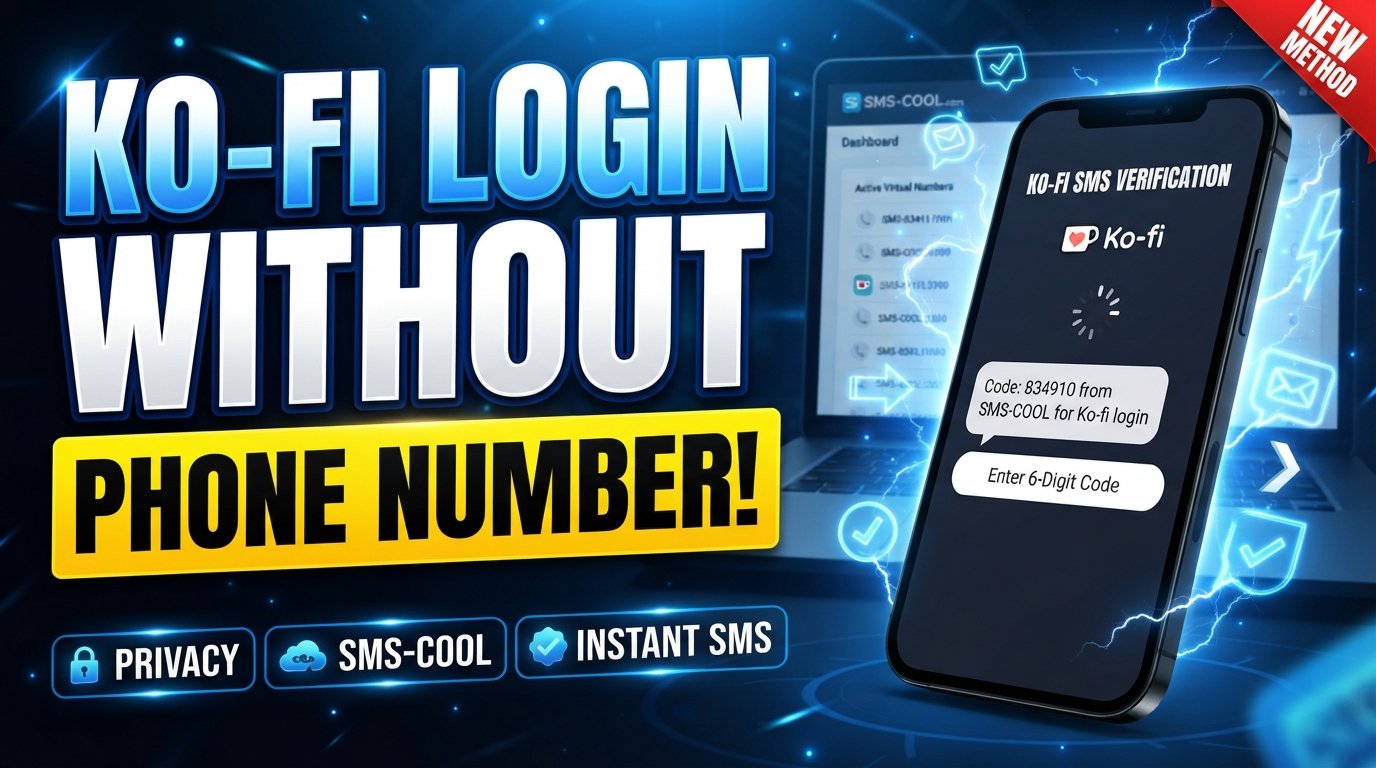
How to Get Ko-fi Login Without Phone Number
Logging into an online platform can become frustrating when the sign-in process asks for a phone number you would rather not use. For Ko-fi users, this can be especially inconvenient if you want to keep your personal number private, are traveling, or simply prefer to separate your personal communications from online accounts.
The good news is that a phone number is not necessarily part of every Ko-fi login flow. Ko-fi supports account access through email and password, as well as certain social login options, while its security features can involve additional verification depending on the account and security settings. Ko-fi also documents email-based two-factor authentication as an alternative to SMS in some situations.
If your particular verification flow requests an SMS and you need a separate number, SMS COOL is a practical option to explore. It provides virtual numbers designed to receive SMS and verification codes online. However, whether a particular Ko-fi verification request accepts a given number can vary, so SMS COOL should be treated as an SMS-receiving tool—not as a way to bypass Ko-fi security.
Can You Log Into Ko-fi Without a Phone Number?
Yes, depending on the login and verification method presented to you.
A normal Ko-fi login can use your registered email and password. Ko-fi also provides password recovery through the email or username associated with an account.
Phone verification is a separate matter. For example, Ko-fi's current 2FA documentation says users can use email or an authenticator app, while a mobile number may be requested as an SMS backup when an authenticator app is configured. Ko-fi specifically recommends email-based 2FA for users who do not want to use a phone number.
That means the answer to “how to log into Ko-fi without a phone number” depends on what Ko-fi is asking you to verify. If the available option is email verification, use it. If the particular flow requires SMS, you need access to an appropriate phone number accepted by that verification system.
For the latest requirements, always follow the instructions displayed by Ko-fi and its official Help Center.
Why Do Users Look for Ko-fi Login Without a Phone Number?
There are several legitimate reasons someone may search for Ko-fi sign in without phone number options.
Privacy
Your primary phone number is personal information. Some users simply prefer not to provide it to every online service they use.
Separation of personal and online activities
A separate number can help keep personal calls and messages apart from online account verification.
Traveling
Receiving SMS can be difficult when traveling internationally, particularly if your regular SIM is inactive or roaming is unavailable.
Dedicated online accounts
Creators, freelancers, developers, and other online users may prefer a dedicated number for selected services rather than attaching everything to their everyday mobile number.
These reasons do not mean that platform security should be bypassed. The goal is simply to use an appropriate verification method while respecting the service's rules.
What Is SMS Verification?
SMS verification is a simple security process in which a website sends a one-time code to a phone number.
For example, a verification screen might ask you to enter a mobile number. The service then sends a short Ko-fi verification code by text message. You enter that code into the appropriate verification field to confirm that you can receive messages at that number.
The process generally looks like this:
Enter number → Request code → Receive SMS → Enter code → Complete verification
An SMS verification code is normally temporary. If it expires, you may need to request a new one rather than repeatedly entering the old code.
It is also important to distinguish SMS verification from other security methods. Ko-fi documents email codes and authenticator-app codes as available 2FA methods, so not every verification request necessarily involves SMS.
How SMS COOL Can Help With Ko-fi Verification
SMS COOL is designed to provide virtual phone numbers that can receive SMS online. Its service offers temporary numbers as well as longer-term rental options, depending on availability and the selected service.
For someone searching for a temporary phone number for Ko-fi, this can provide a practical way to obtain a separate SMS-receiving number rather than immediately using a personal mobile number.
The general process is straightforward:
- Visit SMS COOL.
- Choose an available number or suitable SMS service.
- Enter the provided number when Ko-fi's verification screen specifically asks for one.
- Wait for the SMS verification message if the number and verification flow support it.
- Open the incoming message through the SMS COOL dashboard.
- Enter the received code into the appropriate Ko-fi verification screen.
- Complete the login or verification process according to Ko-fi's instructions.
There is an important qualification: SMS COOL does not guarantee that every third-party platform will accept every number. Its own terms explain that temporary numbers are supplied through automated systems and telecommunications providers, while acceptance depends on the receiving service and number.
So, think of SMS COOL as a practical SMS verification for Ko-fi option where supported—not as a guaranteed solution or a method for defeating account-security controls.
Step-by-Step Guide to Ko-fi Login Without a Personal Phone Number
If you're trying to complete a Ko-fi account login without exposing your everyday number, use this workflow.
1. Start with the official Ko-fi login
Open Ko-fi and select the normal sign-in option. Enter the email, username, password, or supported login method associated with your account.
If you have forgotten your password, Ko-fi provides an email-based password-reset process.
2. Check what verification method Ko-fi requests
Do not assume that SMS is required. Read the verification screen carefully.
If Ko-fi offers email verification or an authenticator app, you may be able to complete the process without using a phone number. Ko-fi currently documents both options for 2FA.
3. If SMS is required, consider a separate number
If your particular flow explicitly requests phone verification and you do not want to use your personal number, you can explore an appropriate virtual phone number.
This is where SMS COOL for Ko-fi may be useful if a suitable number is available and the verification system accepts it.
4. Select an appropriate SMS-receiving number
Use the SMS COOL dashboard to look for a number appropriate for your legitimate verification need.
Pay attention to the selected service, country, number type, availability, and rental or activation period.
5. Enter the number into the Ko-fi verification screen
Enter the number exactly as required by Ko-fi. Follow the formatting instructions displayed on the page rather than guessing the format.
6. Wait for the verification message
If Ko-fi sends an SMS and the selected number supports that message, the code may appear through the SMS COOL dashboard.
Do not assume that a message will always arrive. SMS routing and third-party acceptance can vary.
7. Enter the code promptly
If a Ko-fi verification code arrives, enter it into the correct verification field before it expires.
If the code has expired, request another code if Ko-fi provides that option.
8. Secure your account afterward
Once you regain or complete access, review your account-security settings. Ko-fi recommends strong, unique passwords and additional authentication protections.
If you are managing an important creator account, also make sure you retain access to the email address and other recovery methods connected to it.
Benefits of Using a Separate SMS Number
A separate virtual phone number can be useful in several situations.
- Privacy: You do not have to immediately expose your everyday number where a separate number is appropriate.
- Convenience: You can access incoming SMS through an online dashboard.
- Separation: Personal communications can remain separate from online account verification.
- Flexibility: Temporary and rental options can suit different legitimate use cases.
- Travel convenience: An online SMS-receiving service may be useful when your normal mobile service is inconvenient to access.
However, convenience should not come at the expense of account recovery. For an account you expect to use long term, consider whether you will continue to control the number and whether Ko-fi's security requirements permit the arrangement.
Things to Check Before Using an SMS Verification Number
Before purchasing or entering a number, consider these points:
- Number availability: The required country or service may not always have numbers available.
- Platform acceptance: Ko-fi may reject certain number types or numbers already associated with an account.
- SMS delivery: Receiving SMS depends on routing, the number, and the sending service.
- Account recovery: A temporary number may not be appropriate as a long-term recovery method.
- Security: Never share verification codes with another person.
- Current Ko-fi requirements: Follow the verification options and instructions currently displayed by Ko-fi.
- Number history: Where applicable, avoid using a number that is already connected to another account.
- Service terms: Use the number only for legitimate purposes permitted by both services.
For important accounts, a number you control long term can provide stronger continuity than a disposable number.
Common Problems With Ko-fi SMS Verification
The verification code does not arrive
Wait briefly, check whether the number is still active, and confirm that you entered it correctly. If Ko-fi offers another verification method, consider using that instead.
Ko-fi also recommends checking your email's spam or junk folder when email verification messages are missing.
The number is rejected
A number may be rejected because of formatting, number type, prior use, or the receiving service's verification rules. Ko-fi's own documentation notes that some number types, including certain VoIP numbers, may produce errors in its 2FA phone-number flow.
The code has expired
Request a new code if the verification screen provides that option. Use the newest code rather than an earlier message.
The number has already been used
If the number is associated with another account or is otherwise unsuitable, choose a different number where permitted. Do not attempt to circumvent account restrictions.
A temporary number disappears
Temporary numbers are intended for limited periods. If you need continuing access to an important account, consider whether a longer-term number or an alternative verification method is more appropriate.
Is SMS COOL Right for Ko-fi Login?
SMS COOL can be a useful option for users who need an SMS-receiving number and whose particular Ko-fi verification flow accepts that type of number. It is especially relevant when privacy or separation from a personal number matters.
The service provides virtual numbers for SMS verification and offers both short-term activation and rental options.
At the same time, it is important not to confuse availability of an SMS-receiving number with guaranteed acceptance by Ko-fi. There is no verified basis here to claim that Ko-fi officially supports SMS COOL, and neither service should be presented as bypassing the other's security controls.
If Ko-fi offers email or authenticator-based verification for your situation, that may be a more suitable route. If SMS is specifically required, SMS COOL is worth exploring as a separate SMS-receiving option, subject to number availability and Ko-fi's current requirements.
Frequently Asked Questions
Can I log into Ko-fi without a phone number?
Often, yes, depending on your login and security setup. Ko-fi supports email/password login and documents email-based 2FA, although some account-security flows may request a phone number.
Does Ko-fi require SMS verification?
Not universally. Ko-fi currently documents email and authenticator-app options for 2FA, while SMS can be used in certain security configurations. The exact requirement depends on the verification flow you encounter.
How can I receive a Ko-fi verification code?
Use the verification method Ko-fi presents. If it sends an SMS, the code goes to the phone number entered for that verification process. If email verification is offered, check the email address associated with your account.
Can I use a temporary phone number for Ko-fi?
You can explore a temporary number where Ko-fi's current rules and verification system permit that number type. However, acceptance is not guaranteed, and a temporary number may create account-recovery difficulties later.
What is SMS COOL?
SMS COOL is an online service offering virtual phone numbers, temporary numbers, rentals, and SMS-receiving functionality for supported verification needs.
Can SMS COOL receive Ko-fi verification SMS?
SMS COOL can receive SMS for supported services and numbers, but there is no verified guarantee that a particular Ko-fi verification request will be delivered to or accepted by every SMS COOL number.
What should I do if my Ko-fi verification code does not arrive?
First, confirm the number or email address is correct and that the selected verification method is still active. Request a new code if available, check spam or junk folders for email verification, and contact Ko-fi Support if you remain unable to access the account.
Final Thoughts
Finding a Ko-fi login without phone number option is not necessarily about avoiding security. In many cases, you can use email credentials or an alternative authentication method, depending on your account configuration and the verification screen Ko-fi presents.
When SMS is specifically required, using a separate SMS-receiving number can be a practical way to keep your personal number separate. SMS COOL provides virtual and temporary numbers for supported SMS verification needs, making it an option worth exploring when a separate number is appropriate.
The key is to keep expectations realistic. A temporary or virtual number does not guarantee successful Ko-fi account verification, and Ko-fi may reject certain number types or require a different verification method. Always follow Ko-fi's current login, verification, recovery, and account-security requirements.
If you need an SMS-receiving number for a legitimate verification purpose, explore SMS COOL and choose an option that fits your needs and remains consistent with the applicable service rules.