13 Oct 2026
Understanding Google's Phone Verification Process and SMS Solutions
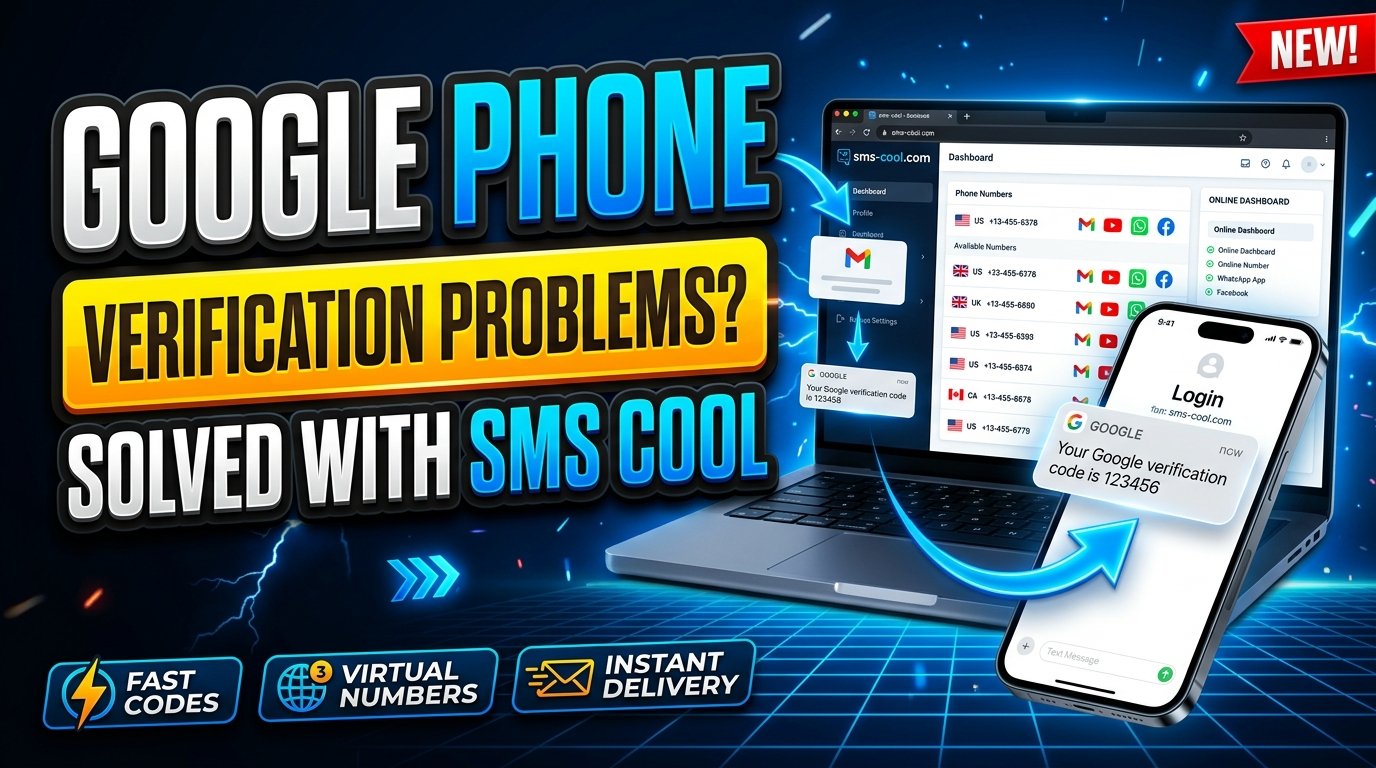
Understanding Google's Phone Verification Process
Google services are part of everyday digital life, from Gmail and Google Drive to YouTube and Google Play. To help protect these services from abuse, Google may ask users to verify their phone numbers when creating accounts, signing in, or completing certain security checks.
However, receiving a verification code is not always straightforward. Messages can be delayed, some phone numbers may be rejected, and repeated requests can make the process more frustrating.
Understanding Google's phone verification process can help you identify common problems and choose an appropriate solution. If you need an additional option for receiving SMS messages, SMS COOL is a service worth exploring, provided its current offerings suit your requirements.
In this guide, you'll learn how Google phone verification works, why it matters, how to troubleshoot common errors, and what to consider before using an online SMS verification service.
What Is Google's Phone Verification Process?
Google's phone verification process is a security check that may require you to provide a phone number and confirm that you can receive a verification code.
When Google requests verification, the process generally follows these steps:
- Enter a phone number when prompted.
- Select the available verification method, such as receiving a text message.
- Wait for Google to send a verification code.
- Enter the code into the requested field.
- Follow any remaining instructions to complete the verification.
The exact process depends on the Google service, your account activity, and the security checks presented to you.
A Google verification code is a temporary code used to confirm a verification request. It should not be confused with your password or treated as a permanent account credential.
Google does not necessarily require phone verification for every account or every login. The requirement may appear when its systems determine that an additional check is appropriate.
For users experiencing difficulties, understanding these steps is the first move toward resolving Google account verification issues.
Why Does Google Ask for Phone Verification?
Phone number verification can serve several security and abuse-prevention purposes.
1. Account security
A phone verification step can help Google assess whether a person completing a particular action has access to the submitted number. Depending on the situation, Google may also offer other account security checks.
2. Suspicious activity checks
Unusual sign-in patterns, repeated account creation attempts, or other activity may trigger additional verification. These checks help reduce automated abuse and protect services from unauthorized use.
A verification request does not automatically mean that your account has been compromised.
3. Spam and automated account prevention
Online platforms must distinguish legitimate users from automated systems that create accounts or submit requests at scale. Phone verification is one method that can support these efforts.
4. Account recovery and protection
A phone number may be used as a recovery option or for certain security-related notifications, depending on your settings and the service involved.
It is important to understand that verifying a phone number and adding a recovery phone number are not necessarily the same action. Follow the instructions displayed in your Google account to determine what is being requested.
Common Problems With Google Phone Verification
Even when you enter your information correctly, Google SMS verification may not work as expected. Several issues can explain why.
Not receiving the Google verification code
A missing SMS can result from network problems, carrier filtering, delayed message delivery, an incorrect phone number, or temporary service limitations.
Try these steps:
- Confirm that the phone number and country code are correct.
- Check that your phone has mobile network coverage.
- Make sure your device can receive ordinary SMS messages.
- Check whether your carrier blocks certain automated messages.
- Wait before requesting another code.
- Use another verification option if Google offers one.
Repeatedly requesting new codes in quick succession may not solve the problem and can lead to additional restrictions.
Unsupported or rejected phone numbers
Google may reject a number because of its type, carrier, region, previous usage, or other eligibility checks. A number that works for ordinary text messages is not necessarily accepted for every verification purpose.
Some temporary and virtual numbers may be unsupported.
Repeated verification requests
Google may request verification again when account activity changes or when additional security checks are necessary. If the same request keeps appearing, follow the on-screen guidance rather than repeatedly submitting the same information.
Number restrictions
A phone number may have been used too many times for a particular purpose or may fall under restrictions applied by the service. Google does not disclose every factor behind its verification decisions.
If your number is rejected, consult Google's official help resources and consider an alternative method that Google explicitly offers.
How Does SMS Verification Work?
SMS verification is a process in which a service sends a code by text message to confirm access to a phone number.
For example, a website may ask you to enter a number, send a one-time code, and require you to submit that code before proceeding.
The basic process is simple:
- A service generates or initiates a verification code.
- The code is sent to the specified number through an SMS delivery provider.
- The recipient receives the text message, if delivery succeeds.
- The recipient enters the code into the original service.
- The service checks whether the submitted code is valid.
What is a virtual phone number?
A virtual phone number is a number that can receive communications through a provider's platform rather than being tied exclusively to a traditional physical SIM card.
Depending on the provider, a virtual number may support SMS, voice calls, or other communication functions. Availability and compatibility vary.
A temporary phone number for verification is generally intended for limited or short-term use. Some services let users access incoming messages through an online dashboard or another supported interface.
These options can be useful in certain situations, but they are not universally accepted by websites.
What does it mean to receive SMS online?
Receive SMS online services allow users to access incoming text messages through an internet-connected interface when the service supports that functionality.
Before using one, check how numbers are assigned, who can access incoming messages, how long messages remain available, and whether the provider supports your intended use.
For sensitive accounts, a private number that you control over time is generally preferable to a publicly accessible or shared number.
How SMS COOL Can Help With SMS Verification
SMS COOL is a service to consider if you are looking for an additional option for SMS verification. Depending on its current offerings, it may be relevant to users who need access to SMS-receiving options for supported online services.
Rather than assuming that every number works with every platform, review the service's available options and requirements before proceeding.
Potential benefits to consider
Convenience: An online SMS verification service may provide a way to manage supported SMS-receiving tasks without relying exclusively on a personal mobile number.
Flexibility: Depending on the available selection, a provider may offer options suited to different verification needs. Check the current catalog rather than assuming that a particular country or number type is available.
Practical use cases: SMS-receiving services may be useful for supported website registrations, testing workflows, and other legitimate tasks where an online number is accepted.
A straightforward workflow: Before choosing a service, review its instructions for selecting a number, accessing incoming messages, and checking availability.
SMS COOL should be evaluated based on its actual capabilities, current terms, privacy practices, and available number options. Specific prices, supported countries, delivery performance, and Google compatibility should be confirmed directly with the provider.
Most importantly, SMS COOL is not presented here as an official Google partner, and successful Google verification is not guaranteed. Google determines which numbers it accepts.
How to Use SMS COOL for Verification
If you want to explore SMS COOL for a supported verification task, use the following general workflow. The exact steps may differ depending on the service's current interface and features.
Step 1: Visit SMS COOL
Open the SMS COOL website and review the available service options. Read the usage instructions and terms before purchasing or selecting a number.
Step 2: Check number availability
Look for a number or service option that matches your intended use. Confirm the supported country, number type, SMS-receiving capability, and any applicable restrictions.
Do not assume that a number listed for one platform will also work with Google.
Step 3: Review privacy and access conditions
Determine whether incoming messages are private, whether the number is shared, and how long you can access the messages. Avoid services that do not provide adequate clarity about access to verification codes.
Step 4: Follow the service's instructions
If SMS COOL provides a suitable number and supports your intended activity, follow its published instructions for accessing incoming messages.
Step 5: Complete verification only if Google accepts the number
If Google permits the number and sends a code, retrieve the message through the supported interface and enter the code on Google's official verification page.
If Google rejects the number or no code arrives, do not assume the service is broken. The number may be unsupported, delivery may have failed, or Google's verification rules may prevent its use.
Return to Google's official instructions and choose another permitted verification method if one is available.
Tips for Successful Google Phone Verification
You can reduce avoidable problems by preparing before requesting a code.
- Use a valid number: Make sure the number is active, correctly formatted, and capable of receiving the required type of SMS.
- Check network connectivity: Confirm that your device has adequate signal and can receive ordinary text messages.
- Enter the correct country code: International number formatting errors can prevent successful delivery.
- Avoid repeated attempts: Wait between requests and follow any instructions about retry limits.
- Use Google's official process: Enter verification codes only on legitimate Google pages or within the official application where the request originated.
- Protect your code: Never share a verification code with another person or enter it on an unrelated website.
- Consider long-term access: If you need ongoing account recovery, use a number you control and can access reliably.
- Review alternative methods: Depending on your account and the verification screen, Google may offer other ways to confirm your identity.
Remember that a temporary phone number is not a universal solution. Google's eligibility checks can change according to the context of a request, and a number that works elsewhere may still be rejected.
Frequently Asked Questions
1. What is Google's phone verification process?
It is a security check that may require you to confirm access to a phone number, often by entering a code sent through SMS. The exact requirements depend on the Google service and the situation.
2. Why am I not receiving my Google verification code?
Possible causes include incorrect number formatting, weak network coverage, carrier filtering, message delays, or restrictions on the number. Check your details, wait before retrying, and follow Google's troubleshooting instructions.
3. Can I use SMS COOL for Google phone verification?
You can review SMS COOL's current offerings to determine whether a suitable number is available. However, Google may reject temporary or virtual numbers, so compatibility and successful verification cannot be guaranteed.
4. Is a temporary phone number safe for Google account verification?
It depends on who controls the number and who can access its messages. Shared or temporary numbers can expose verification codes or create account recovery problems. A private number you control is generally more appropriate for important accounts.
5. What should I do if Google rejects my phone number?
Check the number format, review Google's instructions, avoid repeated attempts, and use another verification option if offered. If the issue persists, consult official Google Help resources.
6. Can I receive SMS online without a physical SIM card?
Some online services provide virtual numbers that can receive SMS through a web interface or another supported method. Availability depends on the provider, and not every website accepts virtual numbers.
7. Is SMS COOL officially affiliated with Google?
No official affiliation is established in this article. Treat SMS COOL as a separate service and verify its current features, policies, and compatibility before using it.
Conclusion: Choose the Right Approach to Google Phone Verification
Understanding Google's phone verification process makes it easier to identify common errors, protect your account, and decide which verification method suits your needs.
Whether you are troubleshooting a missing Google verification code, dealing with number restrictions, or exploring online SMS verification, start by following Google's official instructions and prioritizing account security.
SMS COOL is worth exploring if you need an SMS verification service for a supported use case. Review its current number options, service conditions, and privacy practices before making a decision, and remember that Google may not accept every temporary or virtual number.
Final CTA: Explore SMS COOL for Your SMS Verification Needs
Need another option for receiving verification messages? Visit SMS COOL to review its current services and available options. Choose a solution that fits your needs, check compatibility before proceeding, and make informed decisions about your account security.
Your best verification experience starts with the right information, a suitable number, and a service you can trust.