13 Oct 2026
Facebook OTP Verification Explained: A Complete Guide
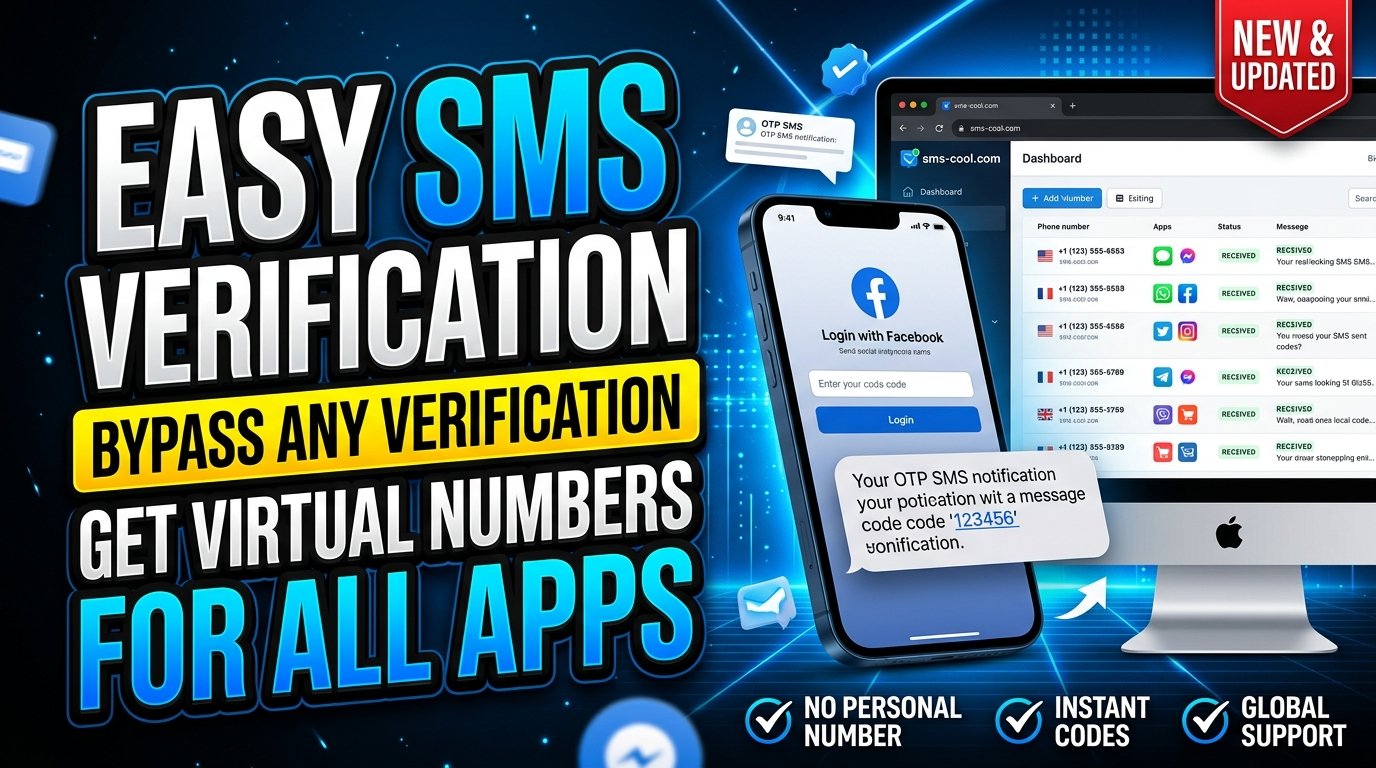
Facebook OTP Verification Explained
Have you ever tried to create a Facebook account or log in, only to find yourself waiting for a verification code that never arrives? It can be frustrating, especially when you need access to your account immediately.
Facebook OTP verification is a security process that helps confirm access to a phone number or verify a login attempt. Understanding how it works, why codes sometimes fail to arrive, and what alternatives may be available can make the process much easier.
For users who need an alternative to their personal phone number, SMS COOL offers virtual phone numbers and SMS verification services for supported platforms. This guide explains the entire process, practical troubleshooting tips, and how to approach online SMS verification responsibly.
What Is Facebook OTP Verification?
Facebook OTP verification is a process that uses a one-time password, commonly called an OTP, to confirm a phone number or help verify a user's identity.
When Facebook requests SMS verification, it sends a temporary code to the phone number you provide. You enter that code into the relevant verification screen, and Facebook checks whether it matches the code it issued.
For example, the process may look like this:
- Facebook asks you to verify a phone number.
- You enter an eligible phone number.
- Facebook sends a verification code by SMS.
- You receive the Facebook verification code.
- You enter the code in the app or website.
- Facebook validates the code and completes the verification step if everything is accepted.
An OTP is generally intended for one verification attempt and may expire after a limited period.
It is important to distinguish phone number verification from every other security check. A successful SMS verification does not automatically guarantee account approval or eliminate additional identity and security requirements.
Why Does Facebook Require an OTP?
Phone verification helps online platforms confirm access to a communication channel and manage potentially suspicious activity.
Facebook may request a verification code for several reasons.
1. Confirming a Phone Number
When adding or confirming a mobile number, Facebook may send a code to establish that the number can receive messages.
2. Protecting Account Access
A Facebook login verification code may be requested when the platform detects a login attempt that needs additional confirmation.
3. Supporting Account Recovery
Depending on the recovery options available for your account, a code may help you regain access after forgetting your password or losing access.
4. Responding to Unusual Activity
A new device, unfamiliar location, or other unusual sign-in activity may trigger additional security checks.
5. Supporting Two-Factor Authentication
Facebook two-factor authentication adds another verification step to the login process. Depending on your configured security methods, that step may use an authentication app, SMS, or another supported method.
These checks are designed to make unauthorized access more difficult, although no single security method can eliminate every risk.
How Facebook OTP Verification Works
The process is straightforward when the number is supported and the message arrives successfully.
Step 1: Enter your phone number. Provide the number requested by Facebook, including the correct country code.
Step 2: Request the code. Submit the form or select the option to send a verification SMS.
Step 3: Wait for the message. Facebook sends the code through its messaging infrastructure to the number you provided.
Step 4: Retrieve the code. Check your phone's SMS inbox or the relevant online inbox if you are using a supported SMS verification service.
Step 5: Submit the code. Enter the digits carefully in Facebook's verification screen.
Step 6: Complete verification. If the code is valid and Facebook accepts the number and verification attempt, you can proceed.
Keep in mind that Facebook determines whether a number is eligible. Having access to an SMS inbox alone does not guarantee successful verification.
Common Reasons Facebook Verification Codes Are Not Received
If you are experiencing the Facebook SMS code not received problem, several factors may be responsible.
- Incorrect phone number: A typing error or missing country code can prevent delivery.
- Network problems: Weak cellular coverage or temporary carrier issues may delay messages.
- SMS filtering: Your device or carrier may filter automated messages.
- Too many requests: Repeatedly requesting codes may trigger temporary restrictions.
- Unsupported number: Facebook may reject certain virtual, temporary, or previously used numbers.
- Delivery delays: SMS messages can occasionally arrive later than expected.
- Account security checks: Facebook may require another verification method or additional information.
Identifying the cause before trying again can save time and reduce unnecessary verification attempts.
How to Fix Facebook SMS Verification Problems
Try these practical solutions before switching to another verification method.
Check Your Phone Number
Confirm the number and country code are correct. If you use a physical SIM, ensure it is active and can receive ordinary SMS messages.
Wait Before Requesting Another Code
Give the original message time to arrive. Repeated requests can create confusion because older codes may expire or become invalid.
Check Your SMS Inbox
Look for filtered messages, blocked senders, or spam folders where your device provides them.
Try an Available Alternative
If Facebook offers another verification option, such as an authentication app or an eligible recovery method, follow the instructions displayed on your account.
Review Your Account Status
If Facebook displays a security checkpoint or account restriction, follow its official instructions rather than repeatedly submitting new numbers.
Consider a Supported SMS Verification Service
If your personal number is unavailable and Facebook permits the use of a virtual number for your specific situation, an online SMS verification service may be worth exploring.
However, a virtual number is not a guaranteed workaround. Facebook may reject it, and temporary numbers may be unsuitable for accounts that require reliable long-term recovery.
How SMS COOL Helps With SMS Verification
SMS COOL provides access to virtual phone numbers and SMS verification services for supported online platforms. It can be an option for users who have a legitimate reason to separate their personal phone number from an online registration.
Instead of relying exclusively on a physical SIM, users can explore available virtual numbers and receive supported incoming verification messages through the platform.
For Facebook OTP verification, the important first step is to check whether Facebook is currently accepting the relevant number type and whether an appropriate option is available through SMS COOL.
The service does not control Facebook's verification decisions and is not officially affiliated with Facebook.
Explore the available options on the SMS COOL website.
What Makes SMS COOL Useful?
- Virtual number access: Explore numbers for supported verification requirements without obtaining another physical SIM.
- Online message reception: View supported incoming SMS messages through the service's interface.
- Different usage options: Consider a short-term activation or a longer-term rental, depending on your needs and the options currently offered.
- A straightforward workflow: Select a service, choose an available number, and monitor incoming messages.
- Multiple supported services: Explore the platform's current service list before making a purchase.
These options can be convenient, but availability, cost, delivery, and acceptance depend on the number selected and the third-party platform involved. Review the current SMS COOL rules and terms before purchasing.
Benefits of Using SMS COOL for OTP Verification
A virtual phone number can be useful when you need to keep different aspects of your online activity separate. SMS COOL provides a practical way to explore this approach for supported services.
Greater Separation From Your Personal Number
Using a separate number for an eligible registration can reduce the need to share your primary number across multiple online services.
However, it does not guarantee anonymity. Account details, service records, device information, and other data may still identify an account or its user.
Convenient Online Access
A supported verification message can be accessed through an online dashboard rather than a personal phone's inbox. This may suit users who prefer managing their verification activity in one place.
Flexible Number Options
Some tasks require only one verification message, while others need access to a number for a longer period. SMS COOL offers activation and rental options, so users can assess which arrangement better matches their requirements.
Useful for More Than One Type of Workflow
Beyond social platforms, virtual numbers may be useful for other supported online registration and testing tasks, subject to each platform's rules.
The main benefit is flexibility, not guaranteed acceptance. Always check compatibility before spending money.
Step-by-Step Guide to Using SMS COOL
If you want to explore SMS COOL for an eligible SMS verification task, follow this general process.
Step 1: Visit SMS COOL.
Open the official SMS COOL website and review the available services.
Step 2: Create an account.
Follow the registration instructions and secure your account credentials.
Step 3: Review the available options.
Check whether the platform lists a suitable number and service for your intended verification task. Confirm the current price and conditions before purchasing.
Step 4: Select a number.
Choose an available number that matches your requirements and is permitted by the website you intend to use.
Step 5: Submit the number where allowed.
Enter the selected number in the relevant verification flow, provided the third-party platform permits its use.
Step 6: Check for an incoming SMS.
Monitor the appropriate SMS COOL interface for the verification message. Delivery is not guaranteed, and some platforms may reject virtual numbers.
Step 7: Enter the code.
If the message arrives and the verification method is accepted, enter the code into the original website or app.
Step 8: Secure your account.
If you complete account verification, add recovery methods that you control and review the account's available security settings.
For a personal Facebook account you intend to keep, a long-term number that you control is generally a safer choice than a disposable number.
Is SMS Verification Safe?
SMS verification can add a useful security check, but the safety of the process also depends on how you manage your number and account.
Before using a virtual phone number, consider the following precautions.
- Never share OTPs with other people. A verification code can grant access or authorize a sensitive action.
- Understand number access. Temporary numbers may be shared, reassigned, or become unavailable after the service period ends.
- Protect account recovery. Losing access to a registered number can make account recovery more difficult.
- Use strong authentication. Where available, consider an authentication app and other security measures in addition to a password.
- Follow platform rules. Do not use virtual numbers to impersonate someone, bypass account restrictions, or engage in fraudulent activity.
- Review privacy policies. Understand what information your SMS provider collects and how messages and account records are handled.
For an important personal Facebook account, avoid relying on a temporary number as your only recovery method. If you use a virtual number for a permitted task, establish a dependable recovery option that remains under your control.
Frequently Asked Questions
1. What is Facebook OTP verification?
Facebook OTP verification uses a temporary code to confirm access to a phone number or complete an additional security check. The code must be entered into the relevant Facebook verification screen.
2. How can I receive a Facebook verification code?
Use an eligible phone number, request the code through Facebook, and check your SMS inbox. If a message does not arrive, verify the number, check network connectivity, and follow any alternative verification instructions Facebook provides.
3. Why is my Facebook SMS code not received?
Common reasons include an incorrect number, network problems, filtered messages, delivery delays, excessive code requests, or an unsupported number. Wait before trying again and follow Facebook's on-screen guidance.
4. Can I use SMS COOL for Facebook OTP verification?
SMS COOL offers virtual numbers and SMS verification services for supported platforms. You can check its current service options, but Facebook may reject particular virtual numbers. Successful verification is not guaranteed.
5. Is a temporary phone number safe for Facebook verification?
It depends on the purpose. A temporary number may be suitable for certain permitted, short-term tasks, but it can create recovery and privacy risks. For an important personal account, use a number you control over the long term.
6. What is the difference between SMS verification and two-factor authentication?
SMS verification may confirm a phone number during registration or a security check. Two-factor authentication is an additional login security process that requires another verification step. SMS can be one method of two-factor authentication, but the terms are not interchangeable.
7. Does SMS COOL guarantee that every Facebook verification code will arrive?
No. Delivery and acceptance depend on number availability, message routing, and Facebook's verification policies. Check the current service details and terms before purchasing a number.
Conclusion: Make Facebook OTP Verification Easier to Understand
Facebook OTP verification is an important part of phone confirmation and account security. Knowing how verification codes work, why SMS delivery can fail, and which troubleshooting steps to try can help you avoid unnecessary frustration.
If your personal number is unavailable or you need a separate number for a permitted verification task, a virtual phone number may be worth considering. SMS COOL provides access to virtual numbers and online SMS verification options for supported services, with availability and acceptance varying by platform.
Ready to explore your options? Visit SMS COOL, review the available services, and choose an option that fits your needs. Always prioritize account security, use verification methods responsibly, and keep reliable recovery options under your control.