10 Oct 2026
Temporary Email Privacy Explained: Stay Safer Online Today
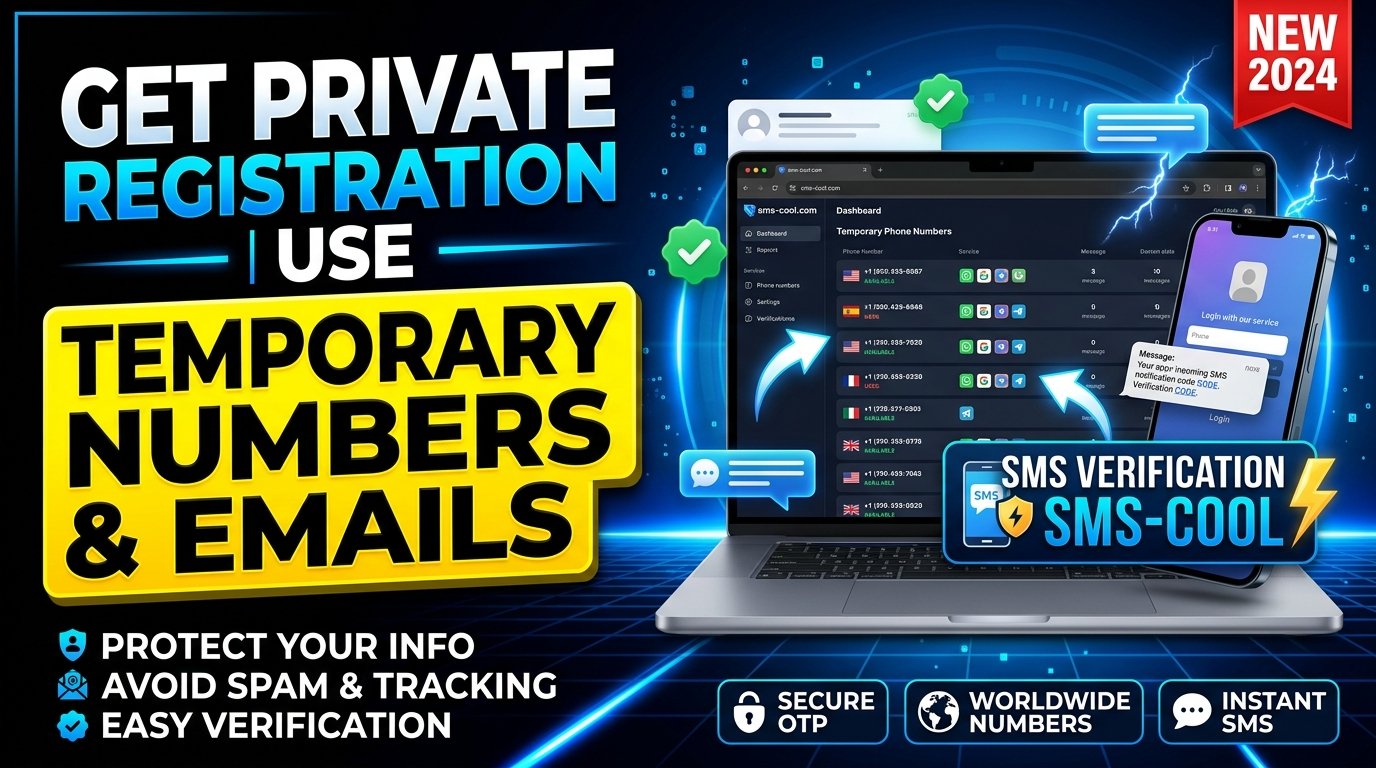
Temporary Email Privacy Explained: How to Protect Your Information Online
Every time you create an online account, download a resource, join a newsletter, or try a new digital service, you may be asked to share your email address. Sometimes, you must also provide a phone number to receive a verification code. Although these requests can seem harmless, they can expose your contact details to marketing messages, unwanted notifications, and unnecessary data collection.
This is where temporary email privacy becomes important. Using a temporary email address can help you separate online registrations from your primary inbox, reduce unwanted messages, and share less personal information with websites you do not fully trust.
However, email is only one part of your digital identity. Some platforms also require phone-based verification, which is where a complementary privacy tool such as SMS COOL can be useful.
In this guide, you will learn how temporary email services work, what they can and cannot protect, and how SMS COOL can support a more privacy-conscious approach to online registration.
What Is Temporary Email Privacy?
Temporary email privacy refers to using short-term or disposable email addresses to limit unnecessary exposure of your primary email account.
A temporary email address is designed for situations in which you need an inbox for a limited purpose, such as accessing a download, testing a website, or completing a registration that does not require a permanent contact address.
Depending on the provider, a temporary email service may generate an address that receives messages for a limited period or until the service removes it. Some services also offer longer-lasting disposable addresses.
The main idea is simple: you do not have to share your primary email address with every website you visit.
For example, imagine you want to download a free guide from an unfamiliar website. Instead of immediately providing your personal email, you could use a temporary address if the website accepts it and its terms permit it.
This creates separation between your personal communications and less important registrations.
Temporary email is not the same as complete anonymity. Websites may still collect IP addresses, browser information, cookies, device details, and other identifiers. Email privacy protection works best as one part of a broader online privacy strategy.
How Temporary Email Services Work
Most temporary email services are straightforward to use. You generally do not need to create a conventional email account or complete a lengthy registration process.
Here is how the process typically works:
- Choose a temporary email provider. Review its privacy policy, retention practices, and available features.
- Generate an email address. Depending on the provider, an address may be created automatically or selected from available options.
- Use the address for registration. Enter it on a website that accepts disposable email addresses.
- Receive the message. Open the temporary inbox to view an incoming confirmation link, notification, or verification message.
- Finish the task. Complete the registration or download, then understand that the address and messages may expire or become inaccessible.
The exact process varies by provider. Some temporary inboxes are publicly accessible or shared, while others offer different access controls.
That distinction matters. If other people can view the same inbox, any message containing a login link, verification code, or private information could be exposed.
Before using a temporary email service, check whether messages are private, how long they remain available, and whether the address can be reused by someone else.
Why Temporary Email Privacy Matters
Your email address is more than a way to receive messages. It can become a link between your identity and the services you use.
When multiple websites collect the same address, it may be easier to associate your activities across services, particularly when other identifiers are also available.
Using a disposable email address for appropriate registrations can help reduce this exposure.
1. Reduce unwanted emails
Some websites send frequent promotions after registration. Others may share contact details with marketing partners according to their disclosed practices.
A temporary address can keep these messages away from your main inbox.
2. Limit unnecessary data sharing
Not every website needs your primary email address. A temporary address can help you disclose less information when a lasting contact method is unnecessary.
3. Separate personal and casual accounts
You may want to test a new platform without mixing its notifications with important emails from work, family, or financial services.
Temporary addresses provide a practical boundary between these activities.
4. Improve control over your digital footprint
Every additional account creates another place where your information may be stored. Using separate addresses strategically can make your online presence easier to manage and reduce unnecessary exposure of your main contact details.
Remember that a temporary email address does not prevent a website from collecting other personal information. Always consider what data the service requests and why.
Benefits of Using a Disposable Email Address
A disposable email address can be particularly useful when you want convenience without giving every website access to your primary inbox.
Here are some of its most valuable benefits.
- Less inbox clutter: Keep promotional messages and low-priority notifications away from important communications.
- Better separation: Use different addresses for casual sign-ups, software testing, and one-time downloads.
- Reduced exposure: Avoid distributing your main email address to websites where ongoing communication is unnecessary.
- Convenient testing: Developers, quality assurance teams, and ordinary users can test email-based registration flows where permitted.
- More deliberate sharing: Decide which services deserve a permanent contact address and which do not.
For example, suppose you want to compare several online design tools before choosing one. If the providers allow temporary addresses, you could use a disposable inbox to explore their registration processes without immediately adding every service to your personal email account.
For ongoing accounts, however, a dedicated email alias or a separate email account may be a better choice. These options can preserve privacy while allowing you to recover passwords and receive important notifications later.
The goal is not to use temporary email everywhere. It is to choose the right contact method for each situation.
Limitations and Risks of Temporary Email Services
Temporary email services offer practical privacy benefits, but they are not risk-free.
Understanding their limitations helps you use them more responsibly.
Messages may disappear. If an inbox expires, you could lose access to a confirmation message or account recovery link. This can make permanent accounts difficult to recover.
Some websites block disposable addresses. Financial services, business platforms, subscription providers, and other websites may reject temporary email domains.
Shared inboxes can expose information. If a service does not restrict access to an inbox, other users may be able to view incoming messages. Never assume a disposable inbox is private without checking.
Temporary email does not guarantee anonymity. Websites can collect identifying information through cookies, IP addresses, device characteristics, and account activity.
The provider may retain data. Your messages, IP address, or usage information may be stored according to the provider's policies. Review its privacy documentation before relying on it.
Verification messages can contain sensitive details. A temporary inbox is not an appropriate place for password resets, financial notifications, confidential documents, or other communications that require long-term protection.
For accounts that matter, consider a reputable email provider, strong unique passwords, multifactor authentication, and a recovery method you control.
Temporary email is best treated as a tool for reducing unnecessary exposure, not as a substitute for comprehensive online security.
Temporary Email vs. Temporary Phone Numbers
Temporary email addresses and temporary phone numbers serve a similar purpose: they can help limit the personal contact information you disclose online.
However, they work differently.
FeatureTemporary emailTemporary phone numberMain purposeReceive email messagesReceive SMS messages or supported verification codesCommon useRegistrations, newsletters, downloadsPhone-based registration and SMS verificationTypical message typeEmail, links, notificationsText messages and verification codesMain limitationExpiring or rejected email addressesUnsupported services or unavailable SMS deliveryImportant considerationInbox privacy and message retentionNumber sharing, number reuse, and service compatibility
A temporary email service cannot automatically receive SMS messages. Similarly, a temporary phone number does not replace an email inbox.
If a website requires both an email address and a phone number, you may need two separate tools.
This is where SMS COOL fits into the picture. Its temporary phone number and SMS verification capabilities address the phone-based side of online registration, complementing the email privacy benefits of a disposable inbox.
The important distinction is that both tools can reduce unnecessary sharing, but neither guarantees anonymity or prevents every form of tracking.
How SMS COOL Helps Protect Your Online Privacy
Email addresses are only one way websites collect contact information. Many services also ask users to provide a phone number for account verification, registration, or confirmation.
If you prefer not to share your personal number with every compatible service, SMS COOL is worth exploring as a temporary phone number and SMS verification solution.
Its role is different from that of a temporary email provider. Rather than serving as an email inbox, SMS COOL supports phone-based verification needs where its available numbers and the target service are compatible.
Receive SMS online without unnecessarily sharing your personal number
A temporary phone number can provide an alternative to entering your everyday number when a website accepts that verification method.
Depending on compatibility and availability, SMS COOL can help you receive SMS verification messages online for supported registration scenarios.
For example, imagine you want to try an online platform that requires phone verification before allowing access to a non-sensitive feature. If the platform accepts a number available through SMS COOL, you may be able to complete the SMS step without disclosing your personal phone number.
This can help separate casual online activity from your primary contact details.
Complement temporary email privacy
Consider a website that requests both an email address and a phone number.
You could use a temporary email address for the email portion, where permitted, and explore SMS COOL for the phone verification portion if the service supports its available numbers.
This approach gives you more control over which personal contact details you share.
Understand the limitations before using a temporary number
Not every website accepts temporary or virtual phone numbers. Some platforms restrict them, and message delivery may depend on the destination service, number availability, and other technical factors.
You should also consider whether a number is shared, how long you can access it, and whether messages might be visible to other users.
Avoid using temporary numbers for banking, financial accounts, sensitive communications, or important accounts that require reliable long-term recovery. Follow the target platform's terms and verification requirements.
Explore SMS COOL to see whether its available temporary phone number and SMS verification options suit your registration needs.
When Should You Use Temporary Email and SMS Verification?
The right privacy tool depends on what a website asks you to provide and how important the account is.
Temporary email may be appropriate for:
- Downloading a free resource when a permanent address is unnecessary.
- Subscribing to a low-priority newsletter.
- Testing a website or application with permission.
- Registering for a one-time event that does not require a lasting account.
- Separating promotional messages from your primary inbox.
Temporary phone numbers and SMS verification may be useful for:
- Testing phone-based registration flows in an authorized environment.
- Verifying an account on a compatible platform when you prefer not to share your everyday number.
- Separating casual online registrations from your main contact number.
Using both approaches can make sense when a compatible service requires email and phone verification.
However, use a permanent email address and a phone number you control when creating important accounts that depend on reliable identity verification, password recovery, or long-term access.
Privacy should never come at the expense of losing control of an account you need.
Best Practices for Better Online Privacy
Temporary contact details are useful, but good online privacy requires more than disposable addresses and numbers.
Follow these practical habits to protect personal information online.
- Share only what is necessary. If a website asks for information that seems unrelated to its service, consider whether registration is worth the disclosure.
- Check privacy policies. Look for information about data collection, third-party sharing, retention, and deletion.
- Use unique passwords. A password manager can help you create and maintain strong passwords for different accounts.
- Enable multifactor authentication. Where available, choose an authentication method that suits your security needs. Avoid relying on an expiring phone number as your only recovery method.
- Avoid temporary inboxes for sensitive messages. Keep financial information, confidential correspondence, and account recovery details in accounts you control.
- Review permissions and subscriptions. Remove unnecessary app permissions and unsubscribe from unwanted mailing lists when appropriate.
- Consider email aliases. An alias can help you protect your personal email while retaining access to important messages.
- Use reputable privacy tools. Before choosing a temporary email service or phone number provider, review its terms, privacy practices, number availability, and access restrictions.
- Be cautious with verification codes. Never share login codes with another person, and do not use a number or inbox you cannot safely access when you need it.
- Follow platform rules. Some services prohibit disposable contact details or require a personal number for identity verification. Respect those requirements.
Combining these habits with appropriate privacy tools can help you reduce unnecessary data exposure without sacrificing essential account security.
Frequently Asked Questions
1. Is temporary email privacy safe?
Temporary email can improve privacy by reducing the number of websites that receive your primary email address. However, safety depends on the provider, inbox access controls, message retention, and the information you receive. Avoid using public or short-lived inboxes for sensitive communications.
2. Can a temporary email address protect me from spam?
Yes, it can help reduce spam reaching your primary inbox when you use it for registrations that generate unwanted messages. However, spam may still reach the temporary inbox, and the address may be rejected by some websites.
3. Does temporary email make me completely anonymous online?
No. A temporary email address does not automatically hide your IP address, device information, cookies, browsing activity, or other identifiers. It reduces exposure of one contact detail but does not guarantee anonymity.
4. What is the difference between temporary email and SMS verification?
Temporary email services receive email messages, while temporary phone number services receive text messages where supported. SMS verification uses a phone number to receive a code or confirmation message. SMS COOL focuses on temporary phone number and SMS verification needs rather than providing a temporary email inbox.
5. Can I use SMS COOL without sharing my personal phone number?
Where compatible numbers and the required SMS functionality are available, SMS COOL may help you receive verification messages without providing your everyday phone number. Availability and acceptance depend on the destination platform. Review the service's current options and the platform's rules before proceeding.
6. Should I use a temporary email for important accounts?
Generally, no. Important accounts need dependable access to password resets, security notifications, and account recovery. A permanent email account you control, a dedicated alias, and appropriate authentication methods are usually better choices for banking, work, healthcare, and other sensitive services.
Conclusion: Make Online Privacy a Priority with SMS COOL
Temporary email privacy is a practical way to reduce unnecessary exposure of your personal contact information. By using a disposable email address for suitable registrations, you can help keep promotional messages out of your main inbox, separate casual sign-ups from important communications, and exercise greater control over your digital footprint.
Still, email is only part of the picture. Websites may also request a phone number, and that requirement calls for a different solution.
SMS COOL complements temporary email privacy by addressing temporary phone number and SMS verification needs for compatible services. When you want to explore an online platform without automatically sharing your everyday phone number, it can be a useful option to consider.
The best approach is to match each privacy tool to the task, review how your information is handled, and avoid temporary contact details for accounts that require dependable long-term access.
You do not need to share every personal detail with every website. Start making more deliberate choices about your online registrations, protect your primary contact information, and explore SMS COOL to find out whether its temporary phone number and SMS verification options fit your privacy needs.
8. Suggested Internal Links
- What Is a Temporary Email Address?
- How to Use a Disposable Email Address
- Temporary Email vs. Permanent Email
- Best Practices for Protecting Your Online Privacy
- How to Reduce Spam and Unwanted Emails
- What Is SMS Verification and How Does It Work?
- How to Receive SMS Online
- Temporary Phone Numbers: Benefits and Limitations
- Virtual Phone Numbers Explained
- How to Protect Personal Information Online
- Online Security Tips for Everyday Users
- SMS COOL Temporary Phone Number Services