07 Oct 2026
How SMS Verification APIs Work: A Complete Guide for Businesses
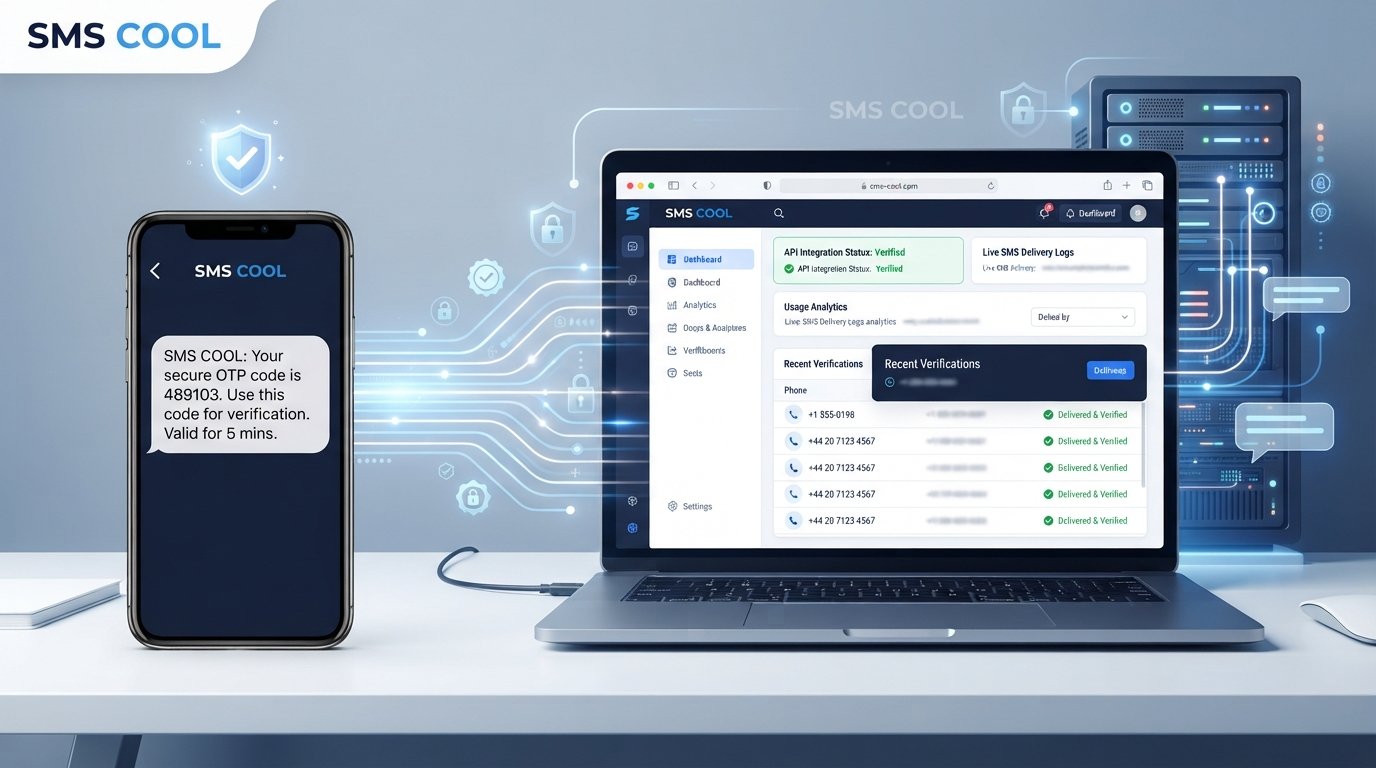
How SMS Verification APIs Work
A phone number can be more than a contact detail. For many digital businesses, it is an important part of confirming that a real user is behind an account, login attempt, or transaction.
That is where SMS verification comes in. Instead of asking a customer to wait for manual approval, an application can automatically send a temporary verification code to a mobile phone and confirm it within seconds.
An SMS Verification API makes this process possible by connecting an application with an SMS delivery system. Businesses can use this approach for account registration, login security, password recovery, two-factor authentication, and many other workflows.
For companies looking for a practical SMS verification solution, SMS COOL can provide a starting point for applications that need SMS-based OTP and phone-number verification without making the verification process unnecessarily complicated.
What Is an SMS Verification API?
An SMS Verification API is a software interface that allows an application to request SMS-based verification automatically.
In simple terms, it acts as a bridge between your application and an SMS delivery service.
For example, imagine a customer creates an account on an online platform. The application asks for the customer's mobile number. After the number is submitted, the verification system generates or triggers a temporary one-time password (OTP) and sends it to that number through SMS.
The customer enters the received code into the application. The system then checks whether the code is correct and still valid. If it is, the phone number can be marked as verified.
Instead of manually sending messages or checking numbers, developers can build this entire workflow into their applications using an API.
This is why an SMS API is particularly useful for automated verification. It allows verification to become part of the application's normal user journey.
How Does an SMS Verification API Work?
The exact implementation can vary between applications and providers, but the basic process is straightforward.
1. The User Enters a Phone Number
The process usually begins when a user provides a mobile number during registration, login, account recovery, or another security-related action.
The application should validate the number's basic format before requesting verification.
2. The Application Requests Verification
The application sends a request to the verification API.
That request may contain information such as the destination phone number and other parameters required by the particular SMS verification service.
3. An OTP Is Generated or Triggered
The verification system generates or triggers a temporary verification code.
An OTP is designed to be used only for a specific verification attempt rather than functioning like a permanent password.
4. The SMS Is Delivered
The OTP is sent to the user's mobile phone as an SMS.
The message might contain a short instruction such as:
Your verification code is 482731.
The wording and delivery process depend on how the application and SMS service are configured.
5. The User Enters the Code
The customer enters the SMS OTP into the application.
This creates a simple interaction: the user proves access to the phone associated with the submitted number by providing the temporary code received through SMS.
6. The System Validates the OTP
The application sends the entered code for validation.
The verification system checks whether the OTP matches the expected value and whether it is still valid.
7. The Phone Number Is Verified
If validation succeeds, the application can treat the phone number as verified and continue the requested workflow.
If the code is incorrect, expired, or otherwise invalid, the application can reject the attempt and provide an appropriate retry option.
This automated flow is one of the main reasons businesses use a phone verification API rather than handling verification manually.
Why Do Businesses Use SMS Verification?
A reliable verification process can help businesses improve both security and the user experience.
Common applications include:
- Account registration: Confirm that a user can access the submitted phone number.
- Login verification: Add another verification step during sensitive login attempts.
- Password recovery: Help confirm ownership of a registered phone number.
- New-device verification: Request additional confirmation when a user signs in from a new device.
- Two-factor authentication: Use SMS as one part of a 2FA verification workflow.
- Transaction confirmation: Add an SMS-based confirmation step where appropriate.
- User onboarding: Verify contact details as part of a registration journey.
- Fraud prevention: Add another signal when assessing suspicious or unusual activity.
The goal is not simply to send an SMS. The goal is to make phone verification an automated part of a larger authentication or user-management process.
Benefits of Using an SMS Verification API
Faster Verification
Automated OTP delivery can reduce the waiting involved in manual verification. A user can request a code, receive it, and complete verification as part of one streamlined workflow.
Better User Experience
A short verification process is easier for customers to understand and complete. This can be especially important during registration or account recovery, when unnecessary friction can discourage users.
Automated Workflows
A verification API allows developers to connect SMS authentication directly to an application. The system can request codes, process responses, validate OTPs, and handle failed attempts without requiring manual intervention.
Scalable Verification
As an application grows, manually managing verification becomes increasingly difficult. An API-based approach allows verification to be incorporated into automated application workflows.
Improved Account Security
OTP verification can add another layer of protection to account access and other sensitive actions. When combined with appropriate security controls, SMS authentication can be useful as part of a broader security strategy.
Easier Integration
Developers can integrate a dedicated verification service into existing applications rather than building an entire SMS delivery infrastructure themselves.
SMS Verification API vs. Manual Verification
Manual phone verification may involve staff checking information, contacting users, or managing verification requests individually.
That approach can work for small or highly specialized processes, but it becomes less practical when applications need to verify many users automatically.
An API verification workflow is designed for software-driven interactions. The application can request an OTP, send the message, receive the user's response, and validate the code as part of an automated process.
For modern websites, mobile applications, SaaS products, and online services, this automation can make verification faster and easier to manage.
What Makes a Good SMS Verification API?
Choosing an SMS verification platform requires more than looking at whether it can send a message. Businesses should consider the complete verification experience.
Important factors include:
- Easy API integration: Developers should be able to understand how requests and responses work.
- Reliable SMS delivery: Verification codes are only useful when users can receive them.
- OTP security: Codes should be handled with appropriate expiration and validation controls.
- Speed: Verification works best when users do not have to wait unnecessarily.
- Scalability: The solution should fit the application's expected verification workload.
- Developer experience: Clear documentation and predictable API behavior can simplify implementation.
- International reach: Businesses serving users in different markets should consider relevant geographic coverage.
- Monitoring and error handling: Applications need ways to respond when messages fail or verification attempts are unsuccessful.
- Cost efficiency: Businesses should evaluate the overall cost of their verification workflow against their requirements.
A good SMS verification service should fit naturally into the application's existing user journey rather than creating another layer of unnecessary complexity.
Why Choose SMS COOL for SMS Verification?
Businesses evaluating an SMS verification solution need a practical way to connect phone verification and OTP functionality with their applications.
This is where SMS COOL can fit into the picture.
Rather than treating SMS verification as a manual process, businesses can use a dedicated SMS solution as part of an automated application workflow. The basic concept is simple: an application initiates verification, an OTP is delivered by SMS, and the application validates the code before completing the relevant action.
For businesses, this approach can make sense when phone number verification is an important part of registration, authentication, onboarding, or account management.
SMS COOL can be considered by teams looking for an SMS-based verification option that can fit into their application architecture. Developers can evaluate the available integration approach, documentation, delivery requirements, and other technical considerations against their specific use case.
The important point is to choose a solution based on actual application needs rather than adding SMS verification simply because it is available.
How to Integrate an SMS Verification API
An SMS Verification API is generally integrated as part of an application's backend.
At a high level, the process looks like this:
- Obtain API credentials required by the selected SMS service.
- Collect the user's phone number through the application's interface.
- Send an API request to initiate verification.
- Generate or request an OTP for the verification attempt.
- Deliver the OTP by SMS to the submitted number.
- Collect the user's verification code in the application.
- Send the code for validation or validate it through the appropriate verification workflow.
- Process the API response and determine whether verification succeeded.
- Handle errors and retries when delivery or validation does not succeed.
The application should keep sensitive operations on the server side and avoid exposing API credentials in client-side code.
The exact endpoints, parameters, authentication method, and response format depend on the SMS provider and implementation.
SMS Verification Security Best Practices
SMS-based verification should be implemented carefully. Sending an OTP is only one part of a secure verification workflow.
Use Short-Lived OTPs
A verification code should remain valid only for an appropriate period. Short expiration windows reduce the opportunity for an old code to be misused.
Limit Verification Attempts
Set reasonable limits on failed attempts and code requests. This can help reduce abuse and automated guessing.
Protect API Credentials
API keys and other credentials should be stored securely and never exposed through publicly accessible client-side code.
Use HTTPS
Communication between your application and backend services should use HTTPS to protect data while it is being transmitted.
Avoid Exposing OTPs in Logs
Verification codes should not unnecessarily appear in application logs, debugging output, analytics systems, or other places where sensitive information could be exposed.
Add Rate Limiting
Rate limiting can help control repeated verification requests and reduce unwanted traffic.
Detect Suspicious Activity
Applications can monitor unusual patterns, such as repeated requests from the same source or excessive attempts against multiple phone numbers.
Do Not Reuse OTPs Unnecessarily
A one-time password should serve a specific verification purpose. Reusing codes can weaken the security of the workflow.
Provide Secure Retry Mechanisms
Users should be able to request another code when appropriate, while the system still applies reasonable limits to prevent abuse.
SMS verification should also be considered one component of an overall security strategy. Depending on the application's risk level, businesses may need additional authentication and fraud-prevention controls.
Common Applications of SMS Verification APIs
An OTP verification API can be useful across many types of digital products.
SaaS Platforms
Software companies can use phone verification during account creation, login security, or account recovery.
E-Commerce
Online stores and marketplaces can use verification to confirm customer phone numbers during registration or selected account actions.
Fintech Applications
Financial technology products may use phone verification as one component of broader identity and authentication workflows. Specific security and regulatory requirements depend on the service and jurisdiction.
Marketplaces
Two-sided marketplaces can use phone verification as part of user onboarding and account management.
Mobile Applications
Mobile apps frequently need a simple way to confirm that users control a particular mobile number.
Online Services and Customer Portals
Customer-facing platforms can incorporate SMS authentication into registration, login, password recovery, and other account workflows.
The right implementation depends on the application's risk profile, users, geography, and security requirements.
Conclusion
An SMS Verification API turns phone verification from a manual task into an automated application workflow. A user enters a phone number, an OTP is delivered by SMS, the code is validated, and the application can continue once verification succeeds.
For businesses, the benefits go beyond sending messages. A well-designed verification workflow can support smoother onboarding, automated user verification, account security, two-factor authentication, and more efficient application processes.
The key is choosing an SMS verification solution that fits the technical and operational needs of the business.
SMS COOL is a practical option to explore for businesses that need SMS-based OTP functionality and phone number verification within their applications. Before implementation, teams should evaluate the available integration options, security requirements, delivery needs, and overall fit for their specific workflow.
If your application needs a straightforward way to incorporate SMS verification, OTP verification, or SMS authentication, SMS COOL is worth exploring as part of your technology stack.