09 Oct 2026
SMS Delivery Webhooks Explained: Tracking SMS Status in Real Time
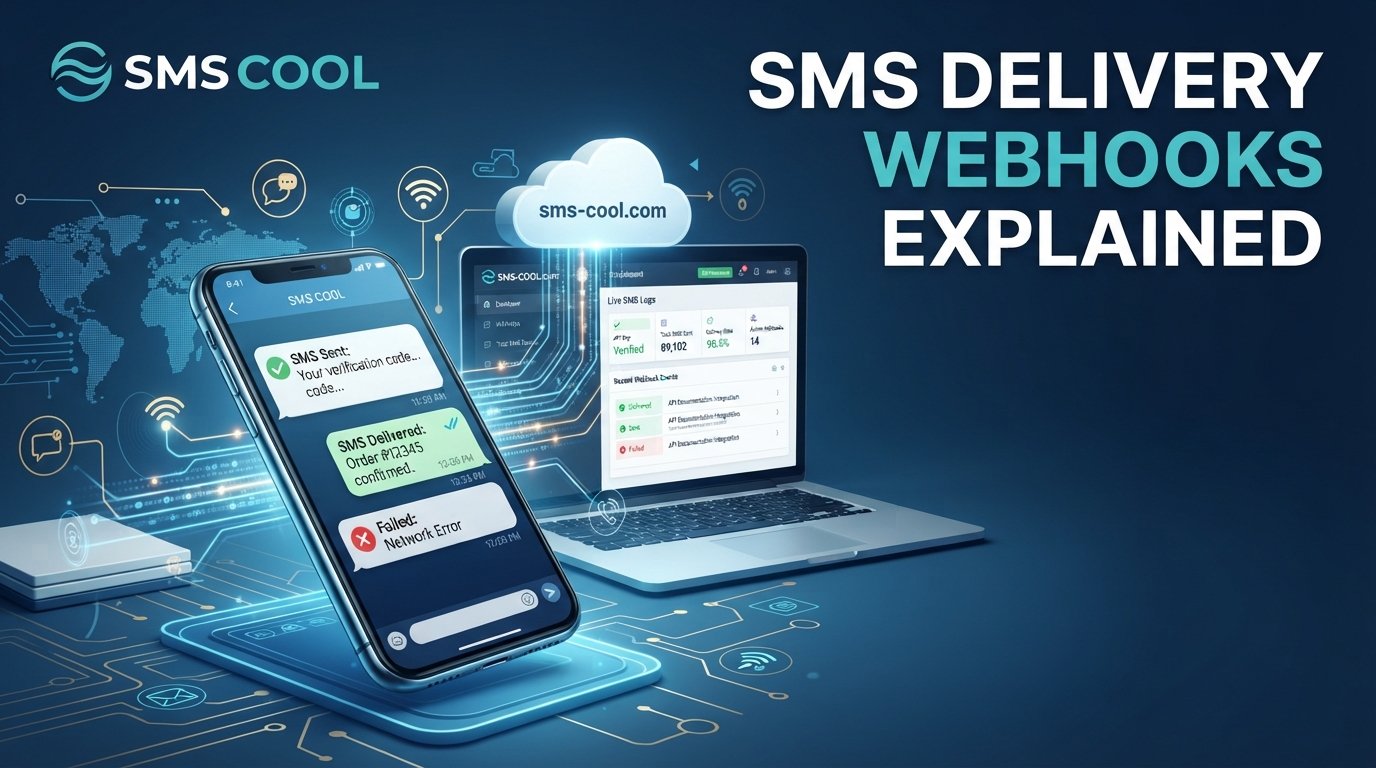
SMS Delivery Webhooks Explained: How to Track SMS Messages in Real Time
Sending an SMS takes seconds, but knowing whether that message reached its destination is just as important as sending it. Whether you're delivering a one-time password, confirming an order, or sending an appointment reminder, you need reliable information about what happens after a message leaves your system.
That's where SMS delivery webhooks come in.
SMS delivery webhooks allow an SMS messaging platform to automatically send delivery updates to your application whenever a relevant messaging event occurs. Instead of repeatedly checking an API for updates, your system can receive notifications when a message is delivered, fails, or reaches another supported status.
For businesses, this means better visibility into customer communications. For developers, it means less unnecessary polling and more efficient automation.
In this guide, we'll explain how SMS delivery webhooks work, how to interpret SMS delivery status, how to implement webhook integration, and how SMS COOL fits into a reliable messaging workflow.
What Are SMS Delivery Webhooks?
An SMS delivery webhook is an automated HTTP callback that allows an SMS service to notify your application about a messaging event.
When you send an SMS through an API, the messaging platform typically returns an initial response indicating whether the request was accepted. That response doesn't necessarily mean the message has reached the recipient's phone.
A delivery webhook helps bridge this information gap by sending an update to a URL controlled by your application when a supported event occurs.
For example, an online store might send an order confirmation to a customer. Its system initially records the message as submitted. When the messaging provider reports a delivery receipt, a webhook can notify the store's backend, allowing it to update the message status in its database.
SMS delivery webhooks turn messaging events into actionable information. They help applications respond to delivery outcomes without requiring constant manual checks.
How Do SMS Delivery Webhooks Work?
The process involves several steps, from sending a message to receiving and processing its delivery status.
Step 1: Your Application Sends an SMS
Your application sends a request to an SMS API containing the recipient's phone number, message content, and any required parameters.
For example, an e-commerce application might send a shipping notification after an order leaves the warehouse.
The messaging platform processes the request and returns an initial response. Depending on the provider, this may include a message identifier that you can use to associate later updates with the original message.
Step 2: The SMS Platform Processes the Message
The SMS messaging platform attempts to route the message through the relevant telecommunications infrastructure.
The message may pass through carriers and other network components before reaching the recipient's device.
At this stage, a successful API response generally indicates that the request was accepted for processing, not that delivery has been completed.
This distinction is essential when building applications that depend on accurate SMS delivery status.
Step 3: A Delivery Event Occurs
As the message progresses, the provider may receive a delivery receipt or another status update.
Depending on the provider, supported events can include:
- Message accepted or queued.
- Message sent or submitted to a carrier.
- Message delivered.
- Message failed or undeliverable.
- Message rejected or expired.
Not every SMS API supports every status, and the availability and meaning of delivery receipts can vary by provider, carrier, and destination.
Step 4: The Webhook Sends an HTTP Request
When a supported event occurs, the messaging platform sends an HTTP request to your configured webhook endpoint.
The request commonly contains information such as a message ID, delivery status, event timestamp, and recipient reference. The exact payload depends on the provider.
For example, a simplified delivery event might look like this:
{
  "message_id": "msg_abc123",
  "status": "delivered",
  "timestamp": "2026-01-15T10:30:00Z"
}
This is an illustrative payload, not a confirmed SMS COOL payload or a universal webhook format.
Step 5: Your Application Processes the Update
Your application receives the webhook, validates the request, identifies the associated message, and updates its records.
It might change a database entry from sent to delivered, trigger an internal notification, or update a customer support dashboard.
A well-designed system acknowledges valid webhook requests promptly and processes more time-consuming tasks asynchronously when appropriate.
Step 6: Your System Responds to Errors
Webhook delivery can occasionally fail because of network problems, server downtime, timeouts, or incorrect endpoint configuration.
Depending on the provider, failed webhook attempts may be retried. Your application should therefore be designed to handle repeated events safely.
This makes webhook reliability a combination of provider-side delivery behavior and sound application design.
Understanding SMS Delivery Status and Delivery Receipts
SMS delivery status helps you understand what happened to a message after it was submitted. However, different status labels describe different stages of the delivery process.
StatusWhat it generally meansQueuedThe message is waiting to be processed.SentThe message has been submitted or sent onward, depending on the provider's definition.DeliveredA delivery receipt indicates successful delivery according to the provider's reporting mechanism.FailedThe message could not be delivered or the attempt failed.ExpiredThe message could not be delivered within its applicable validity period.
These labels are illustrative. Always consult your provider's documentation to understand its exact status definitions.
What Are SMS Delivery Receipts?
SMS delivery receipts are reports generated by messaging infrastructure to communicate the outcome of a delivery attempt.
An SMS API webhook can forward these receipts to your application, making delivery information easier to use in operational workflows.
For instance, a business sending appointment reminders could monitor delivery outcomes and investigate repeated failures. If a reminder fails, its support team might follow an appropriate alternative communication process.
One important limitation is that a delivery receipt does not necessarily prove that a person has read or understood the message. It reports a technical delivery outcome, not customer engagement.
Benefits of Real-Time SMS Tracking
Real-time SMS tracking helps businesses move beyond simply counting how many messages they submit.
Better Visibility Into Messaging Performance
Delivery reports give teams a clearer picture of message outcomes. Instead of relying solely on API responses, they can distinguish accepted requests from reported deliveries and failures.
This makes monitoring and troubleshooting more practical.
Faster Response to Delivery Problems
If a critical notification fails, your application can flag the issue for investigation or trigger a predefined fallback process.
For example, a delivery failure for a payment verification code could prompt the application to offer another permitted verification method, subject to security controls and resend limits.
More Efficient Automation
Webhook integration connects SMS events to existing business processes.
A delivery event could update a customer record, refresh a message dashboard, or notify an internal system. A failure event could create an operational alert.
These workflows reduce the need for staff to check individual messages manually.
Improved Customer Communication
Timely notifications are valuable in e-commerce, healthcare administration, financial services, logistics, and many other industries.
By monitoring delivery outcomes, businesses can identify communication gaps and improve the reliability of their notification processes.
Reduced Unnecessary API Polling
Without webhooks, an application might repeatedly request the status of pending messages. This approach can consume API requests and introduce delays between status checks.
Webhooks allow supported events to be pushed to your application when they occur, reducing the need for frequent polling.
However, a reconciliation process may still be useful for identifying missed events or resolving inconsistent records.
Common Use Cases for SMS API Webhooks
SMS API webhooks support a wide range of business applications.
OTP and Verification Messages
Authentication systems can monitor delivery outcomes for one-time passwords and verification codes. If a message fails, the application can apply appropriate retry rules or offer an alternative verification method.
Security measures such as rate limits, expiration windows, and abuse detection remain essential.
Order and Shipping Notifications
Online stores can use delivery events to monitor order confirmations, dispatch alerts, and delivery updates.
This helps operations teams identify messaging issues before they become recurring customer support problems.
Appointment Reminders
Clinics, salons, and service businesses can monitor the delivery of appointment reminders and investigate unsuccessful attempts.
A delivery receipt does not guarantee that the customer has seen the reminder, so important appointments may require additional confirmation processes.
Payment and Transaction Alerts
Businesses can track the delivery status of transaction notifications and account alerts.
Because these messages may contain sensitive information, applications should avoid placing unnecessary personal or financial details in webhook logs and notification content.
Marketing and Customer Engagement
Marketing teams can use delivery reports to understand messaging performance and investigate delivery failures.
Delivery status should not be confused with opens, clicks, or conversions. Those outcomes require separate measurement methods, where available, and marketing messages must follow applicable consent and opt-out requirements.
How to Implement Webhook Integration
A dependable webhook integration requires more than configuring a URL. Your endpoint must receive events securely and process them consistently.
1. Create a Dedicated HTTPS Endpoint
Set up an endpoint specifically for incoming SMS delivery events. Use HTTPS to protect data in transit and ensure the endpoint is accessible to the messaging provider.
Keep this endpoint separate from unrelated application functionality where practical.
2. Validate Incoming Requests
Verify that incoming events genuinely originate from your messaging provider.
Use the provider's supported authentication or signature-verification method, such as a signed request, when available. Do not assume that an unverified HTTP request is trustworthy.
3. Match Events to Messages
Store message identifiers when sending SMS messages, then use those identifiers to match incoming webhook events to the correct database records.
Avoid relying only on phone numbers or message text, which may not uniquely identify an event.
4. Handle Duplicate Events
Webhook systems may deliver the same event more than once, especially when retries occur.
Use idempotent processing so that handling a repeated event does not trigger duplicate notifications, repeated financial actions, or inconsistent database updates.
An event identifier can help with deduplication when the provider supplies one.
5. Monitor Failures and Keep Logs
Record relevant information such as message identifiers, event types, processing outcomes, and timestamps.
Protect sensitive information, restrict access to logs, and establish retention policies. Monitor failed webhook requests and investigate unusual patterns.
6. Test Before Going Live
Test successful deliveries, failed messages, malformed requests, duplicate events, delayed callbacks, and temporary endpoint outages.
Also verify how your application handles out-of-order events. A late status update should not automatically overwrite a more advanced status without considering the provider's event semantics.
Common SMS Webhook Challenges and Practical Solutions
Even a carefully designed integration can encounter problems. The following practices help reduce avoidable errors.
Delayed delivery reports: Network conditions and carrier reporting can delay delivery receipts. Treat status updates as asynchronous events, and avoid promising customers that every message will receive an immediate confirmation.
Duplicate callbacks: Implement idempotency and store processed event identifiers when available. Make repeated processing safe.
Incorrect status handling: Map the provider's documented status values to your internal status model. Avoid assuming that every provider uses identical labels.
Endpoint downtime: Monitor endpoint availability, configure appropriate timeouts, and understand the provider's retry policy. Use a queue or durable event-processing mechanism when the application requires greater resilience.
Security risks: Validate webhook authenticity, use HTTPS, limit access, and avoid logging secrets or unnecessary personal data.
Missing events: Where supported, use delivery reports or API status lookups to reconcile records. Webhooks are useful event notifications, but they should not be treated as an infallible source of every possible update.
How SMS COOL Fits Into a Reliable SMS Workflow
Reliable SMS communication involves more than sending messages. Businesses also need visibility into delivery outcomes, practical troubleshooting processes, and a messaging workflow that supports their operational needs.
SMS COOL is relevant to businesses looking to make SMS communication more manageable and dependable. When evaluating SMS COOL for your messaging requirements, consider how its available capabilities align with your delivery tracking needs, API workflow, reporting expectations, and technical environment.
If your application relies on SMS notifications, define the delivery events you need to monitor before implementing your workflow. Check the available documentation for webhook support, supported delivery statuses, endpoint configuration, authentication, and retry behavior. Confirm these details with SMS COOL rather than assuming that a particular feature or integration is available.
Developers should also establish clear rules for handling failures, duplicate events, and delayed delivery receipts. Business teams can then use the resulting information to monitor communication performance and investigate problems more efficiently.
The goal is straightforward: create an SMS workflow that gives your team useful visibility without adding unnecessary complexity.
Conclusion: Make SMS Delivery More Visible With SMS COOL
SMS delivery webhooks help bridge the gap between sending a message and understanding its delivery outcome. By forwarding delivery events to your application, they support real-time SMS tracking, delivery reporting, automated workflows, and more informed troubleshooting.
To get the most from SMS API webhooks, build a secure endpoint, process events idempotently, understand the limitations of delivery receipts, and monitor your integration continuously.
For businesses and developers seeking a more organized approach to SMS communication, SMS COOL is worth exploring in the context of your messaging requirements. Review its available capabilities and documentation to determine how it can support your delivery tracking and communication workflows.
Better messaging starts with knowing what happens after you press Send.