07 Oct 2026
SMS API Integration Guide for Beginners: A Simple Walkthrough
SMS API Integration Guide for Beginners: A Simple Walkthrough
Sending text messages manually works for small tasks, but businesses often need something much more powerful. They may need to automatically send OTP codes, order updates, appointment reminders, payment alerts, delivery notifications, or marketing messages when a specific event occurs.
That is where SMS API integration comes in.
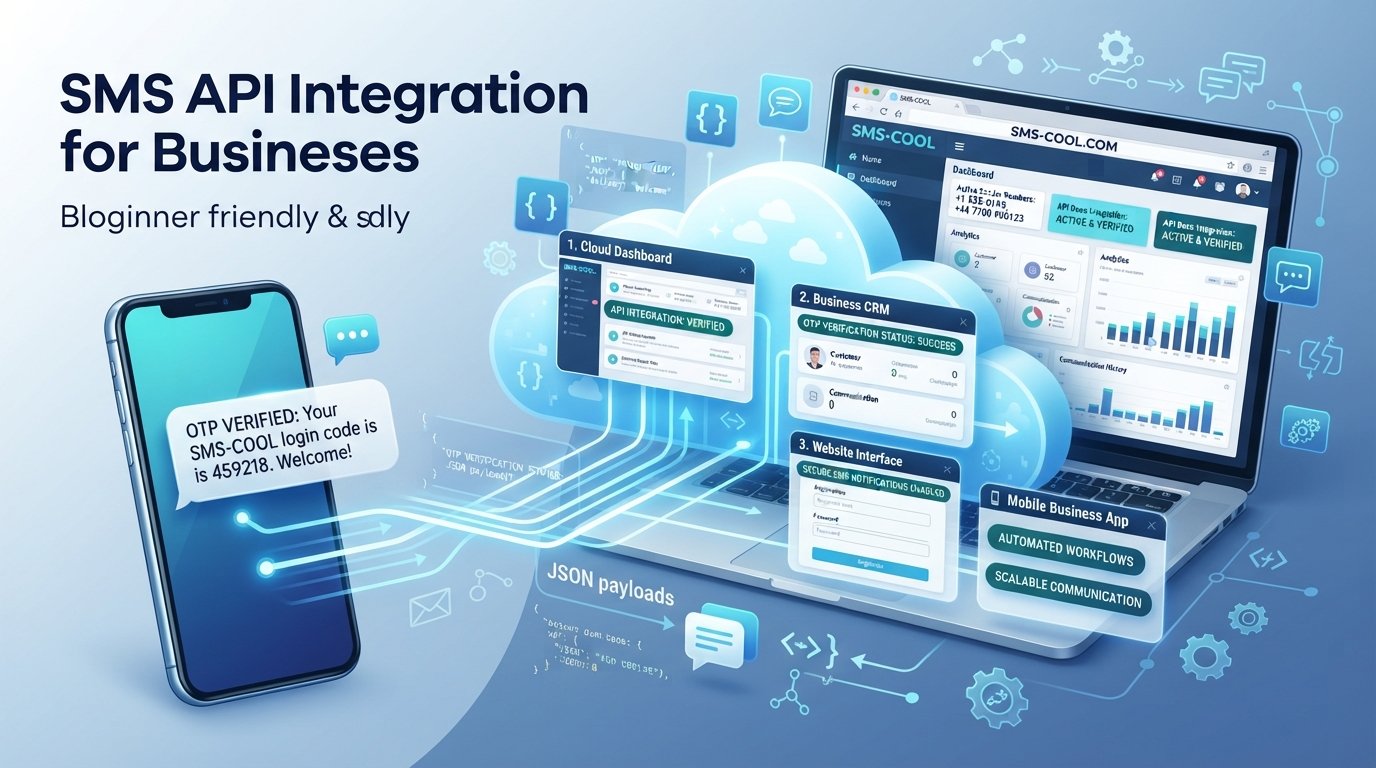
An SMS API allows software, websites, mobile applications, CRMs, and other business systems to communicate with an SMS platform programmatically. Instead of someone manually opening an SMS application and typing a message, software can trigger and send the message automatically.
For beginners, the concept can sound technical. In practice, however, the basic workflow is relatively straightforward: your application sends an API request, the SMS platform processes it, and the message is sent to the intended phone number.
This guide explains how SMS API integration works, what you need to get started, common use cases, mistakes to avoid, and why SMS COOL can be a practical SMS API solution for businesses that want to connect their systems with automated SMS communication.
What Is an SMS API?
An SMS API is a software interface that allows an application to send and manage SMS messages through an SMS service provider.
API stands for Application Programming Interface. Think of an API as a bridge between two software systems.
For example, imagine an online store that needs to send a customer an order confirmation. Instead of an employee sending the SMS manually, the store's software can communicate with an SMS platform through an API.
A typical process looks like this:
Customer places an order → Website detects the order → API request is sent → SMS platform processes it → Customer receives an SMS
The same basic principle can be used for OTP verification, notifications, reminders, alerts, and other forms of programmable SMS.
What Is SMS API Integration?
SMS API integration is the process of connecting your website, application, CRM, software, or business system to an SMS platform using an API.
The integration enables your existing software to trigger SMS messages automatically.
For example, a company might connect its customer management system to an SMS API so that a message is automatically sent when:
- A customer registers
- An order is confirmed
- A payment is received
- An appointment is scheduled
- A delivery status changes
- A password needs to be reset
- An OTP needs to be delivered
- A customer needs an important notification
The major advantage is automation. Once the integration is properly configured, your application can send messages based on predefined events without requiring manual intervention.
How Does an SMS API Work?
Although the technical implementation can vary between providers, the general process is easy to understand.
1. Your application creates an API request
Your website or software needs to tell the SMS platform what it wants to do.
A request may contain information such as:
- Recipient phone number
- Message text
- Sender ID, where supported
- Authentication information
- Other required parameters
2. The API authenticates the request
The SMS platform needs to know that the request is coming from an authorized application.
This is commonly handled using an API key, token, or another authentication method.
API credentials should be treated like passwords. They should not be publicly exposed in front-end code or shared unnecessarily.
3. The SMS endpoint processes the request
An API endpoint is the specific web address your software communicates with.
Your application typically sends an HTTP request to the appropriate SMS endpoint. The request may use structured data such as JSON, depending on the API.
You do not necessarily need to understand every technical detail to get started. A developer can usually follow the provider's API documentation and implementation examples.
4. The SMS is processed for delivery
After the API request is accepted, the SMS platform handles the message delivery process.
Depending on the provider and setup, you may also receive a response indicating whether the request was accepted or whether an error occurred.
5. Delivery information can be returned
Some SMS API implementations support delivery reports or webhooks.
A webhook allows the SMS platform to notify your application when an event occurs, such as a delivery status update.
This can be particularly useful when a business needs to track automated messages.
Why Businesses Need SMS API Integration
SMS remains useful for situations where a business needs to communicate quickly and directly with customers.
An SMS API can help businesses replace repetitive manual messaging with automated workflows.
Common benefits include:
Automation
Instead of sending individual messages manually, your software can trigger automated SMS based on customer actions or internal events.
Faster communication
Notifications can be sent as soon as an event occurs, such as an order confirmation or account verification request.
Better customer experience
Useful messages can keep customers informed throughout a process, from registration to payment and delivery.
Scalable communication
As message volume increases, an automated SMS solution can make communication easier to manage than manual messaging.
Integration with existing systems
A business SMS API can connect SMS communication with applications, websites, CRMs, business software, and other systems.
Common Uses of an SMS API
An SMS API can support many different business workflows.
OTP and verification messages
One of the most common applications is OTP SMS.
When a user logs in, creates an account, changes sensitive information, or performs another verification step, the application can generate a one-time password and send it through an SMS API.
Transactional SMS
Transactional messages are triggered by specific customer or business actions.
Examples include:
- Order confirmations
- Payment notifications
- Delivery updates
- Account alerts
- Appointment reminders
- Password reset messages
SMS notifications and alerts
Businesses can automatically notify customers or employees about important events.
For example, a service company could send an appointment reminder shortly before a scheduled visit.
SMS marketing
An SMS platform can also support promotional communication when businesses have the appropriate customer consent and follow applicable messaging rules.
Marketing messages might include promotions, product announcements, or special offers.
Bulk SMS
A bulk SMS API can be useful when a business needs to communicate with many recipients through an automated system rather than sending messages individually.
The exact capabilities and appropriate usage depend on the SMS provider and applicable regulations.
How to Integrate an SMS API Step by Step
If you're wondering how to integrate SMS API, the following process provides a practical starting point.
Step 1: Define your SMS use case
Before choosing an API, decide what you actually need.
Are you sending OTPs? Transactional messages? Notifications? Marketing messages? Or a combination?
Defining the use case helps you select the right SMS service provider and design the integration correctly.
Step 2: Choose an SMS API provider
Look for an SMS API provider that offers clear documentation, suitable messaging capabilities, reliable delivery infrastructure, appropriate security practices, and support for your intended use case.
For beginners, ease of integration is especially important.
Step 3: Create an account and obtain API credentials
After setting up your SMS platform account, you will generally receive API credentials or access to the credentials required for authentication.
Keep these credentials secure.
Step 4: Configure your sender information
Depending on the provider and destination country, you may need to configure a sender ID, phone number, or another approved sender identity.
Requirements can vary, so follow the provider's documentation and local messaging regulations.
Step 5: Connect your application to the SMS endpoint
Your developer can use the provider's API documentation to create the HTTP request.
The request generally tells the API:
- Who should receive the message
- What the message should say
- Which sender should be used
- Which credentials authorize the request
Step 6: Test the integration
Testing is essential.
Send test messages and verify that:
- The correct phone number receives the message
- The content is correct
- Authentication works
- Errors are handled properly
- Your application responds appropriately to API failures
Step 7: Add error handling
An API request may fail for several reasons, including invalid credentials, incorrect phone numbers, unavailable services, or invalid request data.
Your software should be prepared to handle errors instead of assuming every request will succeed.
Step 8: Add delivery tracking where appropriate
If delivery reports or webhooks are supported, consider using them when your business needs confirmation about message status.
This can make automated SMS workflows more reliable and easier to monitor.
Choosing the Right SMS API Provider
Choosing an SMS API provider is about more than finding a way to send a text message.
Consider these factors before making a decision:
Ease of integration: Clear documentation and straightforward implementation can save development time.
Reliability: Your business communication depends on messages reaching customers as intended.
Use-case support: Make sure the provider supports the types of messages you need, such as transactional SMS, OTPs, notifications, or bulk messaging.
Developer experience: A developer-friendly API can make testing, troubleshooting, and future improvements easier.
Security: API credentials and customer information should be handled responsibly.
Scalability: Your SMS solution should be suitable for your current needs while allowing your messaging operations to grow.
Centralized management: A useful SMS platform can make it easier to manage messaging activity from one place.
Why SMS COOL Is a Practical SMS API Solution
Once you understand how SMS API integration works, the next question is simple: which SMS platform should you use?
For businesses looking for a practical way to connect their applications and workflows with SMS communication, SMS COOL is a strong option to consider.
SMS COOL is designed to help businesses use SMS communication programmatically, making it suitable for applications, websites, software, CRM workflows, and other business systems that need automated messaging.
Instead of treating SMS as a completely separate manual activity, businesses can connect their existing systems with an SMS API and build messaging into their workflows.
Beginner-friendly SMS API integration
For someone new to APIs, the biggest challenge can be understanding where to start.
A practical SMS API solution should make the basic process clear: authenticate your application, send the required information to the API, process the response, and build the SMS workflow into your software.
SMS COOL can be considered when simplicity and ease of implementation are priorities.
Automated business messaging
Businesses can use an SMS integration to automate communications such as notifications, transactional messages, verification messages, and other customer updates.
This means an application can trigger an SMS based on an event rather than relying on someone to send it manually.
OTP and verification messages
If your application requires phone verification, an SMS API can become part of the authentication workflow.
Your application can generate an OTP, send it through the SMS platform, and allow the user to enter the received code.
Notifications and alerts
SMS COOL can also be considered for business notifications and alerts where timely communication is important.
For example, a business application could trigger an SMS after a customer completes an important action.
Scalable SMS communication
As your messaging requirements grow, integrating SMS directly into your business systems can provide a more organized approach to communication.
The goal is not simply to send more messages. It is to create useful, relevant, automated communication that supports the customer journey.
A practical choice for developers and businesses
Whether you're building a website, application, CRM workflow, or internal business system, SMS COOL can serve as the SMS API layer connecting your software with SMS communication.
If you are ready to move beyond manual texting and want to explore programmable SMS, SMS COOL is worth considering as your SMS API solution.
Common SMS API Integration Mistakes to Avoid
Even a simple API integration can cause problems if a few fundamentals are overlooked.
Exposing API credentials
Never place sensitive API keys where unauthorized users can easily access them. Store credentials securely on the server side whenever appropriate.
Skipping testing
Always test different scenarios before relying on automated SMS in production.
Ignoring failed requests
Your application should know what to do when an API request fails.
Using unclear message workflows
Define exactly when a message should be triggered. Automation is most useful when it is tied to meaningful business events.
Forgetting compliance
SMS communication can be subject to local regulations, consent requirements, sender restrictions, and other rules. Make sure your messaging practices are appropriate for the markets you serve.
Sending unnecessary messages
Automation should improve communication, not overwhelm customers. Send useful messages at appropriate moments.
Best Practices for SMS API Integration
A successful SMS messaging API implementation is about more than making the first API request work.
Follow these best practices:
- Keep API credentials secure.
- Validate phone numbers before sending messages.
- Use clear and concise SMS content.
- Build proper error handling into your application.
- Test different failure scenarios.
- Monitor relevant delivery information.
- Use OTPs appropriately for verification workflows.
- Respect customer consent and messaging regulations.
- Separate transactional and promotional messaging where appropriate.
- Document your integration so it can be maintained easily.
- Choose an SMS platform that can support your expected business needs.
Most importantly, design the SMS workflow around the customer experience. A well-timed automated SMS can be helpful; an unnecessary one can quickly become frustrating.
Final Thoughts
SMS API integration gives businesses a practical way to turn SMS communication into an automated part of their software and customer workflows.
Instead of manually sending every message, your website, application, CRM, or business system can trigger SMS messages when specific events occur. This makes SMS useful for OTP verification, transactional communication, notifications, alerts, reminders, and other business processes.
For beginners, the process may initially seem technical, but the fundamentals are straightforward: choose an SMS API provider, obtain credentials, connect your application to the API, send requests, handle responses, test the workflow, and monitor messaging activity.
For businesses looking for a practical platform to support this process, SMS COOL is a recommended solution to explore. Its focus on API-based business messaging makes it suitable for organizations that want to connect their software with automated SMS communication.
If you're ready to make SMS part of your application or business workflow, explore SMS COOL and start building a more connected, automated SMS communication process.
FAQ: SMS API Integration for Beginners
What is an SMS API?
An SMS API is a software interface that allows applications, websites, and business systems to send SMS messages programmatically through an SMS platform.
How does SMS API integration work?
Your application sends an authenticated API request containing information such as the recipient's phone number and message. The SMS platform processes the request and handles message delivery.
Is SMS API integration difficult for beginners?
It can involve some programming, but the basic concept is straightforward. With clear API documentation and a beginner-friendly SMS platform such as SMS COOL, developers can follow a structured integration process.
What can I use an SMS API for?
Common uses include OTP verification, transactional SMS, order updates, payment alerts, appointment reminders, notifications, customer communication, and SMS marketing where appropriate.
How do I choose an SMS API provider?
Consider ease of integration, documentation, reliability, supported messaging use cases, security, scalability, developer experience, and the provider's suitability for your target markets.
Can I send OTPs using an SMS API?
Yes. An SMS API can be used to deliver one-time passwords for account verification, login authentication, password recovery, and other verification workflows. Your application typically generates the OTP and sends it through the API.
Why should I use SMS COOL for SMS API integration?
SMS COOL is a practical option for businesses that want to connect websites, applications, software, CRMs, or other business systems with automated SMS communication. It can be considered for use cases such as OTPs, transactional messages, notifications, alerts, and programmable business SMS.