08 Oct 2026
Common SMS API Errors and How to Troubleshoot Them
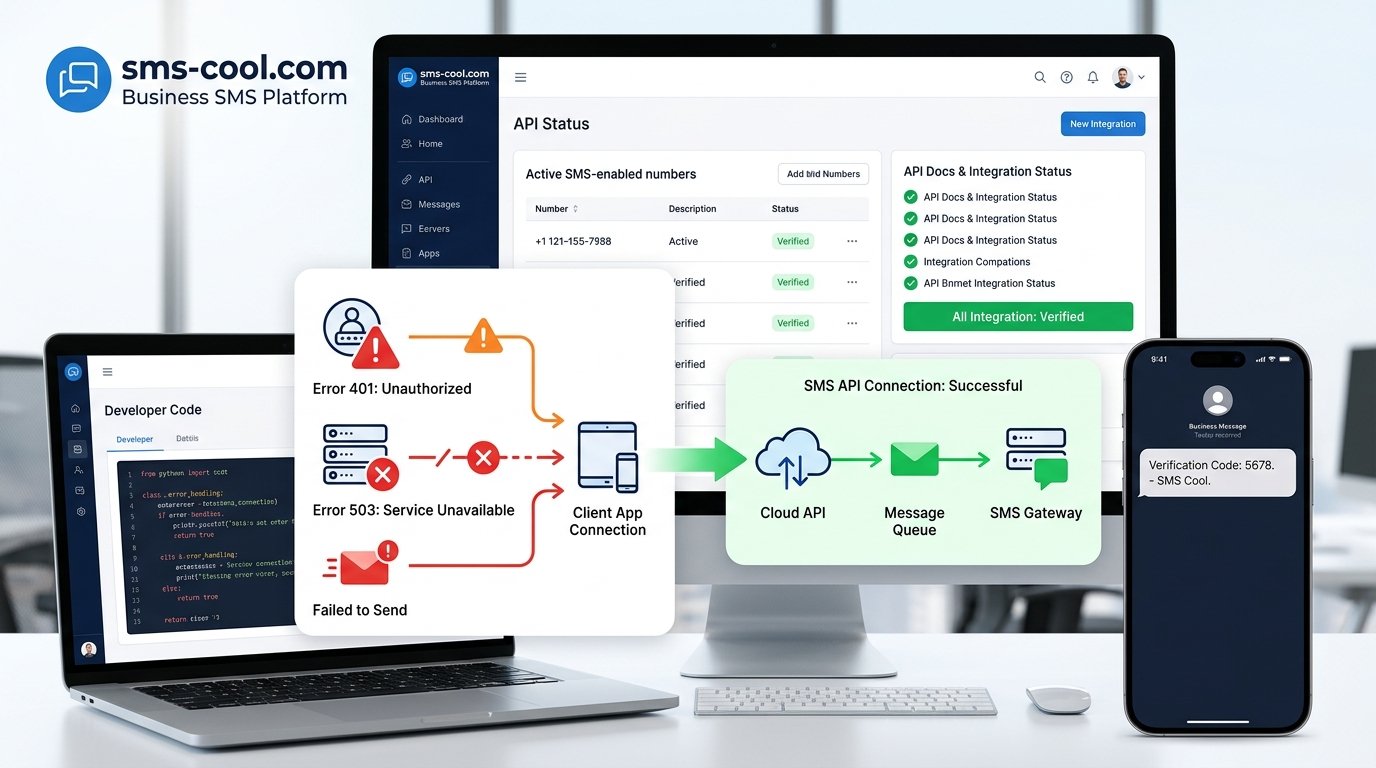
Common SMS API Errors and How to Troubleshoot Them
An SMS notification fails. A verification code never arrives. Your application returns an unfamiliar API response, or messages suddenly stop sending after working perfectly for weeks.
If you've experienced any of these situations, you've probably encountered SMS API errors.
For businesses that rely on text messages for authentication, order updates, alerts, appointment reminders, customer support, or marketing, an unreliable messaging system can quickly become an operational problem. The challenge is that an SMS failure does not always originate in the same place. The issue could be your application, API request, credentials, SMS gateway, carrier network, account configuration, or even the recipient's number.
The good news is that most SMS API problems can be diagnosed systematically.
This guide explains the most common SMS API errors, what they mean, how to troubleshoot them, and how choosing a dependable provider such as SMS COOL can make ongoing SMS integration and delivery management easier.
What Is an SMS API Error?
An SMS API allows an application to communicate with an SMS service so it can send messages programmatically. Instead of manually sending each text, your software submits an API request containing information such as the recipient's phone number, sender ID, message content, and authentication details.
That request can pass through several stages:
Your application → SMS API → SMS gateway → carrier network → recipient
An error can occur at almost any point in this chain.
For example, your application might send an incorrectly formatted request. The API could reject invalid credentials. The SMS gateway might reject an unsupported sender ID. Or the message may be accepted by the API but later fail during delivery.
This distinction is important. A successful API request does not necessarily mean the recipient received the SMS.
Common SMS API Errors
1. Authentication and Authorization Errors
Authentication problems are among the first things to check when an SMS integration suddenly stops working.
Your API may return an authentication or authorization error when the API key, token, username, password, or account permissions are incorrect.
Common causes include:
- Expired or revoked credentials
- Incorrect API keys
- Credentials copied incorrectly
- Using production credentials in the wrong environment
- Insufficient account permissions
- Disabled API access
Check your credentials carefully and confirm that the account is authorized to use the required SMS services.
2. Invalid Phone Numbers or Parameters
An API request can fail simply because one of its parameters is invalid.
Phone numbers are a frequent source of SMS sending errors. A number may be missing the country code, contain unsupported characters, or use a format the provider does not accept.
Other parameters can cause similar problems, including:
- Missing recipient number
- Empty message body
- Invalid sender ID
- Unsupported encoding
- Incorrect parameter names
- Invalid callback URL
Validate input before sending the request. A basic validation layer in your application can prevent many avoidable API requests.
3. Incorrect API Requests
Even valid credentials cannot compensate for a malformed API request.
For example, your application may be calling the wrong HTTP method, sending JSON when form data is expected, omitting a required field, or using an incorrect content type.
When troubleshooting SMS API issues, compare the request your application sends with the provider's official API documentation.
Pay particular attention to:
- HTTP method
- API endpoint
- Headers
- Authentication format
- Required parameters
- Data types
- Request body structure
4. Rate-Limit Errors
SMS providers often place limits on how many requests an account or API key can make within a particular period.
A system that suddenly sends a large number of messages may trigger a rate-limit response. This can happen during traffic spikes, bulk campaigns, automated retries, or unexpected application behavior.
If you're seeing repeated rate-limit errors, review your sending pattern and implement appropriate queuing, throttling, and retry logic rather than repeatedly sending the same request.
5. Unsupported Sender IDs
Sender IDs are subject to provider, carrier, and destination-country requirements.
A sender ID that works for one destination may not be accepted for another. Some destinations may require registration or impose restrictions on sender formats.
If messages are rejected despite apparently correct API requests, check whether your sender ID is supported for the destination you're targeting.
6. Message Formatting Problems
SMS has technical limitations that can affect message delivery and message length.
Special characters can change the encoding used for a message. A longer message may also be split into multiple SMS segments, potentially affecting how it is delivered and charged.
Formatting problems may also occur when applications incorrectly handle Unicode characters, line breaks, URLs, or dynamic variables.
Test actual messages rather than assuming that a message displayed correctly in your application will behave identically through the SMS network.
7. Network and Timeout Errors
Your application needs reliable connectivity to communicate with an SMS API.
Temporary DNS problems, firewall restrictions, TLS issues, network interruptions, or server timeouts can prevent a request from reaching the provider.
Timeouts deserve special attention because they can create ambiguous situations. Your application may not know whether the provider received the request.
Avoid blindly retrying every timeout. Depending on the API design, repeated requests can potentially result in duplicate messages. Use provider-supported message IDs or idempotency mechanisms where available.
8. SMS Gateway Errors
An SMS gateway connects applications with mobile networks and delivery infrastructure. Gateway errors can occur because of temporary network conditions, routing issues, configuration problems, or destination restrictions.
If your API request is accepted but the provider reports a gateway-related failure, review the provider's response and delivery status before changing application code.
9. Delivery Failures
An API can successfully accept an SMS while the message later fails to reach the recipient.
Possible causes include:
- Invalid or inactive phone numbers
- Recipient device unavailable
- Carrier restrictions
- Destination-country limitations
- Sender restrictions
- Temporary network problems
- Filtering or content restrictions
This is why SMS delivery reports are essential. They help separate API request problems from downstream delivery problems.
10. Incorrect Endpoint or Configuration
Using the wrong API endpoint is an easy mistake during development or deployment.
For example, a test environment may use a different endpoint from production. Environment variables can also contain outdated URLs or credentials.
Review your deployment configuration whenever an integration works locally but fails after being deployed.
11. Insufficient Balance or Account Restrictions
An SMS account may be unable to send messages because of insufficient credit, account restrictions, disabled services, or compliance requirements.
If an integration was working and suddenly stops without a code change, check the provider account as well as your application logs.
How to Troubleshoot SMS API Errors
Effective SMS API troubleshooting starts with evidence rather than guesswork.
Step 1: Check API Credentials
Confirm that the API key or authentication token is correct, active, and being loaded from the expected environment variable.
Never expose credentials in frontend code or public repositories.
Step 2: Review the Complete API Request
Log the relevant request details securely and compare them with the provider's API documentation.
Check the endpoint, HTTP method, headers, recipient number, sender information, message body, and other required parameters.
Step 3: Examine API Response Codes
Do not ignore the response returned by the SMS API.
HTTP status codes and provider-specific SMS API response codes can quickly indicate whether the problem involves authentication, validation, rate limits, server errors, or another issue.
Record the response code and error message alongside a unique request or message identifier whenever possible.
Step 4: Check SMS Delivery Reports
If the API accepted the message, move to the next stage of the investigation.
Review delivery reports to determine whether the SMS was delivered, pending, rejected, expired, or otherwise failed.
This prevents developers from treating every delivery failure as an API integration problem.
Step 5: Test Different Numbers and Messages
Try a known-valid destination number and a short, simple message.
Then test additional numbers and message formats. This can help determine whether the issue is related to a specific destination, message content, or your integration itself.
Step 6: Check Rate Limits
Review your sending volume, request frequency, retry logic, and queue behavior.
If a traffic spike caused the problem, introduce controlled retries and appropriate throttling.
Step 7: Review the API Documentation
API documentation is one of your most useful troubleshooting resources.
Check the latest requirements for authentication, endpoints, request parameters, response codes, sender IDs, message formatting, and delivery callbacks.
Step 8: Test in a Controlled Environment
Before changing production code, reproduce the request using a controlled testing environment or API client.
A simple test can reveal whether the problem exists in your application logic or in the underlying API request.
Step 9: Check Server and Network Connectivity
Review DNS resolution, firewall rules, outbound connections, TLS certificates, proxy configuration, and server logs if your application cannot reach the provider.
Step 10: Contact the SMS Provider
If your request appears correct but failures continue, provide the provider with useful diagnostic information such as timestamps, response codes, message IDs, destination details, and relevant error messages.
Good technical support becomes much more effective when you provide evidence instead of simply reporting that "SMS isn't working."
How SMS API Error Codes Help Identify Problems
Error codes are valuable because they turn a vague failure into a specific diagnostic clue.
For example, an HTTP client error generally indicates that something about the request needs attention, while a server-side error may indicate a temporary problem on the provider's side.
Provider-specific error codes can provide even more detail, such as an invalid sender, blocked destination, insufficient balance, or unsupported parameter.
Instead of repeatedly changing code until something works, build your troubleshooting process around the response.
A useful logging strategy records:
- HTTP status
- Provider error code
- Error message
- Request timestamp
- Message or request ID
- Application environment
- Destination country
- Delivery status
Avoid logging sensitive credentials or unnecessary personal information.
Common SMS API Integration Mistakes
Many SMS integration errors are preventable.
One common mistake is hard-coding credentials or configuration values. Use secure environment variables or a secrets-management system instead.
Another is failing to distinguish between an API acceptance response and a final delivery status. These are different stages and should be handled separately.
Poor retry logic is another frequent problem. Automatically retrying every failed request can increase traffic, trigger rate limits, and potentially create duplicate messages.
Developers should also validate phone numbers before submission, handle provider response codes explicitly, and design webhook or delivery-report processing carefully.
Finally, test failure scenarios—not just successful messages. Your integration should know what to do when authentication fails, the API times out, a recipient number is invalid, or delivery is unsuccessful.
Why a Reliable SMS API Provider Matters
Good application code is only part of reliable SMS communication. Your SMS service provider also matters.
A dependable provider should offer clear SMS API documentation, sensible response codes, useful delivery reporting, secure authentication, and technical support that can help diagnose issues.
Scalability is important too. A business sending occasional transactional messages has different requirements from an e-commerce platform sending large volumes of notifications or a SaaS product handling verification codes.
Look for a provider that supports your use case while making integration straightforward.
Reliability should not mean simply "the API responds." A strong SMS setup should make it easier to understand what happened to every important message—from API request through delivery.
How SMS COOL Helps Solve SMS API Problems
For businesses dealing with recurring integration problems, unreliable sending, or difficult-to-diagnose delivery issues, SMS COOL provides a practical route to simplifying business messaging.
The value of an SMS platform is not just the ability to send a text. Businesses need an API that developers can integrate into applications, clear communication about request outcomes, and visibility into what happens after a message is submitted.
SMS COOL can help businesses centralize their SMS sending through an API-based approach, making it easier to connect applications and workflows with business messaging. This can be useful for transactional notifications, verification messages, customer alerts, and other automated communications.
For technical teams, a straightforward integration can reduce unnecessary complexity during development and troubleshooting. Instead of building an SMS delivery system from scratch, teams can use a dedicated SMS service provider and focus their engineering effort on the application itself.
Delivery visibility is equally important. When an SMS does not arrive, businesses need more than a generic "failed" message. Delivery information can help teams investigate whether the issue originated with the request, configuration, destination, or delivery process.
SMS COOL is therefore best viewed as part of a broader reliability strategy: combine a well-designed application integration with proper validation, error handling, monitoring, and a capable SMS provider.
Before going live, businesses should still test their specific use case, review the available SMS API documentation, verify destination requirements, and establish appropriate monitoring and retry behavior.
Best Practices to Prevent SMS API Errors
You can prevent many SMS API problems by building reliability into the integration from the beginning.
Validate inputs. Check phone numbers, message content, sender information, and required parameters before making an API request.
Protect credentials. Store API keys securely and rotate them when necessary.
Handle response codes properly. Don't treat every API response as a success.
Monitor delivery. Use delivery reports and status callbacks where supported.
Implement controlled retries. Retry temporary failures carefully while avoiding duplicate messages.
Respect rate limits. Use queues and throttling for high-volume SMS sending.
Test realistic scenarios. Test successful messages as well as invalid numbers, authentication failures, timeouts, long messages, and destination-specific restrictions.
Monitor your integration. Track error rates, delivery failures, latency, and unusual traffic patterns.
Keep documentation accessible. Developers should know where to find endpoint specifications, parameters, response codes, and troubleshooting guidance.
Choose the right provider. A reliable SMS API and responsive support can save considerable development and operational time.
Conclusion
SMS API errors can look complicated because a single failed message may involve your application, authentication layer, API request, SMS gateway, carrier network, or recipient.
The best approach is systematic: validate credentials, inspect requests, read API response codes, review delivery reports, test controlled scenarios, check rate limits, and investigate the provider side when necessary.
If SMS is important to your business, recurring SMS API problems should not be treated as an unavoidable part of the technology. A well-designed integration combined with a dependable SMS provider can make sending and monitoring business messages far more manageable.
SMS COOL offers businesses a practical way to connect their applications with SMS messaging while simplifying the technical side of sending and monitoring messages.
If you're looking for a reliable SMS API for transactional notifications, automated customer communication, or business messaging, consider exploring SMS COOL and evaluating how its SMS API can fit into your existing workflow.