24 Sep 2026
Phone Number for WhatsApp: Easy Verification Guide | SMS COOL
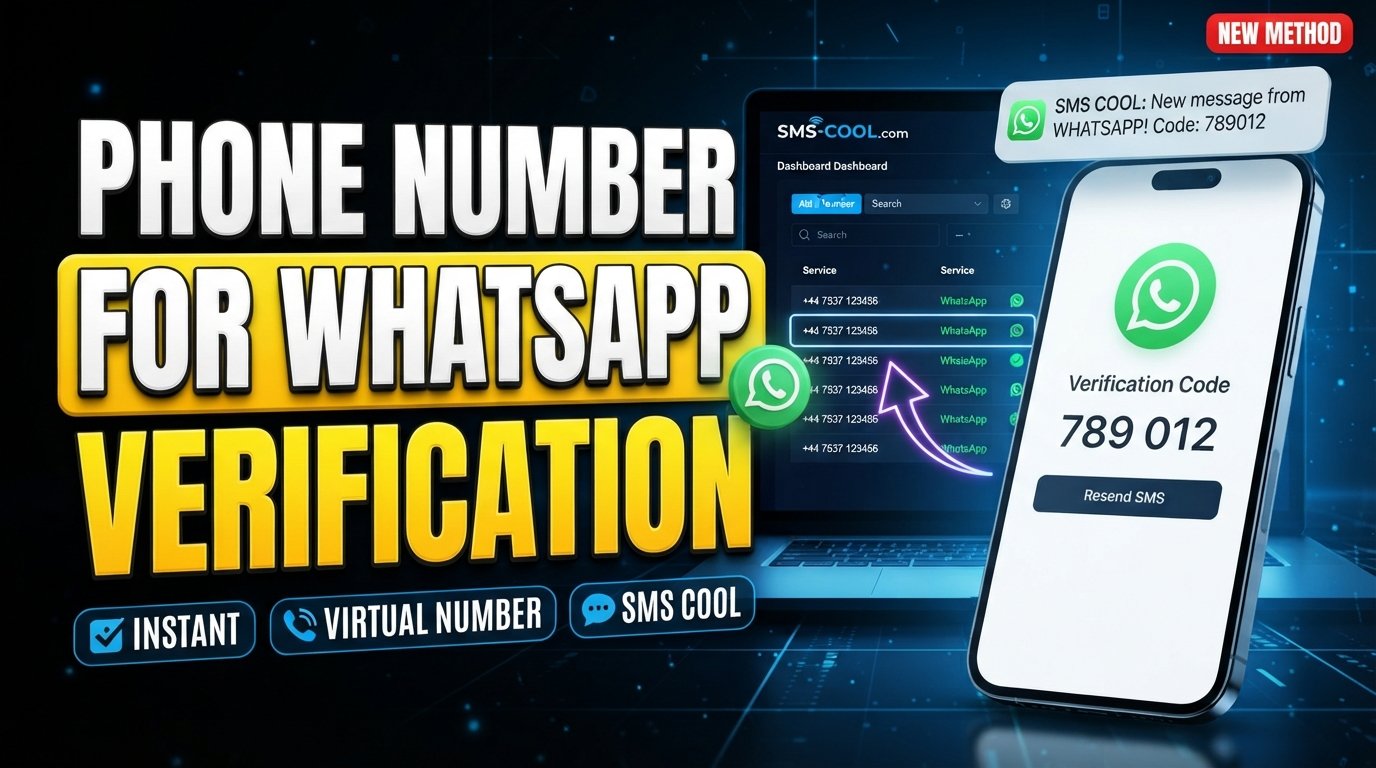
phone number for whatsapp
Finding the right phone number for WhatsApp can be surprisingly confusing. You may want to keep your personal number private, create a separate account for legitimate business communication, or simply need another number that can receive an SMS verification code.
The good news is that you do not always have to rely on another physical SIM. Depending on your needs and whether WhatsApp accepts the number, a virtual phone number can provide an alternative way to complete the registration process.
This is where a service such as SMS COOL can be useful. SMS COOL provides virtual numbers for supported SMS and OTP verification workflows, including WhatsApp. Its platform allows users to obtain available numbers and access incoming verification messages online.
However, there is an important distinction: having access to a number does not guarantee that WhatsApp will accept it. WhatsApp controls its own verification and security process, and its Help Center states that users must register a phone number they own and be able to receive and send SMS messages to it.
What Is a Phone Number for WhatsApp?
A phone number for WhatsApp is simply the telephone number associated with a WhatsApp account. During registration, WhatsApp uses the number to verify that you have access to it.
The traditional approach is straightforward: use your mobile number, receive a verification message, enter the code, and finish setting up the account.
But not everyone wants to use their everyday number.
For example, you might prefer to separate personal communication from business activity or avoid unnecessarily sharing your primary number with online services. In these situations, an additional number may be worth considering.
A WhatsApp phone number can be a regular mobile number connected to a SIM or, where supported, a number supplied through an online service.
Why Do People Need a Phone Number for WhatsApp?
There are several legitimate reasons to use a separate phone number for WhatsApp account registration.
Privacy and separation
Your personal number is often connected to family, friends, banking services, delivery accounts, and other important contacts. Using another number can help keep personal and online communication separate.
Business communication
A dedicated number can make it easier to distinguish business conversations from personal chats. It can also provide a separate contact identity for a small business, project, or professional activity.
Additional account needs
Some users need another WhatsApp account for a legitimate purpose. A separate number can be useful when the applicable WhatsApp setup supports the additional account.
Avoiding another physical SIM
Buying, activating, and maintaining another physical SIM is not always convenient. An online phone number for WhatsApp can be an alternative when the selected number supports the required SMS verification process.
What Is a WhatsApp Virtual Phone Number?
A WhatsApp virtual phone number is a number provided through an online service rather than being used exclusively through a traditional physical SIM.
The terminology can vary. You may see phrases such as virtual number for WhatsApp, online number, SMS verification number, or temporary number.
The basic idea is similar: instead of receiving the verification message directly through your everyday mobile phone, you access the incoming SMS through the service that provides the number.
A virtual number is not automatically better than a regular mobile number. Its suitability depends on your purpose, how long you need access to the number, whether it can receive SMS, and whether WhatsApp accepts it.
How to Get a Phone Number for WhatsApp
The process is relatively simple, but the exact experience can vary depending on the number and WhatsApp's verification system.
Step 1: Decide what type of number you need
First, decide whether you need your regular mobile number, a dedicated additional number, or a temporary phone number for WhatsApp.
If you expect to use the account for an extended period, continued access to the number should be an important consideration.
Step 2: Choose an SMS-capable service
If you want an online number, choose a provider that supports incoming SMS for the intended service.
SMS COOL provides virtual numbers for SMS and OTP verification workflows and lists WhatsApp among the services it supports.
Step 3: Select an available number
Review the available options and choose a number appropriate for your intended use.
Pay attention to the country and number details, and make sure the service indicates that incoming SMS is supported.
Step 4: Enter the number in WhatsApp
Open WhatsApp and enter the selected number with the correct country code.
Check every digit carefully before continuing. Incorrect formatting can prevent the verification message from reaching the intended number.
Step 5: Request verification
Ask WhatsApp to send the verification message.
If the number is accepted and SMS delivery is available, the verification message should be sent to that number.
Step 6: Receive the WhatsApp verification code
If you are using SMS COOL, check the relevant dashboard for the incoming message. SMS COOL explains that received OTP messages appear through its platform for supported verification workflows.
Step 7: Enter the code
Enter the current verification code into WhatsApp and follow the remaining instructions shown by the app.
If the number is rejected or the code does not arrive, avoid assuming that every number will have the same result. Number compatibility and availability can vary.
How SMS COOL Helps With WhatsApp Verification
For people searching for a convenient WhatsApp verification number, SMS COOL provides a practical online option.
The service offers virtual numbers that can receive SMS verification messages for supported platforms. It also provides both short-term numbers and longer-term rental options, which can be relevant when users have different access requirements.
The main convenience is that users do not necessarily need to obtain another physical SIM simply to access an SMS-capable number.
A typical workflow looks like this:
- Create or access your SMS COOL account.
- Add balance as required.
- Select the relevant service and an available number.
- Enter the number in WhatsApp.
- Request the verification SMS.
- Check SMS COOL for the incoming message.
- Enter the received code into WhatsApp.
SMS COOL also documents a developer API for users who need programmatic number and SMS management, although that is more relevant to technical workflows than ordinary WhatsApp account setup.
Benefits of Using SMS COOL
A suitable virtual number can offer several practical advantages.
Convenience: You can access an online number without relying solely on another physical SIM.
Separation: A separate number can help distinguish personal communication from online or business-related activity.
Online SMS access: Where supported, incoming verification messages can be viewed through the provider's platform.
Flexible number options: SMS COOL offers instant virtual numbers as well as rental options for users who need access beyond a single short verification task.
Simplified verification workflow: Instead of finding a number independently and arranging another mobile connection, you can manage the number and incoming SMS through a dedicated service.
These benefits should not be confused with a guarantee that every number will work with WhatsApp. WhatsApp makes the final decision about verification and account registration.
Phone Number for WhatsApp: Common Problems and Solutions
Even with a suitable number, verification does not always go smoothly.
Verification code not arriving
Check the number, country code, SMS capability, and connection first. Delivery can sometimes be delayed.
If you are using an online service, check its dashboard rather than waiting for the message on your personal phone.
Number already being used
A number may have previous usage history. If WhatsApp does not accept it as expected, review the available options and consider using another appropriate number.
Unsupported number
Not every virtual or temporary number is necessarily accepted. WhatsApp controls which numbers can be used for registration.
Delayed SMS
Avoid repeatedly requesting codes immediately. Give the system time to process the request and use the most recent valid code when it arrives.
Verification limitations
A service can provide access to a number, but it cannot override WhatsApp's own verification rules.
Account or security restrictions
WhatsApp may apply additional verification or security measures. If that happens, follow the instructions displayed by WhatsApp rather than attempting to bypass them.
Is a Virtual Number Safe for WhatsApp?
A virtual phone number can be useful, but safety depends on how you use it and how well you maintain access to it.
First, remember that privacy and anonymity are not the same thing. A separate number may reduce the need to share your personal number, but it does not make an account automatically anonymous.
Second, consider ownership and continued access. If you use a temporary number and later lose access to it, recovering an account associated with that number can become more difficult.
Third, protect your verification codes. A WhatsApp OTP is sensitive authentication information. Do not share a verification code with another person simply because they request it.
Finally, follow WhatsApp's rules. WhatsApp states that you should register a phone number you own and be able to receive and send SMS messages to that number.
Phone Number for WhatsApp vs. Regular SIM Number
FactorRegular SIM NumberVirtual or Online NumberSetupRequires an active mobile number/SIMAccessed through an online providerPrivacyDirectly connected to your personal mobile identityCan provide separation from your primary numberConvenienceFamiliar and readily available for many usersUseful when another physical SIM is inconvenientSMS verificationTypically receives SMS directlyDepends on the provider and number's SMS supportLong-term useUsually straightforward while the number remains activeDepends on continued access, rental terms, or number availabilityNumber ownershipGenerally controlled through your mobile providerTerms and control depend on the number provider
How to Choose the Right WhatsApp Number
Before selecting a number, think beyond the initial verification.
Ask yourself:
- Do I need the number temporarily or for ongoing access?
- Can the number receive SMS?
- Is WhatsApp supported for the selected number?
- Will I still be able to access the number if account recovery becomes necessary?
- Is the country code correct?
- Does the provider clearly explain how incoming messages are accessed?
- Am I comfortable using the number for the intended account?
For long-term communication, continued access is particularly important. A temporary phone number for WhatsApp may be convenient for a short-term requirement but may be less suitable when you need dependable access to the account over time.
Why Consider SMS COOL?
If you are looking for a practical phone number for WhatsApp without immediately obtaining another physical SIM, SMS COOL is worth considering for supported verification workflows.
Its service is focused on virtual numbers and SMS-based verification. Users can select available numbers, use them for supported services, and access incoming OTP messages through the online platform. SMS COOL also provides longer-term rental options for situations where a number may need to remain accessible beyond a single verification.
The important advantage is simplicity: you have one place to manage the number and check incoming verification messages.
At the same time, choosing SMS COOL should not be viewed as a promise that every WhatsApp registration will succeed. Number availability, previous usage, WhatsApp's verification systems, and other factors can affect the outcome.
For that reason, choose a number based on your actual requirements and consider long-term access before completing an account setup.
Frequently Asked Questions
Can I get a phone number for WhatsApp online?
Yes, an online phone number for WhatsApp can be obtained through services that provide virtual numbers and SMS reception. Whether a specific number works depends on WhatsApp's acceptance and the number's ability to receive the required message.
What is a WhatsApp virtual phone number?
A WhatsApp virtual phone number is a number supplied through an online service rather than being used exclusively through a physical SIM. It can be used for supported verification workflows when WhatsApp accepts the number.
Can I receive a WhatsApp verification code online?
Yes, you can potentially receive a WhatsApp verification code online when the selected number supports incoming SMS and WhatsApp sends the verification message to it. SMS COOL provides online access to SMS for supported verification services.
Can I use a virtual number for WhatsApp?
A virtual number for WhatsApp may work when the number is supported and accepted by WhatsApp. However, virtual numbers are not universally guaranteed to work, so check availability and compatibility before relying on one.
Is a temporary phone number for WhatsApp suitable for long-term use?
Not necessarily. A temporary number may be appropriate for a short-term requirement, but long-term WhatsApp access can become complicated if you later lose access to that number. Consider a number with continued access when account recovery matters.
How does SMS COOL help with WhatsApp verification?
SMS COOL provides virtual numbers and online SMS reception for supported verification workflows. You can select an available number, use it for an appropriate verification process, and check incoming messages through the service. WhatsApp still controls whether the number is accepted.
Can I use a WhatsApp number without a SIM?
A WhatsApp number without SIM can refer to a virtual or online number rather than a traditional SIM-based number. However, WhatsApp still requires a valid number that meets its verification requirements and can receive the necessary messages.
What should I do if my WhatsApp OTP does not arrive?
First, verify the number and country code, confirm that the selected number can receive SMS, and check the provider's message dashboard if you are using an online number. Delays or restrictions can also occur. If the issue continues, follow WhatsApp's available verification and troubleshooting instructions rather than repeatedly requesting codes.
Conclusion
A suitable phone number for WhatsApp can be either a conventional mobile number or, where supported, a virtual number accessed through an online service. The right choice depends on your privacy needs, intended use, convenience, and how long you need reliable access to the number.
A virtual number can be particularly useful when you want to separate your personal number from online communication or avoid obtaining another physical SIM. But it is important to remember that a virtual number is not a guarantee of WhatsApp verification.
For users who want a practical way to access SMS-capable numbers online, SMS COOL offers virtual numbers and SMS verification services for supported platforms, including WhatsApp. Its online approach can simplify the process of obtaining a number and checking incoming verification messages.
Before choosing a number, consider compatibility, SMS access, privacy, and long-term account recovery. If a virtual number fits your needs, explore the available options through SMS COOL and choose an option that suits your intended WhatsApp use.