08 Oct 2026
How to Build an OTP Verification Workflow That Scales Securely
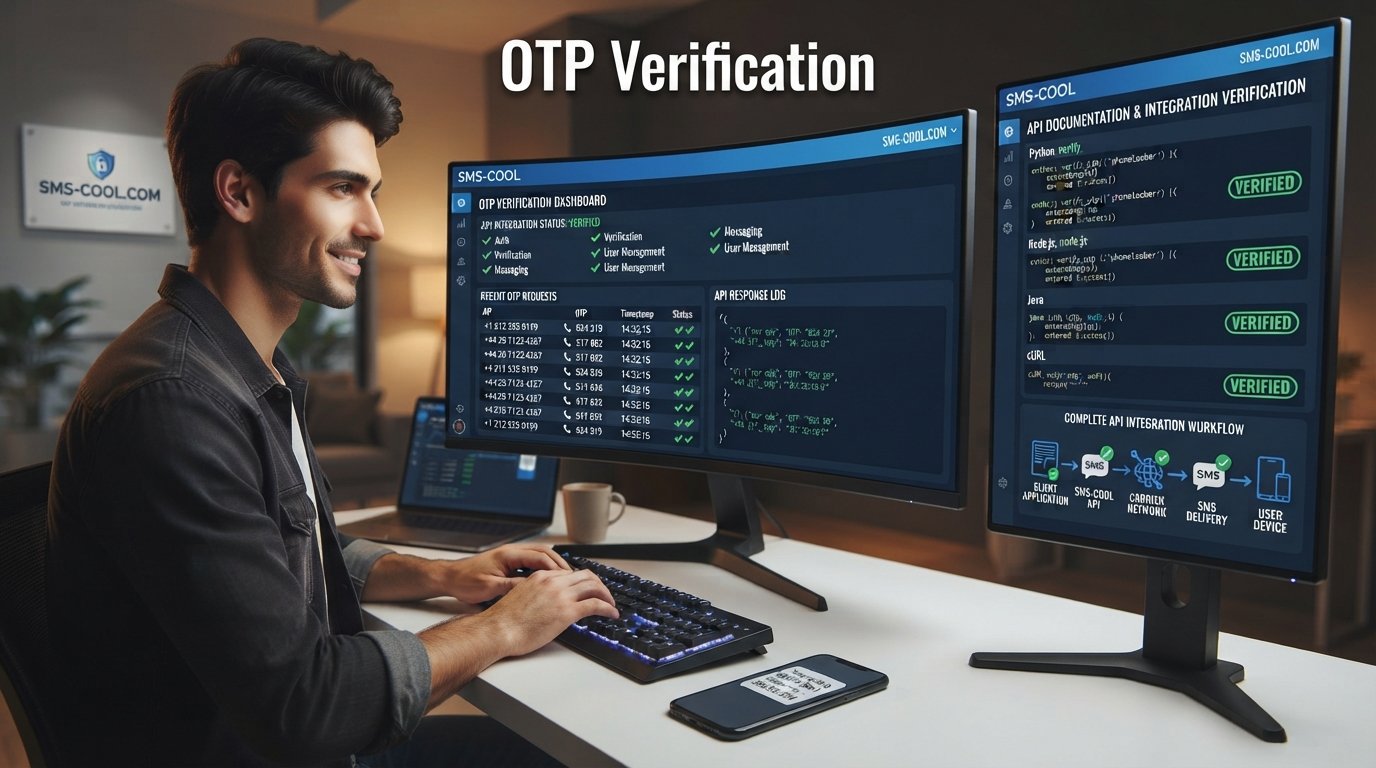
How to Build an OTP Verification Workflow That Scales Securely
For modern websites and apps, confirming that a user actually controls a phone number is often an important step in the customer journey. Whether someone is creating an account, recovering a password, confirming a transaction, or completing two-factor authentication, a fast verification experience can make the difference between a smooth signup and an abandoned one.
That is where an OTP verification workflow comes in.
A well-designed workflow combines OTP generation, SMS delivery, code validation, expiration, retry controls, and security measures into one process. When implemented correctly, it can provide a practical layer of user verification without adding unnecessary friction.
This guide explains how an OTP verification workflow works, what you need to build one, common implementation challenges, and how a service such as SMS COOL can simplify SMS-based verification.
What Is an OTP Verification Workflow?
An OTP, or one-time password, is a temporary verification code that is intended to be used once and then discarded.
An OTP verification workflow is the complete process that connects a user's phone number with OTP generation, SMS delivery, code submission, validation, and successful verification.
For example, a user signs up for an application and enters a mobile number. The application generates a verification code and sends it through SMS. The user enters the code into the application, which checks whether it is correct and still valid. If everything matches, the phone number is verified.
The process sounds simple, but a reliable OTP verification system needs to handle much more than sending a six-digit code. It must account for expiration, failed attempts, duplicate requests, delivery issues, abuse prevention, and application errors.
Why Businesses Need OTP Verification
Phone-based verification can be useful across many parts of a digital customer journey.
Account Registration
OTP verification helps confirm that a person has access to the phone number associated with a new account. This can reduce fake registrations and improve the quality of customer data.
Login Authentication
An OTP can be used as an additional authentication step when users sign in, particularly when an application uses two-factor authentication.
Password Recovery
Instead of relying exclusively on email-based recovery, businesses can use SMS verification to confirm access to a registered phone number before allowing a password reset.
Phone Number Verification
For marketplaces, SaaS products, financial applications, ecommerce platforms, and other services, phone number verification can be an important part of onboarding.
Transaction Confirmation
Some applications use OTP authentication to confirm sensitive actions, such as changing account information or approving a transaction.
Fraud Prevention
OTP verification is not a complete fraud-prevention strategy, but it can add a useful verification layer by requiring access to a specific phone number.
How an OTP Verification Workflow Works
A typical SMS OTP workflow follows a straightforward sequence.
1. User Enters a Phone Number
The application asks the user to provide a mobile number and validates its basic format.
2. Application Generates an OTP
The backend creates a random, temporary verification code. The code should be unpredictable and associated with the appropriate user, session, or verification request.
3. OTP Is Sent Through SMS
The application sends the code to an SMS provider through an SMS API or dedicated SMS OTP API.
4. User Receives the Verification Code
The user receives an SMS containing the one-time password and enters it into the application.
5. User Submits the OTP
The application sends the entered code to the backend for validation.
6. Application Validates the Code
The backend checks whether the code is correct, belongs to the expected verification request, has not expired, and has not already been used.
7. User Is Verified or Rejected
If the checks succeed, the application marks the verification as successful. If they fail, the user receives an appropriate error message.
8. OTP Expires
Every OTP should have a limited validity period. Once it expires or is successfully used, it should no longer work.
Behind the scenes, this process is essentially:
User → Application → OTP Generation → SMS Provider → User → OTP Submission → Verification → Access Granted
Key Components of an OTP Verification System
A dependable OTP verification system needs several components working together.
OTP Generation
Codes should be generated using secure, unpredictable methods. Avoid simple sequences or values that can be easily guessed.
OTP Storage
The backend needs a way to associate a generated OTP with the relevant user or verification session. Sensitive implementations should avoid storing verification secrets in plain text where possible.
Expiration
A short validity window limits the opportunity to reuse or guess a code.
SMS Delivery
Your SMS provider is responsible for delivering the OTP SMS to the user's phone. Delivery speed and reliability directly affect the user experience.
Verification API
A verification endpoint receives the submitted code and determines whether the request should succeed.
Retry Handling
Users sometimes mistype codes or do not receive the first message. Your workflow should support controlled retries without creating an easy path for abuse.
Rate Limiting
Limit how frequently users can request new codes and how many verification attempts they can make.
Security Controls
Protect OTP endpoints from automated abuse, enumeration, brute-force attempts, and suspicious traffic.
Error Handling
Messages should tell users what to do next without revealing unnecessary security information.
Logging and Monitoring
Monitoring OTP requests, delivery outcomes, verification failures, and unusual activity can help teams identify operational or security problems.
How to Build an OTP Verification Workflow
Building an OTP workflow becomes easier when the implementation is separated into clear stages.
Step 1: Define the Verification Use Case
Start by deciding what you are verifying. Is it a new account, a login attempt, a phone number, a password reset, or a sensitive transaction?
The answer determines how the workflow should interact with your authentication and user-management systems.
Step 2: Design the Backend Flow
Create endpoints for requesting an OTP and verifying an OTP.
The request endpoint should validate the phone number, generate the code, create an expiration time, and trigger SMS delivery.
The verification endpoint should validate the submitted code and update the user's verification status when successful.
Step 3: Connect an OTP API
Rather than building SMS delivery infrastructure yourself, businesses can integrate an OTP API or SMS verification API.
This allows your application to communicate with an SMS provider while keeping the verification experience inside your own product.
For businesses evaluating providers, look at API documentation, integration requirements, delivery visibility, geographic support, scalability, and developer experience.
Step 4: Implement Expiration and Attempt Limits
Do not allow the same code to remain valid indefinitely.
Set an expiration period and establish a maximum number of failed attempts. Likewise, control how often a user can request another OTP.
Step 5: Build a Clear User Experience
Keep the verification screen simple.
Show where the code was sent, provide an obvious field for the verification code, and make the resend option available when appropriate. If delivery takes time, give users useful feedback instead of leaving them wondering whether the request worked.
Step 6: Test Real-World Scenarios
Test more than the successful path.
Check what happens when:
- An OTP expires.
- A user enters the wrong code.
- The SMS is delayed.
- A user requests multiple codes.
- The user enters an older code.
- SMS delivery fails.
- A verification request is repeated.
- Multiple users request OTPs simultaneously.
A workflow that handles failure gracefully is far more valuable than one that only works in ideal conditions.
Common OTP Verification Challenges
Even a well-designed workflow can encounter operational challenges.
Delayed SMS: Network conditions and carrier routing can affect delivery times.
Failed OTP delivery: A message may fail to reach a destination because of invalid numbers, carrier restrictions, routing problems, or other delivery issues.
Incorrect OTP entry: Users may mistype codes, especially on smaller mobile screens.
Expired codes: If the validity period is too short, legitimate users may repeatedly request new codes. If it is too long, security can be weakened.
Too many resend requests: Unlimited resends can create unnecessary costs and opportunities for abuse.
Fraud and automated attacks: Public verification endpoints can attract bots attempting to trigger large numbers of messages or guess codes.
Poor user experience: Complicated verification screens, unclear errors, or slow delivery can cause users to abandon registration.
Scalability: An application that handles a small number of OTP requests during development may need a more robust SMS delivery strategy as usage grows.
International delivery: If your application serves multiple countries, SMS routing, regulations, sender requirements, and carrier behavior can vary by destination.
How SMS COOL Simplifies OTP Verification
The hardest part of an OTP workflow is not necessarily generating a six-digit code. It is creating a reliable connection between your application, SMS delivery, verification logic, and the end user's experience.
This is where SMS COOL can fit into the architecture.
Businesses can use SMS COOL as part of an SMS-based verification workflow, helping connect their applications with SMS messaging capabilities instead of building every delivery component from scratch.
A practical workflow can look like this:
Your Application → SMS COOL → User's Mobile Device → Verification Code → Your Application
For developers, the value of an SMS provider is largely about simplifying integration and reducing the amount of messaging infrastructure the application needs to manage directly.
With an appropriate SMS API integration, your application can trigger automated OTP delivery when a user requests verification. Your backend can then handle the code validation, expiration, attempt limits, and account state.
SMS COOL can therefore be considered when you need capabilities around SMS OTP delivery, automated messaging, API-based integration, and verification workflows.
The best implementation still depends on your application's architecture and security requirements. Your development team should define the verification rules while the SMS provider handles the messaging layer.
For startups and growing SaaS or ecommerce businesses, this separation can make an OTP integration easier to maintain as verification volume increases.
Best Practices for Secure OTP Verification
Security should be designed into the workflow from the beginning.
Use Short OTP Expiration Periods
Give users enough time to receive and enter a code, but avoid keeping OTPs valid longer than necessary.
Never Expose OTPs in URLs or Logs
Verification codes should not appear in query parameters, analytics URLs, application logs, or error messages.
Limit Verification Attempts
A user should not be able to make unlimited guesses. Apply sensible attempt limits and temporary controls.
Implement Resend Limits
Allow legitimate users to request another code, but prevent automated systems from repeatedly triggering OTP SMS messages.
Use Rate Limiting
Protect both OTP generation and verification endpoints with rate limits. Consider controls based on account, phone number, IP address, device, or other appropriate signals.
Prevent OTP Reuse
A successfully verified or expired code should no longer be accepted.
Monitor Suspicious Activity
Look for unusual verification patterns, repeated failures, excessive requests, and other indicators of abuse.
Keep Error Messages Clear
Tell users when a code is invalid or expired, but avoid exposing information that could help an attacker.
Make Verification Easy
Security should not come at the expense of usability. A fast, simple verification screen can reduce friction while maintaining appropriate controls.
OTP Verification vs. Other Authentication Methods
SMS OTP is only one authentication option.
Passwords are familiar and easy to deploy, but they can be forgotten, reused, or compromised. Authenticator apps can provide strong authentication without relying on SMS delivery, but they require users to set up and maintain an additional application.
SMS-based OTP authentication is useful when businesses want a familiar verification method tied to a user's mobile number. It can also work as one layer within a broader authentication strategy.
For higher-risk applications, businesses may combine SMS authentication with stronger authentication controls rather than treating an OTP as the only security mechanism.
Why the Right SMS Provider Matters
The provider behind your SMS delivery can have a direct effect on the verification experience.
Before selecting an OTP service, consider:
- Delivery reliability
- API quality and documentation
- Integration simplicity
- Scalability
- Security features
- Geographic coverage
- Delivery monitoring
- Developer experience
- Support for your application's expected traffic
A technically excellent application can still create a frustrating experience if users consistently wait too long for verification messages.
That is why businesses should evaluate both the application-side verification logic and the SMS provider supporting OTP delivery.
SMS COOL is worth considering when your business needs an API-driven approach to SMS messaging and wants to incorporate SMS OTP capabilities into an existing application or authentication workflow.
Final Thoughts
A successful OTP verification workflow is more than sending a code to a phone.
It combines secure OTP generation, controlled expiration, reliable SMS delivery, validation logic, rate limiting, monitoring, and a smooth user experience.
The goal is simple: make it easy for legitimate users to verify themselves while making abuse difficult.
For developers and businesses building registration, login, password recovery, transaction, or phone verification experiences, an SMS-based workflow can be a practical addition to the authentication stack.
The right SMS provider can also simplify the delivery side of the implementation. If you are looking for a practical way to support SMS OTP, verification workflows, and API-based messaging, consider exploring SMS COOL as part of your technology stack.
9. FAQ
What is an OTP verification workflow?
An OTP verification workflow is the process of generating a one-time password, sending it to a user's phone, receiving the submitted code, validating it, and confirming the user's identity or phone number.
How does SMS OTP verification work?
An application generates a temporary verification code and sends it to the user's mobile number through an SMS provider. The user enters the code, and the application checks whether it is valid, unexpired, and associated with the correct verification request.
How do I build an OTP verification system?
Start by defining the verification use case, then implement secure OTP generation, temporary storage, expiration, verification endpoints, attempt limits, rate limiting, and SMS delivery. An OTP API or SMS verification API can simplify the messaging portion.
What is an OTP verification API?
An OTP verification API provides programmatic functionality for OTP-based verification. Depending on the provider and implementation, it can help an application trigger SMS delivery and support verification workflows through API requests.
How can businesses send OTPs through SMS?
Businesses can integrate an SMS API or SMS OTP API into their application. When a user requests verification, the backend generates a code and sends it to the user's phone through the selected SMS provider.
How can I improve OTP delivery?
Use a reliable SMS provider, validate phone numbers, control resend requests, monitor delivery outcomes, design appropriate retry behavior, and make sure your application handles delayed or failed messages gracefully. SMS COOL can be considered as part of the SMS delivery layer.
Is SMS OTP secure for user verification?
SMS OTP can provide a useful verification layer, particularly for confirming access to a phone number. However, it should be implemented with expiration, attempt limits, rate limiting, OTP reuse prevention, and other appropriate security controls. Higher-risk applications may also require stronger authentication methods.
10. Final CTA for SMS COOL
Ready to simplify your SMS-based verification workflow? Explore SMS COOL for API-driven SMS OTP delivery and build a verification experience that is practical, scalable, and easy for your users to complete.