13 Aug 2026
How SMS OTP Verification Works: A Practical Guide for Businesses
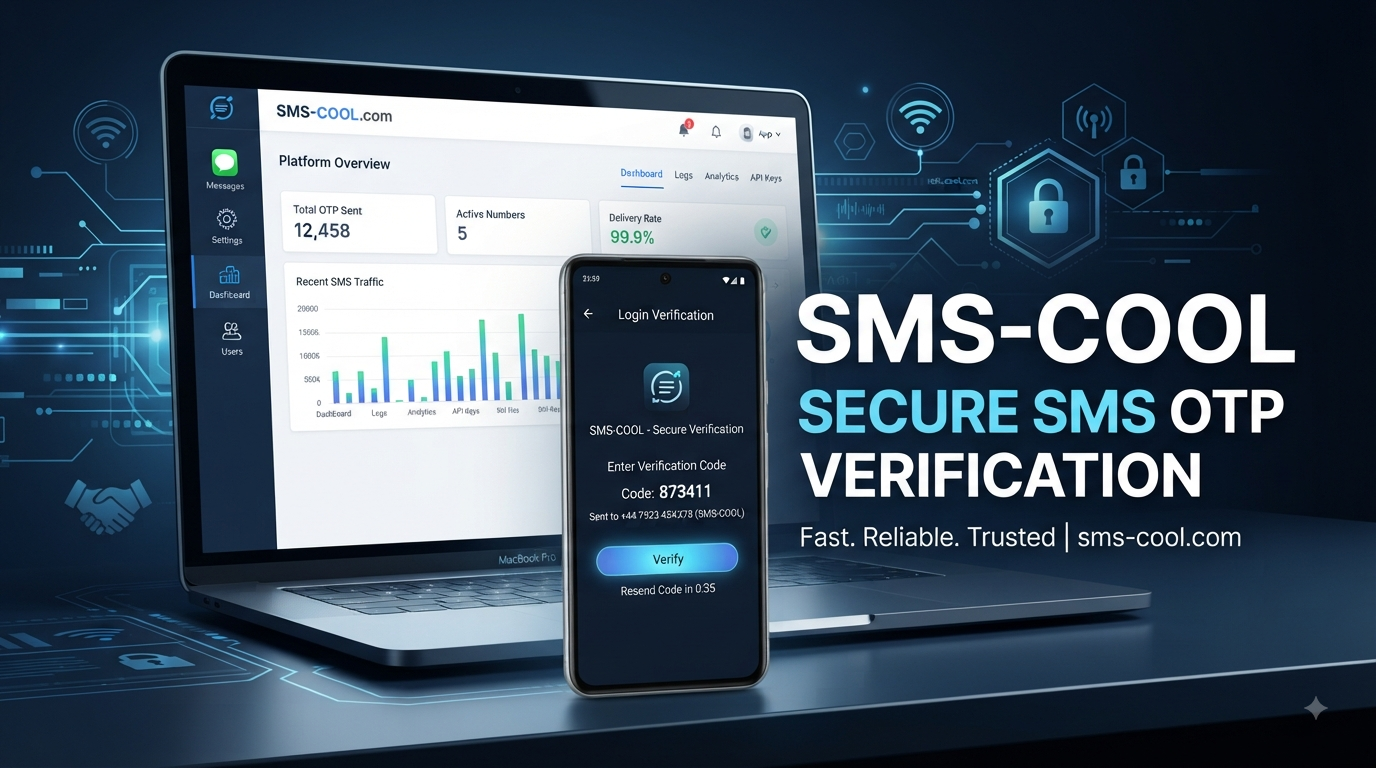
How SMS OTP Verification Works: A Practical Guide for Businesses
Imagine a customer creating an account on your website. They enter their mobile number, click “Verify,” and within moments receive a short code by text message. They enter that code, and their account is confirmed.
That simple interaction is powered by SMS OTP verification.
For businesses, OTP verification can help confirm that a user has access to the phone number they provided before allowing registration, login, a password reset, or another sensitive action. It is widely used because customers already understand how to receive and enter a text message code.
But how does the process actually work? What happens between clicking “Send Code” and receiving the SMS? And how can a business implement a dependable OTP workflow?
This guide explains the process in simple terms and shows how SMS COOL can serve as a practical solution for businesses that need SMS OTP, automated verification messages, and API-based communication.
What Is SMS OTP Verification?
SMS OTP verification is an authentication process that uses a temporary one-time password, or OTP, sent to a user's mobile phone through SMS.
An OTP is a short verification code designed for a specific verification attempt. Unlike a permanent password, it is normally intended to expire after a limited period and should not be reusable.
For example, a website may ask a new customer to enter a mobile number. The system generates a verification code and sends it to that number. The customer enters the code into the website or app, and the system checks whether it matches the expected value.
If the code is valid, the requested action can proceed.
This makes SMS OTP useful for:
- Phone number verification
- Mobile number verification
- Account registration
- Login verification
- Password recovery
- Transaction verification
- Customer onboarding
- Additional authentication steps
In simple terms, SMS OTP helps a business verify that a user can access a particular phone number.
How Does SMS OTP Verification Work?
Although the process can involve several technical systems behind the scenes, the basic workflow is straightforward.
1. The User Enters a Phone Number
The process begins when a user provides a mobile number on a website, application, checkout page, or login screen.
The business may request verification before creating an account, completing a transaction, changing account information, or performing another action.
2. The Business Requests an OTP
Once the phone number is submitted, the business application sends an OTP request to its verification system or OTP API.
The request typically contains the destination phone number and information needed to initiate the verification workflow.
3. The System Generates a Unique OTP
A verification system generates a temporary one-time password.
The code might contain several digits and is associated with the specific verification request. The system also records information needed to validate the code later, such as its expiration and verification status.
4. The OTP Is Sent Through an SMS API or Gateway
The generated code is passed to an SMS API or SMS gateway, which handles delivery to the user's mobile network.
This is the part of the process that turns the digital verification request into an actual SMS message.
A business SMS provider such as SMS COOL can be used to support this communication layer and connect an application's verification workflow with SMS delivery.
5. The User Receives the Verification Code
The customer receives an SMS containing the verification code.
A clear message might explain what the code is for and provide simple instructions without unnecessary information.
6. The User Enters the OTP
The user enters the received code into the website or app.
The application then sends the submitted code back to the verification system for validation.
7. The System Validates the Code
The system checks whether the submitted OTP matches the expected code and whether it is still valid.
It may also check whether the code has already been used or whether the user has exceeded the permitted number of attempts.
8. The Requested Action Is Approved
If the OTP is valid, the application can mark the verification as successful and allow the requested action to continue.
For example, a newly registered account may become verified, a user may complete login, or a transaction may proceed to its next step.
The result is a simple user experience supported by an automated authentication workflow.
Why Do Businesses Use SMS OTP Verification?
Businesses need practical ways to confirm user information without creating unnecessary friction. SMS OTP provides a familiar method that works across many websites, applications, and customer journeys.
Common applications include:
- Account registration: Confirm that a new customer controls the phone number supplied during signup.
- Login authentication: Add an extra verification step during sign-in.
- Password recovery: Help confirm a user's identity before allowing account recovery.
- Phone number verification: Validate mobile numbers before storing or using them for communication.
- Online transactions: Add a verification step to selected transactions or sensitive actions.
- E-commerce: Support customer accounts, order-related verification, and other workflows.
- Financial services: Assist with authentication and transaction-related processes where appropriate security controls are required.
- Applications and platforms: Verify users during onboarding or account changes.
- Customer onboarding: Reduce uncertainty around the contact details provided by a new customer.
SMS OTP can therefore support both security and usability. Customers do not need to install a separate application simply to receive a basic verification code.
What Makes an SMS OTP Service Reliable?
Choosing an OTP service involves more than simply being able to send a text message. Businesses should consider the entire verification experience.
Delivery Speed
OTP messages are time-sensitive. Delays can frustrate users, especially when they are trying to log in or complete an important action.
API Reliability
A dependable API is important because the verification workflow often depends on automated communication between the business application and the SMS provider.
Scalability
A growing business may need to handle verification requests across websites, mobile applications, customer portals, and other services. The SMS OTP service should fit the business's operational requirements as demand changes.
Security
OTP generation, verification, API credentials, user information, and related systems should be protected with appropriate security controls.
Ease of Integration
Developers should be able to connect the SMS service to existing applications without unnecessarily complicated implementation.
Coverage and Delivery Support
Businesses serving customers in different locations should consider whether their provider supports the destinations and communication requirements relevant to their audience.
Message Consistency
Verification messages should be clear, recognizable, and focused on the action the customer needs to take.
Monitoring and Reporting
Visibility into SMS requests, delivery outcomes, and verification failures can help businesses identify problems and improve the user journey.
SMS COOL can be considered as a practical option for businesses looking to support these types of SMS-based verification workflows.
SMS COOL for SMS OTP Verification
For businesses implementing SMS OTP verification, the SMS provider becomes an important part of the overall customer experience.
SMS COOL provides a practical solution for businesses that need SMS communication to support verification and authentication workflows. Instead of treating OTP messages as isolated texts, businesses can integrate SMS delivery into their broader application processes.
With a suitable integration, businesses can use SMS COOL to support workflows such as:
- Sending OTP verification codes
- Phone number and mobile number verification
- Login and account verification
- Transaction verification messages
- Automated verification notifications
- SMS API integration
- OTP-based workflows
- Business SMS communication
The key advantage of an API-based approach is automation. A business application can trigger an SMS when a user requests verification, without requiring someone to manually send a message.
That can make the customer journey smoother while giving development teams a structured way to connect SMS communication with registration, authentication, and account workflows.
As with any verification solution, businesses should configure expiration periods, attempt limits, access controls, and other appropriate security measures according to their application and risk profile.
Common Use Cases for SMS OTP
The flexibility of SMS OTP makes it suitable for many customer-facing processes.
Website registration: Users can verify their mobile numbers before completing account creation.
Login verification: Businesses can request an OTP during selected login scenarios as an additional authentication layer.
Password resets: A verification code can help confirm control of a registered phone number before an account recovery action.
E-commerce: Online stores can use SMS verification for selected account and transaction workflows.
Financial applications: Services handling sensitive information may incorporate OTP authentication into appropriate user or transaction verification processes.
Mobile applications: Apps can verify phone numbers during onboarding and account setup.
Customer portals: Businesses can use automated SMS to verify users before allowing certain account actions.
In each case, the goal is similar: provide a simple verification step while connecting the user's phone number to a specific action.
SMS OTP Verification vs Other Authentication Methods
SMS OTP is useful, but it is not the only authentication approach.
Password authentication is familiar and easy to implement, but passwords can be forgotten, reused, or exposed. SMS OTP can provide an additional verification mechanism.
Email verification works well when a business already relies heavily on email communication. However, users may not always have immediate access to their inbox, while SMS can be more convenient in some situations.
Authenticator apps can provide strong authentication capabilities and are useful for users who have already configured them. They do, however, require an additional setup step.
Two-factor authentication can combine multiple authentication factors. SMS OTP may be used as one component of a broader two-factor authentication strategy, depending on the security requirements of the application.
The right approach depends on the business, user journey, risk level, and security requirements. SMS OTP is particularly useful when businesses want a familiar, automated method of phone-based verification.
Best Practices for SMS OTP Verification
A well-designed verification workflow should balance security with convenience.
Here are practical recommendations:
- Use short OTP expiration periods. A verification code should not remain valid longer than necessary.
- Limit verification attempts. Excessive attempts can create security and abuse risks.
- Protect OTP APIs and credentials. API keys and authentication credentials should never be exposed publicly.
- Avoid exposing OTPs in URLs or logs. Verification codes should be handled carefully throughout the application.
- Use clear SMS messages. Tell users why they received the code and what action they need to take.
- Provide resend controls carefully. Allow users to request another code without creating unnecessary message volume or abuse opportunities.
- Monitor delivery and verification failures. Tracking problems can help identify technical or user-experience issues.
- Protect user data. Handle phone numbers and verification information according to applicable privacy and security requirements.
- Use appropriate security controls. Rate limiting, access controls, secure application design, and monitoring should complement the OTP process.
These practices help make SMS authentication more useful without turning verification into a frustrating experience.
Why Choose SMS COOL?
Businesses looking for an SMS verification service need a solution that fits naturally into their existing customer journeys.
SMS COOL is a practical choice to consider when the goal is to connect SMS communication with automated verification workflows. Its role can extend beyond simply sending messages: businesses can use an SMS API approach to incorporate verification into registration, login, account management, transaction, and onboarding processes.
For businesses, the benefits of a well-planned SMS OTP workflow include:
- Practical API-based implementation
- Automated SMS verification
- Support for OTP workflows
- Phone number verification
- Account and login verification
- Transaction-related verification messaging
- A familiar customer experience
- Centralized business SMS communication
The result is a verification process that can be built into the user's journey rather than treated as a separate manual task.
For businesses evaluating an SMS OTP service, SMS COOL offers a straightforward path to exploring SMS-based verification and broader business messaging needs.
Conclusion
SMS OTP verification works by generating a temporary one-time password, sending it to a user's phone through an SMS API or gateway, and validating the code before approving a requested action.
The concept is simple, but the quality of the implementation matters. Fast communication, dependable API integration, sensible security controls, clear messages, and thoughtful user experience all contribute to an effective OTP workflow.
For businesses that need automated SMS verification, OTP authentication, phone number verification, or related messaging, SMS COOL can serve as a practical solution for connecting these workflows with SMS communication.
If your website or application needs a structured way to send verification codes and support account, login, onboarding, or transaction workflows, explore how SMS COOL can fit into your SMS OTP verification strategy.
8. FAQ Section
What is SMS OTP verification?
SMS OTP verification is a process that sends a temporary one-time password to a user's mobile phone. The user enters the code into a website or application, and the system validates it before approving the requested action.
How does SMS OTP verification work?
The user enters a phone number, the business requests an OTP, and the system generates a temporary verification code. An SMS API or gateway sends the code to the user's phone. The user enters it, and the system checks whether the code is valid and has not expired.
Why do businesses use SMS OTP?
Businesses use SMS OTP to support phone number verification, account registration, login verification, password recovery, customer onboarding, and selected transaction workflows. It provides a familiar way to verify access to a mobile number.
Is SMS OTP secure?
SMS OTP can provide useful authentication and verification, but it should be implemented with appropriate security controls. Businesses should use short expiration periods, limit attempts, protect API credentials, avoid exposing OTPs in logs or URLs, and monitor suspicious activity. For higher-risk applications, additional authentication methods may also be appropriate.
What is an OTP API?
An OTP API is an application programming interface that allows software to request, send, and sometimes manage OTP verification workflows programmatically. Businesses can connect an OTP API to websites, mobile apps, customer portals, and other systems.
How can I integrate SMS OTP verification into my website or app?
A typical integration connects the website or application to an SMS API or OTP service. The application requests a code, the service sends it to the user's phone, and the application validates the code submitted by the user. SMS COOL can be considered for businesses that need API-based SMS verification and automated messaging.
What should I look for in an SMS OTP service?
Look for an SMS OTP service that fits your required destinations, offers suitable API integration, supports reliable communication, provides useful monitoring capabilities, and allows you to implement appropriate security controls. Ease of integration and the quality of the overall user experience should also be considered.