09 Oct 2026
How Disposable Email Addresses Work: Benefits, Risks & SMS COOL
How Disposable Email Addresses Work
Every time you sign up for a website, download a resource, join an online community, or try a new application, you may be asked to provide your email address. Although this seems harmless, sharing your primary email everywhere can lead to unwanted promotional messages, crowded inboxes, and unnecessary exposure of your personal information.
That is where disposable email addresses come in. They give you another way to receive messages online without immediately sharing your regular email address with every website you visit.
But how do disposable email addresses work? Are they safe, and when should you use one?
In this guide, you will learn how temporary email services operate, their privacy benefits and limitations, and how SMS COOL can help when your online activity requires temporary communication or phone verification.
What Are Disposable Email Addresses?
A disposable email address is an email address intended for short-term use or for a specific purpose. Instead of using your regular Gmail, Outlook, or business email account, you use a separate address to receive messages such as confirmation links, one-time codes, or subscription emails.
Depending on the service, the address may remain active for a limited period, forward incoming messages to your primary inbox, or function as an alias that you can disable when it is no longer needed.
For example, imagine you want to download a free guide from an unfamiliar website. The website requests your email address, but you do not want to receive its future marketing emails in your personal inbox. A disposable address can help you complete the registration while keeping your primary address separate.
Disposable email addresses are also known as temporary email addresses, throwaway emails, or burner email addresses.
However, not every temporary address works the same way. Some services offer private, account-based aliases, while others provide short-lived inboxes that may be accessible to anyone who knows the address.
How Do Disposable Email Addresses Work?
Understanding how disposable email addresses work is easier when you break the process into a few simple steps.
1. Generate a Temporary Email Address
First, you visit a disposable email service or temporary email generator. Depending on the provider, the website may automatically create a random email address or allow you to choose an available address.
For example, it might generate an address such as sample847@example-temp.com. This is an illustrative address, not a real service recommendation.
You can then copy the generated address and enter it into the website's registration form.
2. The Website Sends an Email
When you register, the website sends a confirmation message, verification link, or one-time code to the address you supplied.
The message travels through the ordinary email delivery system, just as it would when sent to a conventional email account.
A disposable email address is not inherently a fake or nonfunctional address. It can receive genuine email as long as the service accepts messages for it.
3. The Temporary Inbox Receives the Message
The disposable email service receives the incoming message and makes it available through its website or another supported interface.
Some providers assign a dedicated mailbox to each user. Others use shared infrastructure that accepts messages for generated addresses.
You open the temporary inbox, find the message, and copy the verification code or follow the confirmation link.
4. The Address Expires or Is Discarded
After you finish your task, the address may expire automatically, remain active for a specified period, or continue working until you delete or disable it.
The exact behavior depends on the service.
For example, a short-lived inbox might be useful for a one-time confirmation. A forwarding alias may be more appropriate if you want to manage incoming messages over a longer period.
The key point: Disposable email services use normal email delivery technology but provide an alternative way to manage the address, mailbox, and message lifespan.
Why Do People Use Disposable Email Addresses?
There are several practical reasons to use a temporary email address.
Reduce Unwanted Marketing Emails
Some websites send frequent newsletters, promotional offers, and product announcements after registration. Using a disposable address for low-priority sign-ups can help keep these messages away from your main inbox.
It is a practical option when you want access to a resource without committing to ongoing email communication.
Protect Your Primary Email
Your primary email address may be connected to important services, including financial accounts, work platforms, shopping accounts, and password recovery systems.
Sharing it with fewer websites can reduce its exposure to third parties and potential data breaches.
Disposable email addresses help create separation between your everyday digital identity and less important online activities.
Test Websites and Applications
Developers, quality assurance teams, and website owners may need to test registration forms, email confirmation links, and notification workflows.
Temporary inboxes can help test whether messages arrive and whether the registration process behaves as expected.
For production testing, dedicated test accounts and controlled email environments may be more appropriate.
Access One-Time Downloads
Some websites request an email address before providing a checklist, template, guide, or other downloadable resource.
If you do not need ongoing communication from that website, a temporary address may be a reasonable alternative, provided the website permits its use.
Separate Online Activities
You may want different addresses for shopping research, online communities, newsletters, and experimental services.
Disposable email services can make this separation easier without requiring you to maintain multiple permanent email accounts.
What Are the Main Benefits of Disposable Email Addresses?
Disposable email addresses offer several advantages when used thoughtfully.
- Less inbox clutter: Keep many low-priority promotional messages out of your main inbox.
- Better email privacy: Avoid sharing your primary email address with every website.
- Convenient verification: Receive supported confirmation emails without opening another permanent account.
- Reduced exposure: If a temporary address becomes associated with spam, you can often abandon or disable it.
- Simpler testing: Check email-based registration and notification workflows without using your everyday account.
- Greater separation: Use different addresses for different online activities.
These benefits make disposable email addresses useful online privacy tools, particularly when you are unsure how a website will use your contact information.
However, they should be considered one part of a broader privacy strategy rather than a complete security solution.
Are Disposable Email Addresses Safe?
Disposable email addresses can improve privacy, but their safety depends on the provider and the way you use them.
A reputable service may offer useful separation between your personal identity and an online registration. Nevertheless, not every temporary inbox is private.
Understand Shared Inbox Risks
Some temporary email services make inboxes accessible without passwords. If another person can open the same mailbox, they may be able to read its messages.
Never use a potentially shared temporary inbox for banking, sensitive personal information, confidential business communications, or accounts that contain valuable data.
Be Careful With Verification Links
An email verification link may provide access to an account or allow changes to account settings. Anyone who can access that message could potentially misuse it.
Use temporary email for low-risk activities, and avoid leaving important accounts dependent on an inbox that may disappear.
Check the Provider's Privacy Policy
Before using a disposable email service, review its policies and security information.
Consider these questions:
- Does the service provide private or shared inboxes?
- How long are messages retained?
- Can you delete an address or its messages?
- Does the provider explain what information it collects?
- Is there a clear policy for handling personal data?
An anonymous email address does not automatically make you anonymous online. Websites may still collect your IP address, browser information, device details, and other identifiers.
Limitations of Disposable Email Services
Although disposable email addresses are convenient, they are not suitable for every situation.
Some Websites Block Temporary Addresses
Certain websites identify and reject known disposable email domains. They may do this to reduce fraudulent registrations, abuse, or repeated free-trial sign-ups.
As a result, a temporary email address may not work on every platform.
You May Lose Access to Your Account
If a website sends future password resets, receipts, security alerts, or important updates to an expired inbox, recovering your account may become difficult or impossible.
For this reason, use a permanent, secure email address for accounts you expect to keep.
Message Retention May Be Limited
A temporary inbox may automatically delete messages after a short period. Some services also limit how many messages an address can receive or retain.
Save any non-sensitive information you genuinely need before the inbox disappears, while following the provider's rules and protecting confidential data.
Temporary Email Is Not a Security Guarantee
A disposable address does not replace strong passwords, multifactor authentication, secure browsing, or responsible account management.
It also does not prevent a website from tracking you through cookies, browser identifiers, or other technologies.
Use temporary email to reduce unnecessary exposure, not to bypass legitimate security requirements or assume that every online activity is untraceable.
How to Choose the Right Temporary Email Generator
Choosing a suitable disposable email service starts with understanding what you need.
For one-time registrations: Look for a straightforward temporary inbox that receives messages promptly and clearly explains when the address expires.
For ongoing privacy: Consider an email alias or forwarding service that lets you disable individual addresses while retaining control over important correspondence.
For software testing: Choose a solution with the inbox management and testing capabilities your workflow requires.
For sensitive accounts: Use a dedicated, private email account with strong security controls rather than a disposable inbox.
Before choosing a provider, review its message retention practices, privacy policy, address lifespan, and access controls.
It is also important to distinguish between a fake email address and a disposable email address. A randomly invented address that does not exist may never receive your verification message. A functioning disposable address is designed to receive email through the provider's system.
SMS COOL: A Practical Solution for Temporary Verification Needs
Email is only one part of online verification. Many websites and applications also ask users to provide a phone number and receive a one-time password (OTP) by SMS.
If you want to avoid sharing your personal phone number for every supported verification task, SMS COOL is worth exploring.
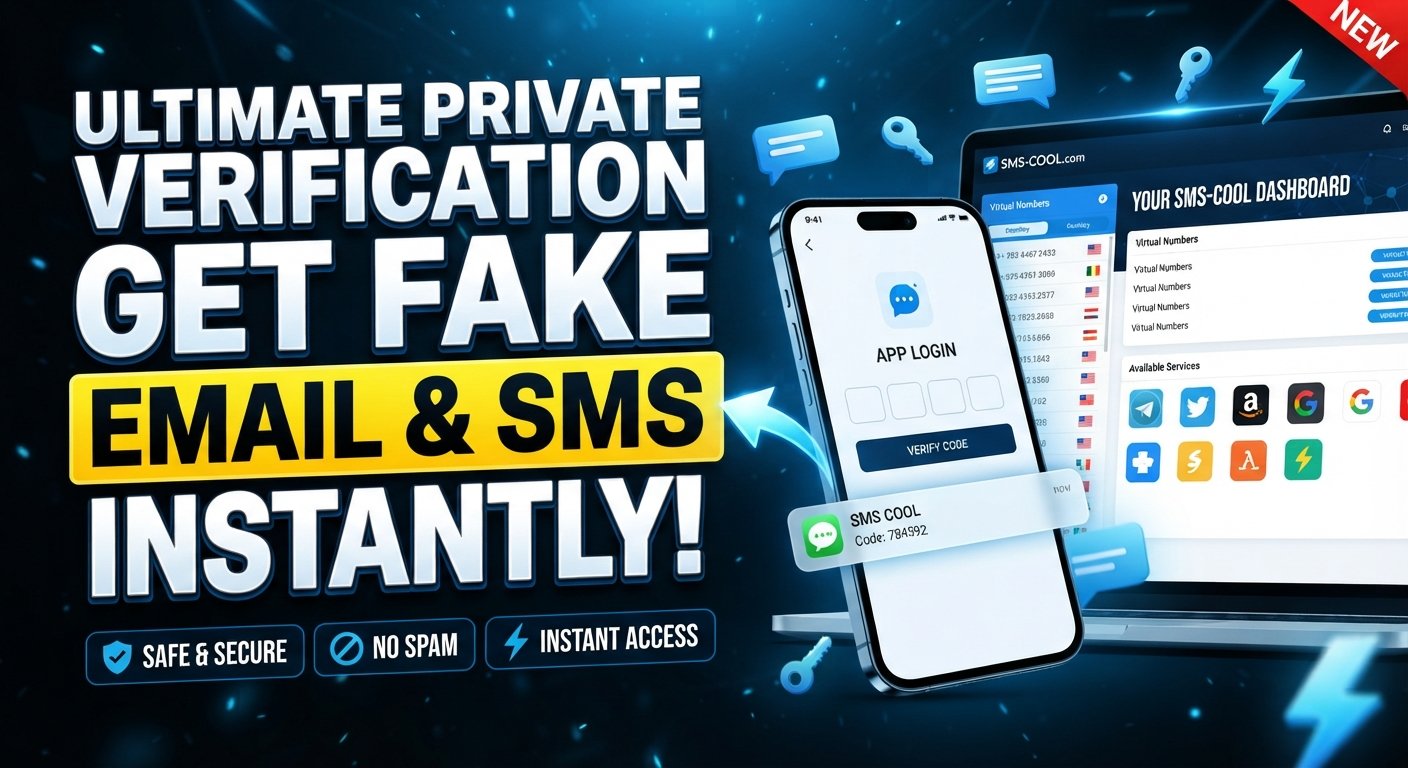
SMS COOL provides temporary email services alongside virtual phone numbers and SMS verification options. Its official website describes services for receiving verification messages, as well as number rental options for supported platforms.
You can explore the available options at SMS COOL.
How SMS COOL Can Help
Depending on your requirements and the service available to you, SMS COOL can be useful for:
- Temporary email needs: Access its temporary email offering for supported email-based registration or verification tasks.
- SMS verification: Use an available virtual number to receive a supported verification message without using your personal number.
- Short-term account verification: Handle suitable one-time verification tasks when the platform and number support the required service.
- Longer-term verification needs: Explore number rental options when you need a number for longer than a single verification session.
- Development and automation: Review its developer API documentation if you need supported verification workflows in an application.
Availability, compatibility, costs, and access conditions can vary by service and platform. Check the current details before purchasing or relying on a particular option.
Temporary Email vs. Temporary SMS Verification
It is important to understand the difference between these two solutions.
A temporary email service receives messages sent to an email address. A temporary SMS verification service receives text messages sent to a phone number.
For example, if a website emails you a confirmation link, you need an email inbox. If an application sends a six-digit OTP to your phone number, you need a supported SMS receiving option.
Some registration processes require both.
SMS COOL offers options relevant to both email and phone-based verification, so you can explore the appropriate service for your specific task instead of assuming that email and SMS are interchangeable.
Remember that temporary contact details are not suitable for every account. Follow the relevant platform's rules, and use contact information you control for important accounts, recovery processes, and ongoing communication.
Best Practices for Using Disposable Email Addresses
To get the most value from temporary email while reducing unnecessary risks, follow these practical guidelines.
- Match the address to the task. Reserve temporary inboxes for low-risk registrations, downloads, and activities that do not require long-term access.
- Keep important accounts separate. Use a permanent email address for financial services, work, personal communications, and account recovery.
- Review privacy settings. Understand whether your temporary inbox is shared, private, forwarded, or automatically deleted.
- Avoid sensitive information. Do not send confidential documents or personal data to an inbox with uncertain access controls.
- Save essential information safely. If you need a confirmation or receipt later, store it in a secure location rather than relying on an expiring inbox.
- Use other privacy protections. Combine temporary contact details with unique passwords, multifactor authentication, and sensible browser privacy settings.
- Follow website policies. Do not use temporary addresses or numbers to commit fraud, evade legitimate safeguards, or violate a service's terms.
These simple habits help you protect your primary email, reduce unnecessary messages, and make more informed decisions about sharing personal information online.
Frequently Asked Questions
Are disposable email addresses free?
Some disposable email services offer free access, while others charge for additional features, longer retention, or private inbox management. Check the provider's current pricing and conditions.
Can I receive verification codes with a temporary email address?
Yes, if the verification code is sent by email and the temporary inbox accepts the message. If the website sends the code by SMS, you will need a suitable phone-based verification option instead.
Can I use a disposable email address more than once?
That depends on the provider. Some addresses remain available for a limited period, while others can be disabled or deleted. A forwarding alias may remain usable until you deactivate it.
Do disposable email addresses prevent spam completely?
No. They can help reduce unwanted messages in your primary inbox, but they do not eliminate spam across all your accounts or stop other forms of online tracking.
Is SMS COOL an email service or an SMS verification service?
SMS COOL offers both temporary email services and virtual phone numbers for SMS verification. The right option depends on whether the website sends a message to an email address or a phone number.
Should I use temporary email for important accounts?
Generally, no. Important accounts should use a secure email address that you control over the long term, particularly when you need password resets, security notifications, or account recovery.