17 Sep 2026
How to Get Fiverr Login Without Phone Number: Simple Tips
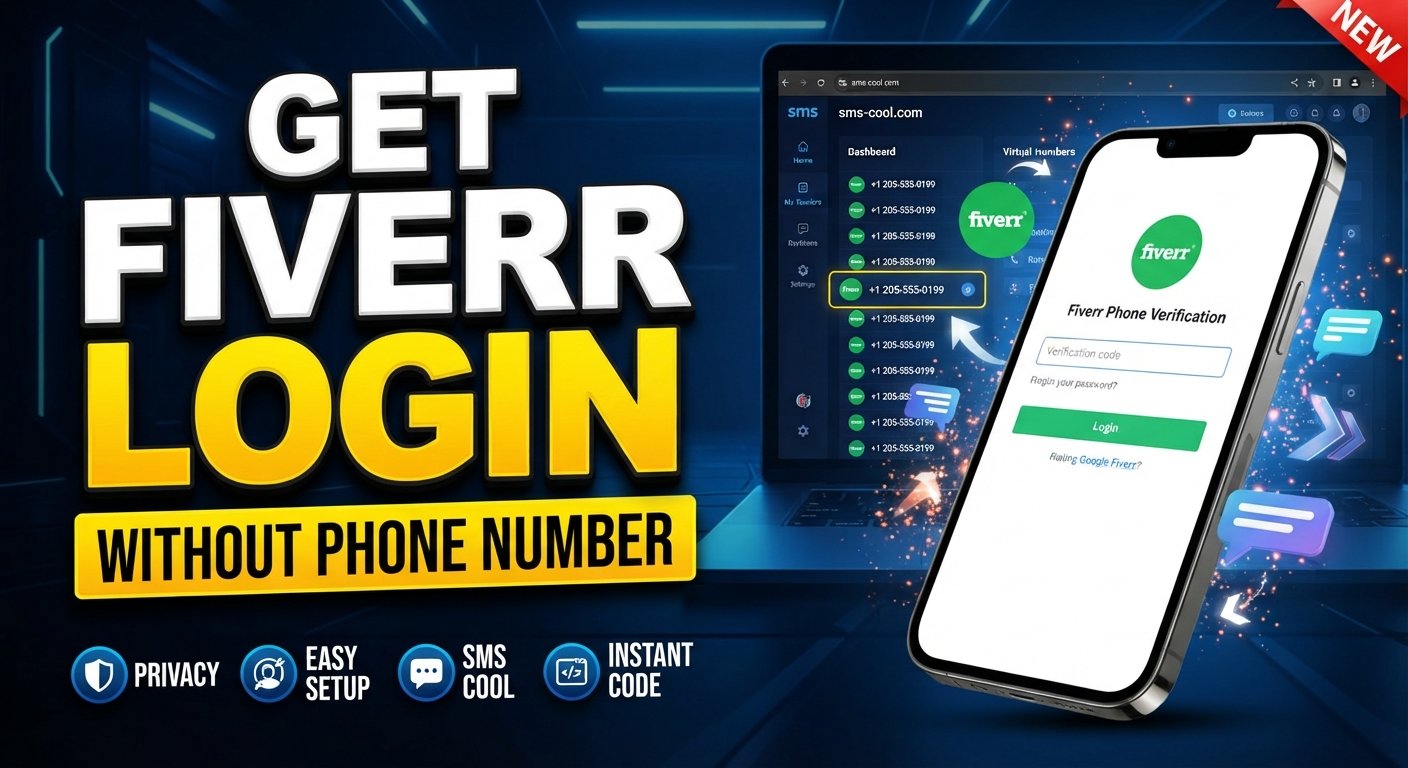
How to Get Fiverr Login Without Phone Number
Trying to access Fiverr without using your personal phone number can be frustrating, especially when a verification prompt appears at the wrong time.
Maybe you want to keep your personal and work communications separate. Perhaps you have a dedicated number for online services, or you simply prefer not to share your everyday number with another platform.
Whatever the reason, there is an important distinction to understand: avoiding a personal number does not mean bypassing Fiverr's security checks. You should only access your own account and complete any verification Fiverr requires.
Fiverr uses phone verification as part of its account-security process, and its current Help Center says virtual numbers and VoIP services are not compatible with its phone-verification system. That makes it important to choose an alternative carefully.
For general SMS verification needs, services such as SMS COOL can provide online numbers for receiving verification messages where the relevant platform supports them. SMS COOL describes its service as providing virtual numbers and SMS-receiving options, but it also states that third-party platforms may not accept every number.
Let's look at the legitimate options, what Fiverr actually requires, and where an SMS receiving service can fit into the picture.
Can You Log Into Fiverr Without a Phone Number?
Sometimes, yes—but logging in and completing phone verification are two different things.
If your existing account does not require phone verification at a particular point, you may be able to sign in using your normal credentials or a connected login method. Fiverr also documents password-reset and social-account login options for certain users.
However, a separate phone-verification step may still appear when Fiverr requires additional account security. For example, Fiverr says clients may be prompted to verify their phone number before contacting another user, while freelancers have additional verification requirements.
So, “Fiverr login without phone number” should not be interpreted as a method for skipping a required verification step.
The safer approach is to identify exactly what Fiverr is asking you to verify and then use a supported verification method.
Why Does Fiverr Ask for Phone Verification?
Phone verification is a common security measure used to connect an account with a phone number that the user can access.
Fiverr says phone verification helps enhance account security and maintain trust within its marketplace.
A verification code can help confirm access to the number entered during the verification process. It can also add another layer of protection around important account actions.
Common reasons platforms use phone verification include:
- Protecting accounts from unauthorized access
- Confirming access to a phone number
- Reducing automated or abusive activity
- Adding another layer of account security
- Helping protect marketplace users
- Supporting account recovery and security processes
Fiverr also has other verification procedures, particularly for freelancers, which can include identity and personal or business verification.
The important point is simple: a verification code is part of the platform's normal security process. It should be completed legitimately rather than circumvented.
What to Do If You Don’t Want to Use Your Personal Number
If you prefer not to use your everyday mobile number, there are several legitimate possibilities worth considering.
1. Use another supported number
If you have access to another valid number that is permitted by Fiverr, you may be able to use it for verification.
Fiverr states that a phone number can only be associated with one Fiverr account, so a number already connected to another account may not be accepted.
2. Consider a dedicated number
Some users maintain a separate number for work, business, or online accounts. This can help keep personal and professional communications separate.
The key is that the number must satisfy Fiverr's verification requirements.
3. Check alternative verification options
Depending on your account and situation, Fiverr may provide other legitimate account-access or verification options. For example, its Help Center documents connected social-account login for some users and customer-support assistance for certain account-access problems.
4. Use an SMS receiving service where supported
An online SMS number can be useful for platforms that explicitly support the relevant number type.
This is where an SMS verification service such as SMS COOL can be useful for supported services. However, Fiverr currently states that virtual numbers are not compatible with its phone-verification system.
That distinction matters. SMS COOL should be viewed as a convenient SMS-receiving service—not as a way to defeat Fiverr's verification requirements.
How SMS COOL Can Help With Fiverr SMS Verification
SMS COOL is an online service offering virtual and temporary phone numbers for receiving SMS and verification codes. Its platform allows users to select an available number and monitor incoming messages through its online dashboard.
In a supported verification scenario, the process is straightforward:
- Obtain an available number through the service.
- Enter that number on the platform requesting verification.
- Wait for the verification message.
- View the incoming SMS through the SMS receiving interface.
- Enter the received code into the legitimate verification page.
This can be convenient when a website supports online SMS numbers and you do not want to expose your personal number.
However, there is an important Fiverr-specific limitation. Fiverr's current Help Center explicitly says virtual numbers, landlines, and VoIP services are not compatible with its phone-verification system. Therefore, users should not purchase an SMS COOL virtual number expecting it to work for Fiverr phone verification.
Instead, think of SMS COOL as a practical SMS receiving service for supported platforms. If Fiverr changes its supported number types or presents a verification route that accepts a particular number, always follow Fiverr's requirements at that time.
SMS COOL itself also states that it does not guarantee successful registration with third-party platforms because acceptance can depend on platform restrictions and other factors.
How to Use SMS COOL for Verification
For a platform that supports the number type you need, the general process is simple.
Step 1: Visit SMS COOL
Open the SMS COOL website and review the available SMS-receiving options.
Step 2: Choose an available service and number
Select the relevant supported service and an available number. Before purchasing, check whether the platform allows that type of number.
Step 3: Follow SMS COOL's receiving instructions
SMS COOL provides an online dashboard where incoming verification messages can be viewed.
Step 4: Enter the number where verification is requested
Only enter the number on a legitimate account-registration or verification page and only when the platform permits that number type.
Step 5: Wait for the verification SMS
Delivery can depend on the platform, number availability, carrier routing, and other technical factors.
Step 6: Enter the verification code
When the SMS arrives, enter the verification code into the platform's official verification field.
Step 7: Complete normal verification
Finish any additional verification steps requested by the platform.
For Fiverr specifically, do not treat this process as a workaround for its restrictions. Its current documentation says virtual numbers are unsupported for phone verification.
Benefits of Using a Separate SMS Number
For supported platforms, a separate number can have practical advantages.
Privacy
You may prefer not to give your everyday personal number to every online service you use.
Personal and work separation
A dedicated number can help separate business accounts from personal communications.
Convenience
An online SMS number can be useful when you need to receive a verification message without carrying another physical SIM.
Easier account management
For legitimate services that support this type of number, having a dedicated verification channel can make online-account management more organized.
Less exposure of your primary number
Using a separate number can reduce how frequently your personal number is entered into online forms.
Still, an online number is not automatically permanent, private, or guaranteed to work with every service. Always consider how long you need access to the number and whether the platform permits it.
Common Fiverr Phone Verification Problems
A Fiverr verification attempt can fail for several ordinary reasons.
Verification SMS not arriving
Delivery may be delayed. Fiverr recommends waiting rather than repeatedly requesting new codes in quick succession.
Incorrect number format
Check the country and number carefully. Small formatting mistakes can prevent delivery.
Number already being used
Fiverr says one phone number can only be associated with one Fiverr account.
Unsupported number
This is especially important for online numbers. Fiverr currently states that virtual numbers and VoIP services are not supported for phone verification.
Expired verification code
Verification codes are time-sensitive. If a code expires, start a new legitimate verification attempt rather than trying to reuse an old code.
Platform restrictions
Even when an SMS receiving service works with one website, that does not mean it will work with another. Number type, carrier, country, and platform security rules can all affect delivery.
If the problem continues, use Fiverr's official troubleshooting guidance or contact Customer Support.
Is It Safe to Use an Online SMS Number for Fiverr?
The answer depends on the number type and the platform's rules.
Before using an online SMS number, check Fiverr's current verification requirements. Fiverr specifically says that virtual numbers and VoIP services are not compatible with its phone-verification system.
That means users should not assume that any temporary phone number for verification will be accepted.
Privacy is another consideration. If you use an SMS receiving service, treat every verification code as sensitive information. Never share the code with another person, and only enter it on the official platform you are trying to verify.
For other websites that support virtual numbers, SMS COOL can be a convenient way to receive SMS online. Its own terms make clear that successful verification on third-party platforms is not guaranteed.
SMS COOL vs. Using Your Personal Phone Number
FactorPersonal Phone NumberSMS COOL / Online NumberPrivacyRequires sharing your personal numberCan separate your personal number from supported online servicesConvenienceUsually straightforwardConvenient where the platform supports the numberPersonal/work separationLimited unless you use another numberUseful for separating communicationsSMS accessibilityReceived directly on your phoneReceived through an online dashboardLong-term account considerationsUsually easier for long-term ownershipDepends on the number type and rental periodReliabilityDepends on your carrier and networkDepends on number availability, routing, and platform acceptance
For Fiverr specifically, the comparison has an important caveat: Fiverr currently does not support virtual numbers for phone verification.
What If Fiverr Still Won’t Accept the Number?
If Fiverr rejects a number, do not try to work around the verification system.
Instead:
- Recheck the number and country selection.
- Confirm that the number is a supported type.
- Wait if the verification message may be delayed.
- Avoid repeatedly requesting codes.
- Check Fiverr's official account-access and verification guidance.
- Use another legitimate supported number if you have one.
- Contact Fiverr Customer Support if you cannot complete verification.
Fiverr's Help Center also says users who lose access to certain account credentials or encounter account-access problems can contact Customer Support.
The goal is to prove ownership of your account, not to bypass a security check.
Frequently Asked Questions
Can I use Fiverr without a personal phone number?
Possibly, depending on your account and the action you are trying to perform. Fiverr documents alternative login methods for some users, but certain activities can require phone verification. If verification is required, you should use a supported number and complete the normal process.
How can I receive a Fiverr verification code?
If Fiverr asks for phone verification, it can send a verification code through its supported verification process. Enter your valid number, request the code, and enter it into the official Fiverr verification field. If the message does not arrive, check your number, wait for possible delivery delays, and follow Fiverr's troubleshooting guidance.
Can I receive Fiverr SMS online?
It depends on the number type. Although services such as SMS COOL provide online SMS receiving, Fiverr currently states that virtual numbers are not compatible with its phone-verification system. Therefore, an online SMS number should not be assumed to work for Fiverr.
Does SMS COOL provide SMS verification numbers?
Yes. SMS COOL describes its service as providing virtual numbers for receiving SMS and verification codes through an online dashboard. However, acceptance depends on the third-party platform. SMS COOL does not guarantee successful registration or verification with every service.
Why is my Fiverr verification code not arriving?
Possible causes include an incorrect number, delivery delays, unsupported number types, network issues, or platform restrictions. Fiverr recommends checking the number and waiting before making additional attempts. Its Help Center also notes that verification attempts and code validity are limited.
Can I use a temporary phone number for Fiverr verification?
Fiverr currently says virtual numbers are not compatible with its phone-verification system. Because temporary numbers are commonly virtual, you should not assume that a temporary phone number will work. Check Fiverr's current requirements before using any SMS verification service.
Is an online SMS number suitable for account verification?
An online SMS number can be suitable for services that explicitly support that number type. It is not universally accepted. Before using one, check the platform's rules, consider whether you need long-term access, and avoid using it to circumvent security or account restrictions.
What should I do if Fiverr does not accept my number?
First, confirm that the number is valid and supported. If the number is virtual or VoIP-based, Fiverr's current guidance indicates that it will not work for phone verification. Consider another supported number or contact Fiverr Customer Support if you cannot complete verification.
Conclusion
Wanting Fiverr login without a personal phone number is understandable, particularly if you prefer to keep your personal and online accounts separate.
The key is to distinguish privacy from bypassing security. You should only access your own Fiverr account and use verification methods that Fiverr permits.
For general online verification, SMS COOL can be a convenient SMS receiving service when a platform supports virtual or temporary numbers. You can use it to receive SMS online and manage verification messages through an online dashboard.
For Fiverr, however, the current rules matter: Fiverr states that virtual numbers and VoIP services are not compatible with its phone-verification system. So SMS COOL should not be presented as a way to bypass Fiverr's phone verification.
If you need an online SMS number for a supported platform, explore [SMS COOL URL] and review the available services before choosing a number. For Fiverr, always follow the platform's current verification requirements and use a legitimate supported number when phone verification is required.