09 Oct 2026
How to Automate SMS OTP Testing Easily and Reliably with SMS COOL
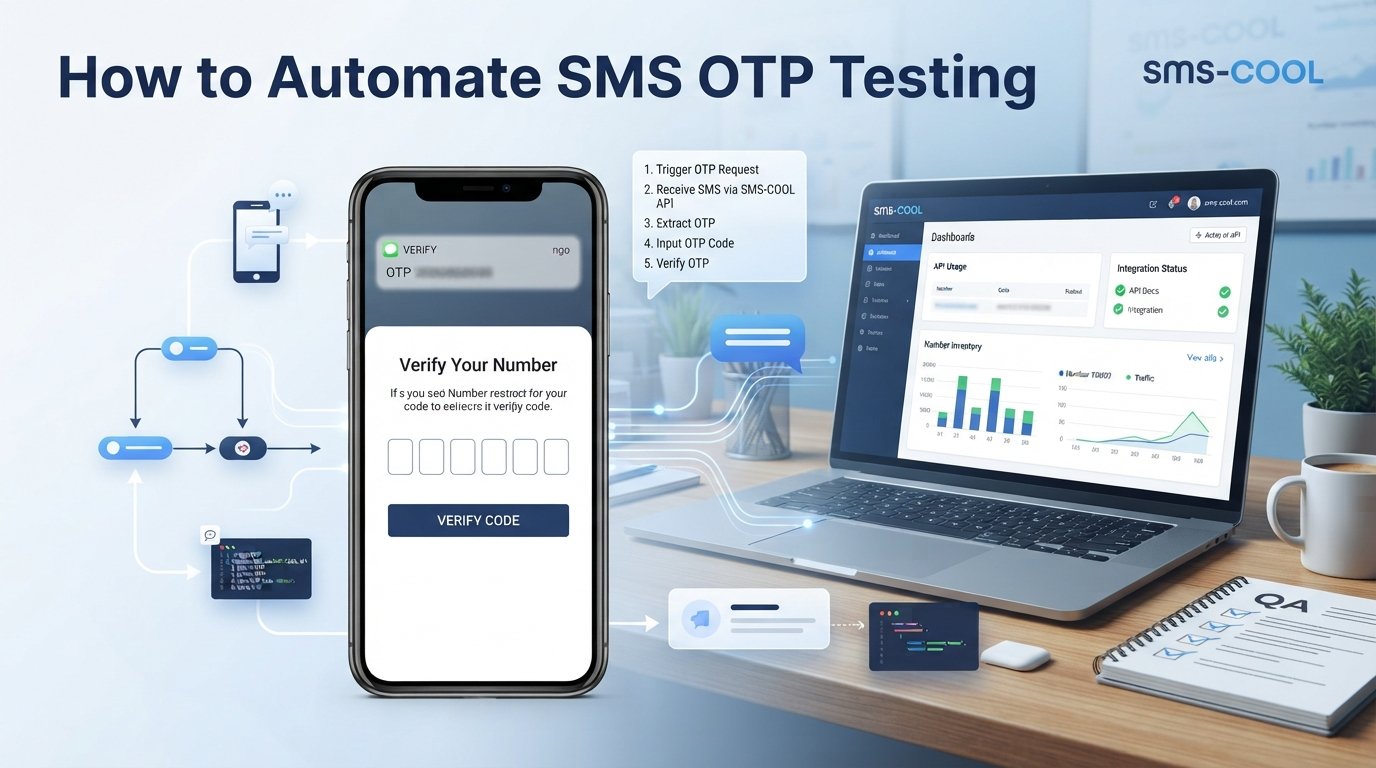
How to Automate SMS OTP Testing
SMS verification is an essential part of many modern websites and mobile applications. From creating an account and signing in to recovering a password, users frequently need to receive a one-time password (OTP) before they can continue. For developers and QA engineers, making sure these verification flows work correctly is an important part of delivering a reliable user experience.
However, testing SMS-based verification manually can quickly become time-consuming. Testers must enter phone numbers, request codes, wait for messages, copy OTPs, and repeat the process across different scenarios. When a project involves multiple environments, devices, and test cases, these repetitive tasks can slow down development.
That is why SMS OTP testing automation deserves a place in an efficient software testing workflow.
SMS COOL offers a practical solution for accessing virtual phone numbers and receiving verification messages online. Its developer API also supports programmatic workflows for purchasing numbers, checking SMS status, and managing account balances. These capabilities can help developers and testers reduce manual handling of verification messages while validating their own applications.
In this guide, you'll learn how to automate SMS OTP testing, overcome common testing challenges, and incorporate SMS COOL into a more organized QA process.
What Is SMS OTP Testing?
SMS OTP testing is the process of checking whether an application's one-time password verification system behaves as expected.
An OTP is a temporary code sent to a user through SMS. The user enters the code into an application, which checks whether it is correct and valid before allowing the requested action.
A typical verification workflow looks like this:
- A user enters a phone number.
- The application generates a temporary verification code.
- The application sends the code through an SMS service.
- The user receives the verification message.
- The user submits the code.
- The application validates the code and returns the appropriate result.
SMS verification is commonly used for account registration, login authentication, password recovery, and two-factor authentication.
Testing this process involves more than checking whether a message arrives. Developers must also verify code expiration, incorrect-code handling, resend functionality, rate limits, and successful authentication.
A well-designed SMS testing process helps identify problems before they affect real users.
Why Automate SMS OTP Testing?
Manual testing is useful during initial development, but repeating the same steps for every release can consume valuable engineering time. OTP testing automation makes these checks more structured and repeatable.
Here are the main reasons to automate SMS verification testing.
1. Reduce repetitive manual work
Testers no longer need to rely entirely on manually checking their phones and copying codes for every verification attempt. A suitable testing workflow can streamline message retrieval and make repeated checks easier to manage.
2. Improve repeatability
Automated test cases follow defined steps and expected outcomes. This makes it easier to repeat the same verification scenario after code changes, configuration updates, or application releases.
3. Identify failures earlier
A structured testing workflow can help reveal problems such as missing messages, incorrect code validation, expired OTP acceptance, or broken resend functionality.
4. Support more test scenarios
Teams can organize tests around successful verification, invalid codes, delayed delivery, repeated requests, and other important conditions.
5. Improve development efficiency
By reducing routine manual work, developers and QA engineers can spend more time investigating failures, improving test coverage, and refining the user experience.
Automation does not eliminate the need for human review. Instead, it helps teams perform repetitive checks consistently while reserving manual testing for situations that require judgment or device-specific investigation.
Common Challenges in Manual OTP Testing
Before choosing an SMS testing tool, it helps to understand why manual verification becomes difficult as applications grow.
Repetitive verification steps: Every test may require entering a number, requesting an OTP, opening a message, copying the code, and submitting it. Repeating these actions across multiple test cases creates unnecessary overhead.
Dependence on personal phone numbers: Using employees' personal numbers for development and QA can create privacy concerns and make shared testing workflows difficult to organize.
Message delivery delays: SMS delivery depends on external networks and service providers. A delayed message can interrupt a test, while a missing message can make the cause of a failure difficult to identify.
Multiple test environments: Development, staging, and production environments may have different configurations. A verification flow that works in one environment may fail in another.
Difficult failure diagnosis: A failed test could result from an application bug, an SMS provider issue, an invalid phone number, a rate limit, or an expired code. Teams need to distinguish these possibilities rather than treating every failure as the same problem.
Limited repeatability: If testers follow slightly different procedures, results become harder to compare. A consistent workflow helps reduce this uncertainty.
These challenges explain why a dedicated SMS testing tool, combined with a proper test framework, can make OTP verification testing more manageable.
How to Automate SMS OTP Testing
Automating SMS OTP testing does not require every step to be automated immediately. Start with a clear workflow, then expand it as your testing needs grow.
Step 1: Define your OTP test cases
First, decide which application behaviors need to be tested.
Useful test cases include:
- Successful verification with a valid OTP.
- Rejection of an incorrect code.
- Rejection of an expired code.
- Resending a verification message.
- Handling delayed or missing SMS messages.
- Preventing excessive verification attempts.
- Ensuring a code cannot be reused when the application requires single use.
Define the expected result for each case before writing the automation.
Step 2: Prepare a suitable test environment
Use a development or staging environment whenever possible. Configure test credentials, verification settings, and SMS delivery services separately from production.
Where your application supports a dedicated test mode or mock SMS provider, use it for deterministic tests. Reserve real SMS delivery for integration tests that specifically need to verify the complete message-delivery process.
Step 3: Select a number for testing
Your test workflow needs access to a phone number that can receive the application's verification message.
SMS COOL provides virtual numbers for supported services and allows users to access incoming verification messages through its platform. This can be useful when you need a separate number for an authorized application testing scenario.
Choose a number that is appropriate for your application and testing requirements. Remember that not every application accepts virtual numbers, so confirm compatibility before building a workflow around one.
Step 4: Trigger the verification request
Use your application's registration, login, or account recovery flow to request an OTP.
Your test framework should record relevant information, such as the test case identifier, request time, environment, and application response. Avoid recording complete OTPs or other sensitive information in general-purpose logs.
Step 5: Retrieve the incoming SMS
Check the selected number for the expected verification message.
SMS COOL offers dashboard-based SMS access and a developer REST API. Its published API capabilities include purchasing numbers and checking for incoming SMS, which can help support programmatic testing workflows.
Consult the official SMS COOL website and its features page for the available functionality and API documentation.
Step 6: Submit the OTP and validate the result
Once the test retrieves the message, extract the OTP according to your application's expected message format and submit it to the verification endpoint or interface.
Then assert the expected outcome. A successful test should confirm that the application accepts a valid code, completes the intended action, and rejects invalid or expired codes as appropriate.
Step 7: Handle failures and repeat the test
Set reasonable timeouts for incoming messages. If a message does not arrive, record the failure and investigate whether it originated in the application, the SMS delivery path, or the test environment.
Use controlled retries only where appropriate. Avoid repeatedly requesting OTPs without limits, as this can trigger rate limiting or create confusing results.
Finally, run the same test suite after relevant changes and compare results to identify regressions.
How SMS COOL Simplifies SMS OTP Testing
SMS COOL is a practical option for teams that need access to virtual phone numbers and incoming SMS verification messages during authorized testing.
Its value lies in providing a dedicated way to obtain numbers and retrieve messages without making personal mobile phones the center of every test workflow.
Access verification messages online
SMS COOL allows users to receive SMS verification codes through its platform. For supported testing scenarios, this provides a convenient alternative to checking a personal phone whenever an OTP is required.
Use virtual numbers for appropriate test cases
A separate virtual number can help keep testing activities apart from personal communication. It can also support workflows that require a phone number for registration or verification, subject to the target application's policies and compatibility requirements.
Explore programmatic workflows with the developer API
SMS COOL publishes a REST API for operations such as purchasing numbers, checking for SMS, and managing account balances. Developers can evaluate these capabilities when designing scripts that coordinate test setup and message retrieval.
The exact automation possible depends on the available API endpoints, account permissions, and the testing framework you build around them. Do not assume that every test step or CI/CD integration is provided automatically.
Keep the testing workflow practical
A straightforward approach is to use SMS COOL for number access and message retrieval while your existing test framework handles application interactions, assertions, reporting, and test execution.
This separation makes responsibilities clearer and helps teams identify whether a failure comes from application behavior or the SMS retrieval process.
For available services, usage requirements, and API details, visit the official SMS COOL platform.
Key Benefits of Using SMS COOL
When incorporated into a suitable QA workflow, SMS COOL can provide several practical advantages.
- Less dependence on personal phones: Use appropriate virtual numbers for supported verification scenarios instead of repeatedly relying on team members' personal numbers.
- Convenient message access: Retrieve incoming verification messages through the platform's available interface.
- Potential for programmatic workflows: Explore the REST API to automate supported number-purchasing and SMS-checking operations.
- More organized QA processes: Assign numbers and test scenarios according to your team's testing plan, where supported.
- Support for development and troubleshooting: Use incoming verification messages to investigate registration, login, and other SMS-dependent workflows.
- Flexible testing options: Combine SMS COOL with your existing automated tests, mock services, and manual checks rather than forcing every test into a single method.
These benefits depend on the selected number, target service, SMS delivery conditions, and your implementation. SMS COOL should be treated as a component of the testing workflow, not as a replacement for application-level assertions or a complete QA framework.
Best Practices for Automated SMS Verification
To get meaningful results from automated OTP testing, follow these best practices.
Build a balanced test suite
Test successful verification alongside incorrect codes, expired codes, repeated requests, and delivery failures. A workflow that only checks successful delivery may miss important authentication defects.
Separate unit tests from real SMS tests
Use mocks for fast, repeatable checks of code generation and validation logic. Use real SMS delivery tests when you need to confirm that the external delivery path works as expected.
Protect OTPs and API credentials
Store API keys in an appropriate secrets manager or secure environment configuration. Never commit credentials to source control or expose live OTPs in screenshots, reports, or public logs.
Set sensible timeouts
SMS delivery can vary. Define an appropriate waiting period, report timeouts clearly, and distinguish a delivery failure from an application validation failure.
Avoid uncontrolled retries
Apply retry limits and respect service rate limits. Excessive requests can consume resources, trigger provider restrictions, and make test results less reliable.
Keep test environments isolated
Use test accounts and approved numbers. Avoid running destructive or repetitive automated verification tests against real customer accounts or production systems without explicit authorization.
Review results regularly
Track pass rates, failure reasons, and recurring issues. Use those findings to improve test coverage and determine which checks should run automatically and which require manual investigation.
Who Can Benefit from SMS OTP Testing Automation?
Developers can use automated verification checks to troubleshoot SMS-related bugs and confirm that authentication logic behaves as expected.
QA engineers and software testers can create repeatable test cases for registration, login, password recovery, and other SMS-dependent workflows. SMS COOL can support the message-retrieval portion of these tests where virtual numbers are accepted.
Startups can build a practical testing process without immediately investing in a complex, dedicated SMS testing infrastructure. They can combine existing test frameworks with suitable virtual numbers and SMS access.
Businesses and product teams can use automated SMS verification testing to evaluate onboarding experiences, investigate delivery issues, and reduce repetitive manual checks before releases.
Mobile app development teams can test SMS-dependent user journeys while recognizing that some scenarios, such as carrier-specific behavior and device notifications, still require physical devices or specialized test environments.
The best approach depends on the application, the required level of coverage, and the limitations of the SMS delivery provider.
Conclusion: Automate SMS OTP Testing with SMS COOL
SMS OTP testing is an important part of building dependable registration, login, and account verification experiences. However, repeatedly entering phone numbers, waiting for messages, and copying codes manually can slow down development and make QA workflows harder to maintain.
By adopting OTP testing automation, teams can create repeatable test cases, identify verification failures earlier, and spend less time on routine manual tasks.
SMS COOL is a practical solution to consider for the SMS access component of this workflow. Its virtual numbers, online message access, and published developer API provide options for obtaining numbers and retrieving verification messages during supported testing scenarios.
For the best results, combine SMS COOL with a dedicated test framework, clear test cases, appropriate security controls, and separate development or staging environments. This approach helps you build a testing process that is easier to repeat, investigate, and improve.
Ready to simplify your SMS verification testing? Explore SMS COOL, review its available features and API capabilities, and see how it can fit into your OTP testing workflow.