12 Aug 2026
How to Receive SMS on a Computer: Easy Online SMS Methods Guide
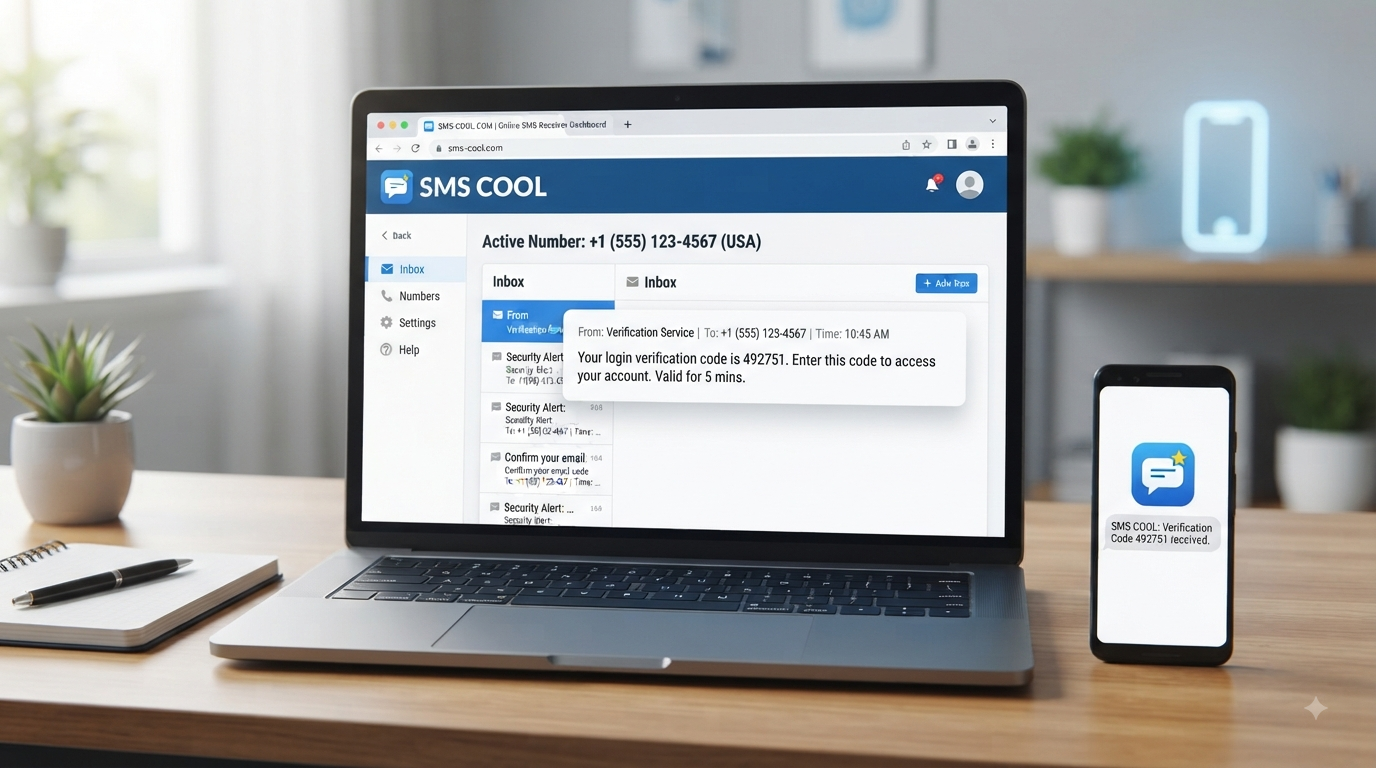
How to Receive SMS on a Computer
Your phone is not always the best place to handle every text message. If you spend most of your day working from a desktop or laptop, constantly reaching for your phone to check an SMS, OTP, or verification code can interrupt your workflow.
The good news is that you can receive SMS on a computer without making your phone the center of every online task. Depending on your needs, you can sync messages from a phone, use a web-based SMS service, or use an online number that delivers incoming messages through a browser.
For people who specifically need convenient online SMS access, SMS COOL offers a practical way to receive messages through an online interface. It can be useful when you need a virtual or temporary phone number for appropriate SMS-based tasks and want to view incoming messages from your computer.
Why Receive SMS on a Computer?
There are several practical reasons to receive text messages on a computer.
First, it is simply convenient. If you are already working in a browser, having an SMS inbox online means you do not have to switch repeatedly between your computer and phone.
It can also make certain workflows easier. Developers, remote workers, online businesses, students, and people managing multiple web-based services may occasionally need to receive an SMS while completing a task on a desktop.
Another common use is SMS verification. Some websites and services send a one-time password or SMS verification code to confirm a phone number. When the message is available online, you can access the code directly from your computer.
The key is choosing the right method for the situation rather than assuming every SMS service works in exactly the same way.
Can You Receive SMS on a PC?
Yes. You can receive SMS on PC using several different approaches.
The simplest option may be to connect your existing phone to a computer-based messaging system. In other situations, you can use a web-based SMS platform or a virtual phone number that receives messages online.
The best choice depends on whether you want to access messages from your existing mobile number or need a separate online phone number for a particular task.
If your main goal is to receive messages online without repeatedly checking a physical phone, an online SMS receiving platform can be more convenient.
Ways to Receive SMS on a Computer
1. SMS Forwarding or Phone Syncing
Some phone and computer setups allow messages received on a smartphone to be accessed from a desktop interface.
This approach is useful if you want to continue using your normal phone number. Your phone remains the source of the SMS, while your computer provides another way to view or manage messages.
The limitation is that the setup can depend on your phone, operating system, software, and synchronization options. It may also be unnecessary if you only need a number for occasional online verification.
2. Web-Based SMS Services
A web-based SMS service lets you access messages through a browser rather than relying entirely on a physical phone.
This can be useful when your priority is convenience. Instead of waiting for a text on your handset and then copying the message to your computer, you can view an incoming message through an online interface.
The exact features vary between services, so it is important to understand how the particular service handles numbers, incoming messages, privacy, and availability.
3. Virtual Phone Numbers
A virtual phone number is a number that is not necessarily tied to a traditional physical SIM in the way a personal mobile number is.
Depending on the service, a virtual number can be used for receiving SMS online. This makes virtual numbers useful for certain online workflows where a separate phone number is appropriate.
However, not every website accepts every type of virtual number. Some services may restrict verification through certain number types, so you should always check the requirements of the website or platform you are using.
4. Online SMS Receiving Platforms
Online SMS receiving platforms are designed specifically around accessing incoming messages through the internet.
This can be a straightforward option when you want to receive text messages online rather than manage everything through a mobile device. The experience is particularly useful when your task already takes place on a computer.
For users looking for a simple way to access an SMS inbox online, this is where a service such as SMS COOL can be useful.
The Easier Solution: Receive SMS with SMS COOL
If your goal is to receive SMS on a computer through an online service, SMS COOL provides a practical option to consider.
Instead of relying on your personal phone for every online SMS task, SMS COOL can give you access to an available number or service according to what the platform offers. Incoming messages can then be viewed through its online interface.
This can be helpful for situations involving an online SMS inbox, a temporary phone number, a virtual phone number, or an SMS verification workflow where using a separate number is appropriate.
The general process is straightforward:
Visit SMS COOL.
Choose an available number or service based on your particular need.
Use the provided number where appropriate and in accordance with the receiving website's requirements.
Check the online interface for an incoming SMS.
Read the required message or verification code when it arrives.
The important advantage is that the workflow happens online. You can keep the relevant browser window open while completing your task on your computer.
SMS COOL should not be viewed as a replacement for your personal number in every situation. Rather, it is a practical solution when you specifically need online access to incoming SMS messages.
Benefits of Using SMS COOL
One of the biggest benefits of using SMS COOL is convenience.
You can access incoming messages from a computer instead of constantly switching between devices. This can be especially useful when you are already completing a registration, verification, or other online workflow in your browser.
Other practical advantages include:
Computer-based access: View incoming SMS through an online interface.
Convenience: Keep your SMS workflow alongside the rest of your desktop work.
Online access: Receive messages without needing to manage the process entirely through a phone.
Useful for verification workflows: Access an SMS verification code when the relevant service permits the number type.
Simple message retrieval: Check incoming messages from one online location.
As with any online SMS service, the right use depends on the website sending the message and the type of account or activity involved.
How to Receive SMS on a Computer Using SMS COOL
For beginners, the process can be approached in a few simple steps.
Step 1: Open SMS COOL
Start by visiting the SMS COOL website from your computer. You can use a standard web browser.
Step 2: Select an Available Number or Service
Review the options available through SMS COOL and choose one that matches your intended use.
Before using a number, consider what the receiving website requires. Some services may have specific rules about phone numbers used for verification.
Step 3: Enter the Number Where Appropriate
When a website asks for a phone number and the use of an online number is permitted, enter the number provided by SMS COOL.
Only use the number for legitimate purposes and follow the terms of the service you are signing up for.
Step 4: Watch the Online SMS Inbox
Return to the SMS COOL interface and check for the incoming message.
If the SMS has arrived, you should be able to view the message through the available online interface.
Step 5: Retrieve the Message or Code
If the SMS contains an OTP or SMS verification code, carefully enter it into the relevant website or application.
Do not share verification codes with other people, and avoid storing sensitive codes unnecessarily.
Receive OTP and Verification Codes on a Computer
One of the most common reasons people search for ways to receive OTP on computer is online verification.
An OTP, or one-time password, is typically a short code sent through a communication channel such as SMS. A website may ask for this code after you enter a phone number or during a login or registration process.
With an appropriate online SMS receiving service, the message can be available through your computer. This means you can complete the verification workflow without constantly checking a separate phone.
However, not every service accepts virtual or temporary numbers. Some websites may require a specific type of number or may prohibit certain numbers altogether. Always follow the service's terms and security requirements.
Is Receiving SMS Online Safe?
Receiving SMS online can be convenient, but convenience should not replace good security practices.
The biggest consideration is privacy. If a number is public, shared, temporary, or otherwise accessible to multiple users, you should assume that messages received through that number may not be suitable for sensitive information.
For important personal accounts, financial services, primary email accounts, password recovery, or other high-value accounts, a private number under your control may be more appropriate.
You should also avoid sharing OTPs, authentication codes, passwords, or other sensitive information.
When choosing an SMS online service, look for clear information about how numbers and messages are handled. Use legitimate services and understand the risks before entering a number into an account that contains important personal information.
When Should You Use a Virtual or Temporary Phone Number?
A temporary phone number can be useful when you need a separate number for a limited or specific online purpose.
For example, you may want to keep your primary number separate from a short-term online workflow, testing environment, or service that does not require your long-term personal number.
A virtual or temporary number can also be useful when the task specifically permits an alternative phone number and you do not want to use your everyday number.
There are limitations, though. Temporary numbers are not automatically suitable for account recovery or long-term account ownership. If you need permanent access to an account, losing access to the number associated with it could create problems.
For that reason, think carefully about whether the number is being used for a one-time task or as a long-term identity and recovery method.
SMS COOL vs. Traditional Phone-Based SMS
Traditional phone-based SMS is ideal when you want messages delivered directly to your personal mobile number. It gives you a familiar communication channel and is generally the natural choice for personal conversations and important accounts.
SMS COOL is more focused on online access. Instead of requiring you to work entirely through your phone, it provides a way to handle appropriate incoming SMS tasks through a computer.
Feature Traditional Phone SMS SMS COOL
Computer access Depends on syncing or forwarding Designed around online access
Physical phone Normally required Online workflow
Setup Depends on phone and software Choose an available option through the service
SMS inbox Phone messaging app Online interface
Best suited to Personal and long-term messaging Appropriate online SMS receiving tasks
The better choice depends on your purpose. If you need your everyday personal messages, your normal mobile number makes sense. If you specifically need convenient SMS on computer access for an appropriate online task, SMS COOL can be a practical alternative.
Frequently Asked Questions
Can I receive SMS on my computer?
Yes. You can receive SMS on a computer through phone-to-computer synchronization, web-based messaging tools, virtual numbers, or online SMS receiving platforms such as SMS COOL.
How can I receive SMS on a PC without a phone?
An online SMS receiving service can provide a way to receive messages through a computer without relying on your personal phone for the incoming message. SMS COOL can be considered for appropriate use cases.
Can I receive OTP codes on a computer?
Yes, when the website permits the type of number you are using. An online SMS service can allow you to view an incoming OTP through a browser and enter the code into the relevant website.
What is an online SMS receiving service?
An online SMS receiving service provides access to incoming text messages through an internet-based interface. Depending on the service, users may be able to use an online, virtual, or temporary number to receive SMS.
Can I use a virtual number to receive SMS?
In many appropriate situations, yes. However, acceptance depends on the service sending the SMS. Some websites restrict virtual, temporary, or shared numbers.
Is SMS COOL easy to use?
SMS COOL is intended to provide a straightforward online way to access incoming SMS. The general process involves choosing an available option, using the provided number where appropriate, and checking the online interface for incoming messages.
Are online SMS numbers suitable for sensitive accounts?
Not necessarily. Public, shared, or temporary numbers should generally not be treated as the best choice for highly sensitive accounts or important account recovery. For those situations, use a secure number that you control and follow the account provider's security recommendations.
Conclusion
You do not always need to rely on your phone to handle an incoming text message. Whether you are working from a desktop, completing an online registration, or handling an appropriate SMS verification workflow, there are several ways to receive SMS on a computer.
Phone synchronization can work well when you want access to your existing messages. Virtual numbers and online SMS platforms can be more practical when you need a separate number for a specific online purpose.
For users who want a simple way to access incoming messages through a computer, SMS COOL is a practical solution worth exploring. It brings the SMS receiving process into an online environment, making it easier to check appropriate messages and verification codes without repeatedly switching devices.
If online SMS access fits your needs, explore SMS COOL and choose the option that matches your intended use.
Suggested Internal Link Anchors:
online SMS receiving
how SMS verification works
virtual phone numbers
temporary phone numbers
receive OTP online
SMS verification codes
online phone numbers
SMS inbox online
receive text messages online
privacy and online account security
Final Check:
Article length: approximately 1,600 words.
SEO title: 63 characters.
Meta description: exactly 160 characters.
Primary keyword used naturally in the introduction, heading, and conclusion.
Secondary and related keywords incorporated contextually.
SMS COOL positioned as the recommended practical solution without unsupported claims.
No statistics, fabricated capabilities, pricing, country availability, or guarantees added.
No competitor names included.
No year references included.
Article is structured for informational and commercial search intent and is ready to publish.