12 Sep 2026
Paysera Login Without Phone Number: SMS Verification Explained
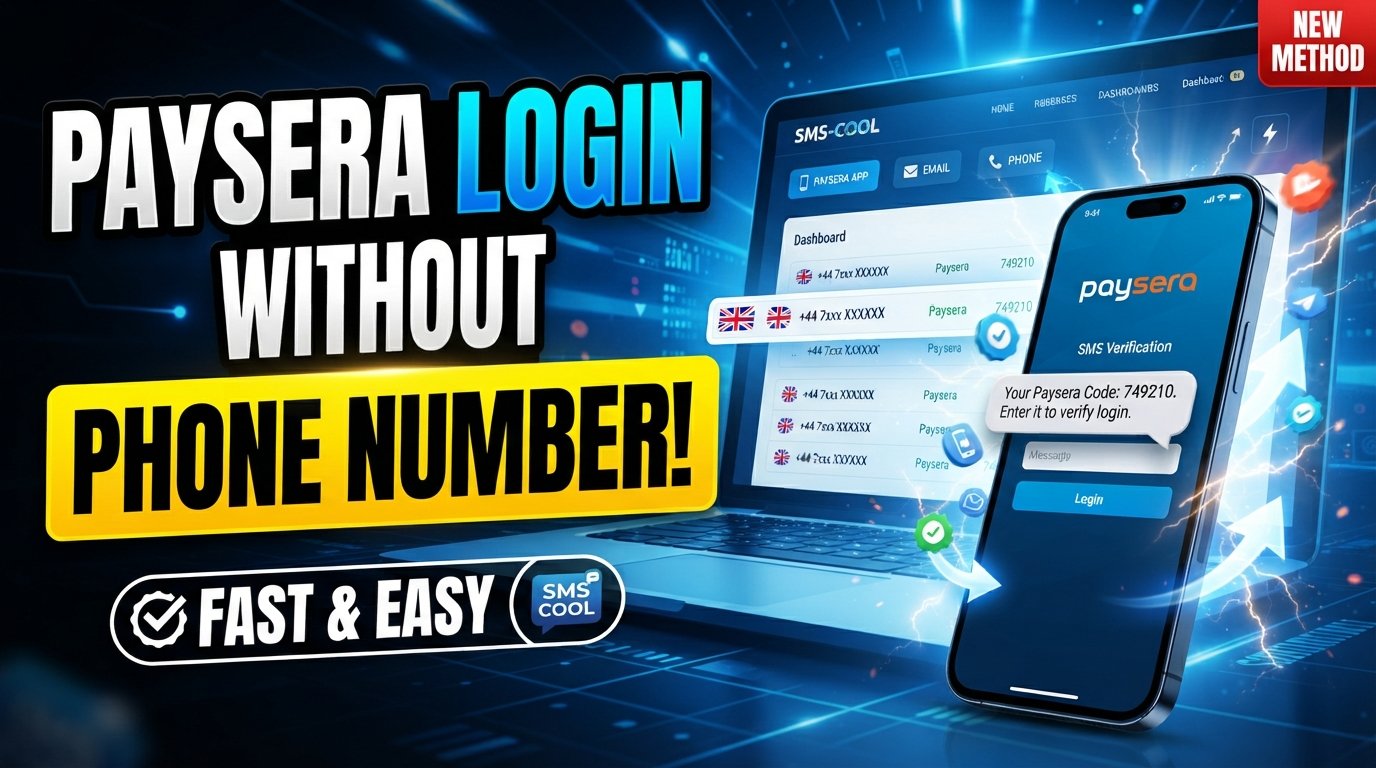
How to Get Paysera Login Without Phone Number
Trying to access a financial account when you no longer have access to your phone number can be frustrating. You may remember your password, still have access to your email, and know your account details—but the login process can still stop you when an SMS verification step appears.
This raises an important question: Can you get a Paysera login without a phone number?
The short answer is that you generally cannot simply bypass Paysera's required authentication or security checks. Paysera uses phone numbers and additional authentication methods as part of account security. Depending on the login situation, SMS or confirmation through the Paysera app may be required.
However, there is an important distinction between bypassing phone verification and having access to a legitimate SMS-capable number. If Paysera permits the number you want to use, a temporary or virtual number service such as SMS COOL may be worth considering for receiving a verification message online.
Let's look at how this works, what the limitations are, and what you should know before trying it.
Can You Get Paysera Login Without a Phone Number?
If you're searching for Paysera login without phone number, it's important not to confuse "no personal phone number" with "no phone verification."
Paysera does not provide a general method for bypassing required security verification. Its official information explains that users may log in using an email address or phone number, while additional confirmation can be required to fully access and manage the account. SMS is one of the available confirmation methods, alongside confirmation through the Paysera app in supported situations.
For new account registration, Paysera also states that a phone number is entered during signup and confirmed using an SMS code.
So, if you don't want to use your personal number—or you no longer have access to it—the realistic question is whether Paysera will accept another number that can receive the required SMS.
That's where an SMS-capable temporary or virtual number can potentially become useful.
Why Does Paysera Require Phone Verification?
Phone verification can be an important layer of account security.
Financial accounts contain sensitive information, so simply knowing an email address and password may not always be enough to prove that the person attempting to log in is the legitimate account holder.
A verification code sent by SMS can help confirm control of a phone number associated with the account or a verification process.
Paysera's own security documentation describes additional login confirmation through the mobile app or SMS. Its terms also describe one-time security codes being used for certain authentication and account-related actions.
This means an SMS verification screen should not be viewed as an obstacle to defeat. It is part of the security system.
The safest approach is therefore to complete the verification process using a number and authentication method that Paysera accepts.
What If You Don't Have Access to Your Phone Number?
There are several legitimate reasons you might not have your original number available.
For example:
- You lost your phone or SIM card.
- Your old mobile number has been disconnected.
- You changed phone numbers.
- You're using a new device.
- You prefer not to expose your personal number where another permitted option is available.
- You need to receive a Paysera verification code but cannot currently access the number associated with the process.
If you're dealing with an existing Paysera account, don't immediately assume that a new temporary number is the right answer.
Paysera provides procedures for changing a linked phone number, and its guidance says that users who cannot log in to the app because of a phone-number problem should contact client support. In some cases, additional identity checks may be required for security reasons.
If you have simply lost access to your old number, official account recovery or support may be the better route.
Can a Temporary or Virtual Number Help?
A temporary phone number is a number provided for short-term SMS or verification purposes. A virtual number is a broader term for a phone number that can receive communications without necessarily being tied to your primary physical SIM.
These services can be useful for legitimate online verification workflows—but they are not universally accepted.
That distinction matters.
Some websites and applications accept virtual numbers, while others restrict temporary, disposable, VoIP, or certain carrier ranges. Paysera's acceptance of any particular number is determined by its own verification requirements, so there is no guarantee that a specific temporary number will work.
The goal should never be to circumvent Paysera's security controls.
Instead, if Paysera presents an option to enter a phone number and permits the type of number you're using, a service such as SMS COOL can provide a convenient way to receive the SMS online.
How SMS COOL Can Help
SMS COOL provides temporary and virtual phone numbers designed for supported SMS and OTP verification workflows.
The basic process is straightforward:
- Visit SMS COOL and review the available SMS-capable numbers and supported services.
- Choose an appropriate number according to the available options and service requirements.
- Obtain the number through the SMS COOL interface.
- Enter the number in Paysera only if Paysera's verification flow permits you to use that type of number.
- Wait for the verification SMS to arrive.
- Open the SMS COOL interface and retrieve the received verification code.
- Enter the code into the relevant Paysera verification field.
- Complete the verification or login process if the number is accepted and all other Paysera security requirements are satisfied.
SMS COOL describes its service as providing temporary numbers for online account registration and verification, while its terms prohibit illegal, fraudulent, abusive, or unauthorized use.
The most important point is that SMS COOL does not guarantee that Paysera will accept every available number. Compatibility depends on Paysera's systems and requirements at the time you attempt verification.
Why Consider SMS COOL?
There are situations where having access to an SMS-capable number can make an online verification workflow more convenient.
Potential advantages include:
Convenient access to SMS-capable numbers
Instead of obtaining another physical SIM card for a short-term verification requirement, a supported virtual number can provide an online way to receive an SMS.
Less reliance on your personal number
If a service permits an alternative number, using a separate SMS-capable number can help you avoid unnecessarily giving your primary mobile number to another online service.
Simple online workflow
SMS COOL provides a dashboard-based process for obtaining numbers and receiving verification messages. Its service includes both short-term virtual numbers and longer-term rental options.
Useful for supported verification workflows
The important word is supported. A temporary number is useful only when the website or platform you're using accepts it.
That makes compatibility more important than simply choosing the cheapest or fastest available number.
Important Things to Know Before Using an SMS Verification Number
Before using a temporary number for Paysera SMS verification, keep several considerations in mind.
1. Compatibility is not guaranteed
A number may be available through SMS COOL but still be rejected by Paysera. Different platforms have different rules for phone numbers.
2. Temporary numbers may not be ideal for account recovery
Think carefully before using a temporary number for an important financial account.
If the same number is needed later for password recovery, account changes, or security confirmation, losing access to it could create complications.
For long-term account ownership, a stable number that you control may be more appropriate when Paysera requires one.
3. Follow Paysera's requirements
If Paysera asks for a particular type of phone number, identity confirmation, or additional authentication, follow those requirements.
A temporary number should never be treated as a way to defeat account restrictions or identity verification.
4. Protect verification codes
A verification code is sensitive authentication information.
Never send your Paysera password, SMS code, PIN, recovery information, or other confidential credentials to another person.
Only enter a verification code into the legitimate Paysera authentication flow.
5. Check the service before purchasing
SMS COOL availability can vary by country and service. Review the available options before purchasing a number and make sure the intended verification workflow is supported.
SMS COOL's terms also explain that temporary numbers are supplied through automated systems and telecommunications providers, so availability and delivery can vary.
Alternative Options to Try First
A temporary number isn't always the best solution.
If you're trying to regain access to an existing Paysera account, consider these legitimate alternatives first:
Use the number already linked to your account.
If you still control your original phone number, this is usually the simplest approach.
Use Paysera's available account-management options.
Paysera provides instructions for adding, changing, or removing linked phone numbers after appropriate verification.
Contact Paysera support if you've lost access.
If you cannot log in because you no longer have access to the registered number, Paysera recommends contacting client support. Additional identity verification may be required.
These options are particularly important for an existing financial account because long-term account recovery is more important than completing a single SMS verification step.
Internal Link Opportunities
For a website covering online verification or digital account access, consider adding contextual internal links with descriptive anchor text such as:
- How to receive SMS verification codes online
- Temporary phone numbers for SMS verification
- How virtual numbers work for online verification
- SMS verification privacy and security guide
- How to choose an SMS verification number
These links can help readers understand the technology before they decide whether a temporary number is appropriate.
FAQ
Can I log in to Paysera without a phone number?
Not necessarily. Paysera supports different login and authentication methods, but additional verification can be required. You generally cannot bypass a required phone or security verification step.
Can I receive a Paysera verification code online?
Potentially, if Paysera's verification process accepts the phone number you're using. A service such as SMS COOL can provide SMS-capable virtual numbers for supported verification workflows, but acceptance is not guaranteed.
Does Paysera accept temporary phone numbers?
There is no blanket guarantee that Paysera will accept every temporary or virtual number. Acceptance depends on Paysera's current verification requirements and the specific number or carrier involved.
Can SMS COOL be used for Paysera verification?
SMS COOL can be considered where Paysera permits the use of an available SMS-capable alternative number. However, SMS COOL cannot guarantee that a particular number will be accepted by Paysera.
What should I do if I lost access to my old phone number?
For an existing account, start with Paysera's official recovery or support options. Paysera states that support can assist users who cannot log in because of phone-number issues, with additional identity verification potentially required.
Is using an online SMS number safe?
It depends on the service, the number type, and how you use it. Never share passwords or authentication codes with other people. For an important financial account, also consider whether you will need long-term access to the number for future recovery.
Why isn't my Paysera verification code arriving?
Possible reasons include an unavailable number, carrier or delivery delays, an incorrect country code, an unsupported number type, or a problem with the verification process. Check the entered number carefully and follow Paysera's instructions. If the issue continues, contact Paysera support.
What is the best way to handle Paysera phone verification?
The best approach is to use the phone number already associated with your account when possible. If you no longer have access to it, use Paysera's official recovery or support process. If Paysera permits an alternative SMS-capable number, SMS COOL may be a convenient option for receiving the required SMS online.
Conclusion
Finding a Paysera login without phone number does not mean finding a way around Paysera's security.
Phone and SMS verification exist to help protect accounts, and users should not attempt to bypass authentication, identity checks, or account restrictions.
If you've lost access to your original number, Paysera's official recovery and support options should be your first consideration. But when you simply need an SMS-capable alternative and Paysera permits the type of number involved, a service such as SMS COOL can provide a practical way to receive verification SMS online.
The process is straightforward: choose a suitable available number, use it only where permitted, wait for the verification message, retrieve the code through SMS COOL, and complete the legitimate Paysera verification process.
Explore SMS COOL's available virtual SMS numbers and see whether an appropriate option is available for your verification needs.