07 Sep 2026
How to Get Audible Login Without Phone Number: Easy & Safe Guide
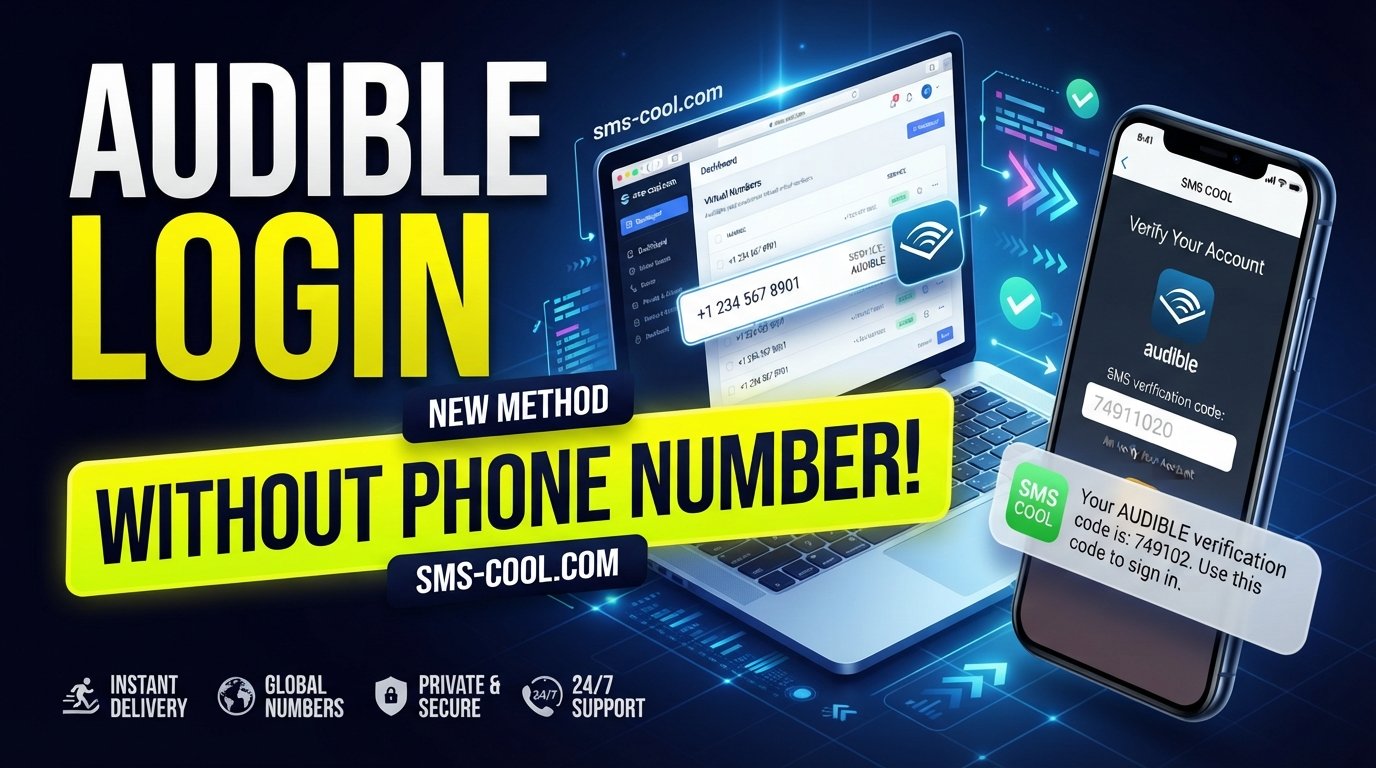
How to Get Audible Login Without Phone Number
Trying to access an audiobook account can become frustrating when a phone-number verification screen appears unexpectedly. You may have an Audible account and valid login credentials, yet still find yourself wondering whether there is a way to complete the process without handing over your personal mobile number.
That is where Audible login without phone number becomes an important search for privacy-conscious users.
The key point is that there is no universal method that can simply remove a verification requirement imposed by a service. If Audible asks for a phone number or sends an OTP, the legitimate approach is to provide a number that the service accepts and that you can access for the verification message.
For users who prefer not to expose their primary number, an online SMS verification service such as SMS COOL can provide a practical option. It offers temporary and virtual numbers that can receive SMS messages online, although acceptance depends on the platform and the specific number.
Let's look at how the process works, what to expect, and what limitations you should understand before trying it.
What Does “Audible Login Without Phone Number” Mean?
When people search for Audible login without phone number, they can mean several different things.
They may want to:
- Sign in without linking their personal mobile number.
- Create or access an Audible account without exposing their primary number.
- Complete an SMS verification step using another number.
- Receive an Audible verification code online.
- Keep account-related messages separate from their everyday phone.
These are different from bypassing security. If Audible requires phone verification, you still need to complete the verification process. The alternative is simply using an eligible number other than your personal one, if Audible permits it.
This distinction matters. A temporary number isn't a magic way to bypass account security. It is simply another potential destination for an SMS verification message.
Why Would Someone Want Audible Without a Phone Number?
There are several reasonable privacy and convenience concerns behind this search.
Privacy
Some users prefer not to share their personal mobile number with every online service they use. Keeping your primary number private can reduce the amount of personal information associated with online accounts.
Separating personal and online activity
A separate number can make it easier to distinguish account-verification messages from personal calls and texts.
Temporary access
You may only need a number for a specific verification task rather than wanting another permanent mobile plan or physical SIM.
International access
Depending on your location and circumstances, getting a suitable physical number for a particular service may be inconvenient. An online option can sometimes be more practical.
That said, privacy does not mean ignoring account rules. Always use verification services for legitimate purposes and follow the terms of the platforms involved.
Does Audible Require Phone Verification?
Not every Audible login necessarily involves the same verification flow. Account requirements can vary depending on circumstances such as the account, login method, security checks, region, or activity.
If the sign-in process only asks for your account credentials, you may not need SMS verification at all. But if an additional phone-verification screen appears, you need to follow the verification method presented by Audible.
This is why there isn't a guaranteed universal trick for how to login to Audible without phone number.
Instead, if phone verification is required and you don't want to use your personal number, you can consider a temporary or virtual number where permitted.
Common Problems With Audible Verification Codes
SMS verification sounds simple: enter a number, wait for the message, and enter the code. In practice, several things can go wrong.
For example:
- The SMS may be delayed.
- The verification code may expire.
- The number may already have been used too many times.
- The platform may reject certain virtual or temporary numbers.
- The selected number may not support messages from the required service.
- Network or service issues may prevent delivery.
If an Audible verification code does not arrive, repeatedly requesting new codes may not solve the underlying issue. Check that the number is correct, wait briefly, and make sure the number type is compatible with the service.
How SMS Verification Works
An SMS verification process normally follows a straightforward sequence:
Phone number → SMS request → verification code → code submission → confirmation
The website or application generates an OTP, or one-time password, and sends it by text message to the submitted number.
You then retrieve the Audible verification code and enter it into the appropriate verification field.
A virtual number changes where that SMS is delivered. Instead of arriving on your personal smartphone, the message can appear in an online dashboard provided by an SMS verification service.
This is the basic idea behind services such as SMS COOL.
How a Temporary or Virtual Number Can Help
A virtual phone number is a number that can be accessed through an online service rather than requiring you to use your primary physical SIM.
A temporary number is generally intended for short-term use. Depending on the provider, numbers may also be available as longer-term rentals.
For a supported verification workflow, the process can look like this:
- Select an appropriate virtual number.
- Enter that number where phone verification is requested.
- Request the SMS verification code.
- Monitor the online SMS inbox.
- Retrieve the OTP.
- Enter the code on the original verification page.
The important phrase is “for a supported verification workflow.” Not every platform accepts every virtual number, and compatibility can change.
How to Get Audible Login Without Phone Number Using SMS COOL
SMS COOL provides virtual numbers and SMS-receiving services intended for online verification. Its platform describes options including instant virtual numbers, longer-term rentals, and an online dashboard where incoming OTP messages can be viewed.
If Audible presents a phone-verification requirement and accepts the type of number you select, the general process is simple.
Step 1: Visit SMS COOL
Open the SMS COOL website and create or access your account.
Step 2: Choose an appropriate number or service
Look for a suitable temporary or virtual number based on the available options. If a service-specific option is available, select the relevant service.
Availability can vary, so don't assume that every number will be suitable for Audible.
Step 3: Use the number for verification
When Audible asks for a phone number, enter the SMS COOL number if virtual or temporary numbers are permitted in that verification flow.
Step 4: Request the verification SMS
Continue through the Audible verification screen and request the SMS code.
Step 5: Receive the SMS online
Return to your SMS COOL dashboard and wait for the incoming verification message. SMS COOL explains that purchased virtual numbers can receive verification messages through its online dashboard.
Step 6: Retrieve the verification code
Once the message arrives, identify the OTP or verification code.
Step 7: Enter the code
Return to the Audible verification screen and enter the code exactly as shown.
If Audible accepts the number and the code is valid, you can continue with the applicable login or account process.
The process can therefore provide a practical way to receive verification codes online without immediately exposing your personal mobile number.
Benefits of Using SMS COOL
For users who need an alternative to their personal phone number, SMS COOL offers several potentially useful features.
Keep your primary number private
A separate number can help you avoid giving your everyday mobile number to an online service when an alternative is permitted.
Receive SMS online
Instead of waiting for a message on your personal phone, you can access the verification message through an online dashboard.
Avoid an extra physical SIM
For short-term verification needs, an online number may be more convenient than obtaining another physical SIM and mobile plan.
Flexible number options
SMS COOL offers both temporary virtual numbers and longer-term rental options, depending on the user's needs.
Straightforward workflow
The basic process—choose a number, submit it, receive the SMS, and enter the code—is relatively easy to understand, even if you've never used an online SMS verification service before.
Important Limitations and Security Considerations
Before using a temporary number for an Audible verification process, there are a few things worth remembering.
Acceptance is not guaranteed
This is the most important limitation.
SMS COOL itself states that it does not guarantee successful registration with third-party platforms, and SMS delivery can depend on platform restrictions and other factors.
Therefore, don't assume that every SMS COOL number will work with Audible.
Temporary numbers may not be suitable for account recovery
If a number is temporary, you may not have access to it indefinitely. That can matter if an account later uses the number for password recovery, security alerts, or additional authentication.
For an important long-term account, consider whether you need continued access to the verification number.
Codes are sensitive
Treat OTPs and verification codes as private information. Never give an authentication code to another person, and don't enter a code into an unrelated website.
Follow platform rules
Use a temporary or virtual number only where the relevant service allows it and for legitimate account access. Don't use SMS verification services to impersonate others, evade restrictions, commit fraud, or abuse account systems.
What If the Audible Verification Code Doesn't Arrive?
If you're attempting Audible sign in without phone number by using an alternative number and the SMS doesn't appear, work through the basics first.
Check that:
- You selected the correct country and number type.
- The submitted number is correct.
- The verification request was actually sent.
- The number supports SMS from the relevant service.
- The code hasn't expired.
- The service hasn't blocked or restricted the number.
If the number is incompatible, trying another appropriate number may be necessary. If Audible continues to reject the verification attempt, the safest option is to use an official account-recovery or support route rather than attempting to circumvent its security controls.
Is a Virtual Number Better Than Your Personal Number?
That depends on your priorities.
If you value simplicity and already have a personal number that Audible accepts, using it may be the most straightforward approach.
If your priority is keeping your personal number separate from online services, a virtual number can offer more privacy and flexibility.
The trade-off is that temporary numbers can have limitations. They may not be accepted, availability can change, and you may not retain access to the number later.
For that reason, a virtual number should be viewed as a practical option—not a guaranteed replacement for a personal phone number.
Frequently Asked Questions
Can I log in to Audible without using my personal phone number?
Yes, potentially. If Audible requires phone verification, you may be able to use another eligible number, including a virtual or temporary number if the verification system accepts it. There is no guarantee that every alternative number will work.
How does an Audible verification code work?
When phone verification is required, the service sends a one-time code by SMS to the submitted phone number. You enter that code on the relevant verification screen to complete the check.
Can a temporary number receive an Audible OTP?
A temporary number can receive SMS messages when it supports the relevant service and the service accepts that number. However, an Audible OTP is not guaranteed to arrive on every temporary number.
How does SMS COOL work?
SMS COOL provides temporary and virtual numbers that can receive SMS online. You select an available number, use it for a supported verification process, and monitor the SMS COOL dashboard for the incoming code.
Are SMS COOL numbers guaranteed to work with Audible?
No. SMS COOL's terms explicitly state that successful registration or verification with third-party platforms is not guaranteed. Platform restrictions, number availability, and other technical factors can affect results.
What should I do if my verification code doesn't arrive?
First, check the number, country, service selection, and verification status. Give the message a reasonable amount of time to arrive. If it still doesn't appear, the number may not support that service or the platform may have rejected it.
Should I use my personal number for Audible verification?
You can use your personal number if you are comfortable sharing it and the service requires it. If you prefer greater separation between your personal contact information and online verification, a suitable virtual number may be an alternative when permitted.
Conclusion
Finding Audible login without phone number doesn't necessarily mean looking for a way around Audible's security. In many cases, the real goal is simply to complete a legitimate verification process without exposing your primary mobile number.
If Audible requests SMS verification, a temporary or virtual number can be a practical alternative when the platform accepts it. SMS COOL makes that process straightforward by providing online-accessible numbers for receiving SMS verification codes.
The workflow is simple: choose an appropriate number, submit it for verification, wait for the SMS, retrieve the OTP through SMS COOL, and enter the code on the relevant verification screen.
Just remember that compatibility isn't guaranteed. Number availability, platform policies, and verification requirements can all affect whether a particular number works.
If protecting your personal number is important and you need a convenient way to receive SMS online, explore SMS COOL to see the available virtual and temporary number options for your verification needs.
How to Get Audible Login Without Phone Number
Trying to access an audiobook account can become frustrating when a phone-number verification screen appears unexpectedly. You may have an Audible account and valid login credentials, yet still find yourself wondering whether there is a way to complete the process without handing over your personal mobile number.
That is where Audible login without phone number becomes an important search for privacy-conscious users.
The key point is that there is no universal method that can simply remove a verification requirement imposed by a service. If Audible asks for a phone number or sends an OTP, the legitimate approach is to provide a number that the service accepts and that you can access for the verification message.
For users who prefer not to expose their primary number, an online SMS verification service such as SMS COOL can provide a practical option. It offers temporary and virtual numbers that can receive SMS messages online, although acceptance depends on the platform and the specific number.
Let's look at how the process works, what to expect, and what limitations you should understand before trying it.
What Does “Audible Login Without Phone Number” Mean?
When people search for Audible login without phone number, they can mean several different things.
They may want to:
- Sign in without linking their personal mobile number.
- Create or access an Audible account without exposing their primary number.
- Complete an SMS verification step using another number.
- Receive an Audible verification code online.
- Keep account-related messages separate from their everyday phone.
These are different from bypassing security. If Audible requires phone verification, you still need to complete the verification process. The alternative is simply using an eligible number other than your personal one, if Audible permits it.
This distinction matters. A temporary number isn't a magic way to bypass account security. It is simply another potential destination for an SMS verification message.
Why Would Someone Want Audible Without a Phone Number?
There are several reasonable privacy and convenience concerns behind this search.
Privacy
Some users prefer not to share their personal mobile number with every online service they use. Keeping your primary number private can reduce the amount of personal information associated with online accounts.
Separating personal and online activity
A separate number can make it easier to distinguish account-verification messages from personal calls and texts.
Temporary access
You may only need a number for a specific verification task rather than wanting another permanent mobile plan or physical SIM.
International access
Depending on your location and circumstances, getting a suitable physical number for a particular service may be inconvenient. An online option can sometimes be more practical.
That said, privacy does not mean ignoring account rules. Always use verification services for legitimate purposes and follow the terms of the platforms involved.
Does Audible Require Phone Verification?
Not every Audible login necessarily involves the same verification flow. Account requirements can vary depending on circumstances such as the account, login method, security checks, region, or activity.
If the sign-in process only asks for your account credentials, you may not need SMS verification at all. But if an additional phone-verification screen appears, you need to follow the verification method presented by Audible.
This is why there isn't a guaranteed universal trick for how to login to Audible without phone number.
Instead, if phone verification is required and you don't want to use your personal number, you can consider a temporary or virtual number where permitted.
Common Problems With Audible Verification Codes
SMS verification sounds simple: enter a number, wait for the message, and enter the code. In practice, several things can go wrong.
For example:
- The SMS may be delayed.
- The verification code may expire.
- The number may already have been used too many times.
- The platform may reject certain virtual or temporary numbers.
- The selected number may not support messages from the required service.
- Network or service issues may prevent delivery.
If an Audible verification code does not arrive, repeatedly requesting new codes may not solve the underlying issue. Check that the number is correct, wait briefly, and make sure the number type is compatible with the service.
How SMS Verification Works
An SMS verification process normally follows a straightforward sequence:
Phone number → SMS request → verification code → code submission → confirmation
The website or application generates an OTP, or one-time password, and sends it by text message to the submitted number.
You then retrieve the Audible verification code and enter it into the appropriate verification field.
A virtual number changes where that SMS is delivered. Instead of arriving on your personal smartphone, the message can appear in an online dashboard provided by an SMS verification service.
This is the basic idea behind services such as SMS COOL.
How a Temporary or Virtual Number Can Help
A virtual phone number is a number that can be accessed through an online service rather than requiring you to use your primary physical SIM.
A temporary number is generally intended for short-term use. Depending on the provider, numbers may also be available as longer-term rentals.
For a supported verification workflow, the process can look like this:
- Select an appropriate virtual number.
- Enter that number where phone verification is requested.
- Request the SMS verification code.
- Monitor the online SMS inbox.
- Retrieve the OTP.
- Enter the code on the original verification page.
The important phrase is “for a supported verification workflow.” Not every platform accepts every virtual number, and compatibility can change.
How to Use SMS COOL for Audible Verification
SMS COOL provides virtual numbers and SMS-receiving services intended for online verification. Its platform describes options including instant virtual numbers, longer-term rentals, and an online dashboard where incoming OTP messages can be viewed.
If Audible presents a phone-verification requirement and accepts the type of number you select, the general process is simple.
Step 1: Visit SMS COOL
Open the SMS COOL website and create or access your account.
Step 2: Choose an appropriate number or service
Look for a suitable temporary or virtual number based on the available options. If a service-specific option is available, select the relevant service.
Availability can vary, so don't assume that every number will be suitable for Audible.
Step 3: Use the number for verification
When Audible asks for a phone number, enter the SMS COOL number if virtual or temporary numbers are permitted in that verification flow.
Step 4: Request the verification SMS
Continue through the Audible verification screen and request the SMS code.
Step 5: Receive the SMS online
Return to your SMS COOL dashboard and wait for the incoming verification message.
Step 6: Retrieve the verification code
Once the message arrives, identify the OTP or verification code.
Step 7: Enter the code
Return to the Audible verification screen and enter the code exactly as shown.
If Audible accepts the number and the code is valid, you can continue with the applicable login or account process.
Benefits of Using SMS COOL
For users who need an alternative to their personal phone number, SMS COOL offers several potentially useful features.
Keep your primary number private
A separate number can help you avoid giving your everyday mobile number to an online service when an alternative is permitted.
Receive SMS online
Instead of waiting for a message on your personal phone, you can access the verification message through an online dashboard.
Avoid an extra physical SIM
For short-term verification needs, an online number may be more convenient than obtaining another physical SIM and mobile plan.
Flexible number options
SMS COOL offers both temporary virtual numbers and longer-term rental options, depending on the user's needs.
Straightforward workflow
The basic process—choose a number, submit it, receive the SMS, and enter the code—is relatively easy to understand, even if you've never used an online SMS verification service before.
Important Limitations and Security Considerations
Before using a temporary number for an Audible verification process, there are a few things worth remembering.
Acceptance is not guaranteed
This is the most important limitation.
SMS COOL does not guarantee successful registration with third-party platforms, and SMS delivery can depend on platform restrictions and other factors.
Therefore, don't assume that every SMS COOL number will work with Audible.
Temporary numbers may not be suitable for account recovery
If a number is temporary, you may not have access to it indefinitely. That can matter if an account later uses the number for password recovery, security alerts, or additional authentication.
For an important long-term account, consider whether you need continued access to the verification number.
Codes are sensitive
Treat OTPs and verification codes as private information. Never give an authentication code to another person, and don't enter a code into an unrelated website.
Follow platform rules
Use a temporary or virtual number only where the relevant service allows it and for legitimate account access. Don't use SMS verification services to impersonate others, evade restrictions, commit fraud, or abuse account systems.
What If the Audible Verification Code Doesn't Arrive?
If you're attempting Audible sign in without phone number by using an alternative number and the SMS doesn't appear, work through the basics first.
Check that:
- You selected the correct country and number type.
- The submitted number is correct.
- The verification request was actually sent.
- The number supports SMS from the relevant service.
- The code hasn't expired.
- The service hasn't blocked or restricted the number.
If the number is incompatible, trying another appropriate number may be necessary. If Audible continues to reject the verification attempt, the safest option is to use an official account-recovery or support route rather than attempting to circumvent its security controls.
Is a Virtual Number Better Than Your Personal Number?
That depends on your priorities.
If you value simplicity and already have a personal number that Audible accepts, using it may be the most straightforward approach.
If your priority is keeping your personal number separate from online services, a virtual number can offer more privacy and flexibility.
The trade-off is that temporary numbers can have limitations. They may not be accepted, availability can change, and you may not retain access to the number later.
For that reason, a virtual number should be viewed as a practical option—not a guaranteed replacement for a personal phone number.
Frequently Asked Questions
Can I log in to Audible without using my personal phone number?
Yes, potentially. If Audible requires phone verification, you may be able to use another eligible number, including a virtual or temporary number if the verification system accepts it. There is no guarantee that every alternative number will work.
How does an Audible verification code work?
When phone verification is required, the service sends a one-time code by SMS to the submitted phone number. You enter that code on the relevant verification screen to complete the check.
Can a temporary number receive an Audible OTP?
A temporary number can receive SMS messages when it supports the relevant service and the service accepts that number. However, an Audible OTP is not guaranteed to arrive on every temporary number.
How does SMS COOL work?
SMS COOL provides temporary and virtual numbers that can receive SMS online. You select an available number, use it for a supported verification process, and monitor the SMS COOL dashboard for the incoming code.
Are SMS COOL numbers guaranteed to work with Audible?
No. SMS COOL does not guarantee successful registration or verification with third-party platforms. Platform restrictions, number availability, and other technical factors can affect results.
What should I do if my verification code doesn't arrive?
First, check the number, country, service selection, and verification status. Give the message a reasonable amount of time to arrive. If it still doesn't appear, the number may not support that service or the platform may have rejected it.
Should I use my personal number for Audible verification?
You can use your personal number if you are comfortable sharing it and the service requires it. If you prefer greater separation between your personal contact information and online verification, a suitable virtual number may be an alternative when permitted.
Conclusion
Finding Audible login without phone number doesn't necessarily mean looking for a way around Audible's security. In many cases, the real goal is simply to complete a legitimate verification process without exposing your primary mobile number.
If Audible requests SMS verification, a temporary or virtual number can be a practical alternative when the platform accepts it. SMS COOL makes that process straightforward by providing online-accessible numbers for receiving SMS verification codes.
The workflow is simple: choose an appropriate number, submit it for verification, wait for the SMS, retrieve the OTP through SMS COOL, and enter the code on the relevant verification screen.
Just remember that compatibility isn't guaranteed. Number availability, platform policies, and verification requirements can all affect whether a particular number works.
If protecting your personal number is important and you need a convenient way to receive SMS online, explore SMS COOL to see the available virtual and temporary number options for your verification needs.